
Are you FRUSTRATED with Clippings Masks?
Frustrated with Clippings Masks?
Introduction
- Clipping masks are an EASY to blend your photos.
- But they do NOT come without their problems.
- Modify Clipping Masks provides solutions for ALL these frustrations.
There is ALSO guidance and inspiration for using the NEW ArtPlay Rainbow Collection.
1. ‘Hard’ Photo Edges
This is when your photo does not fully extend the area of the mask.
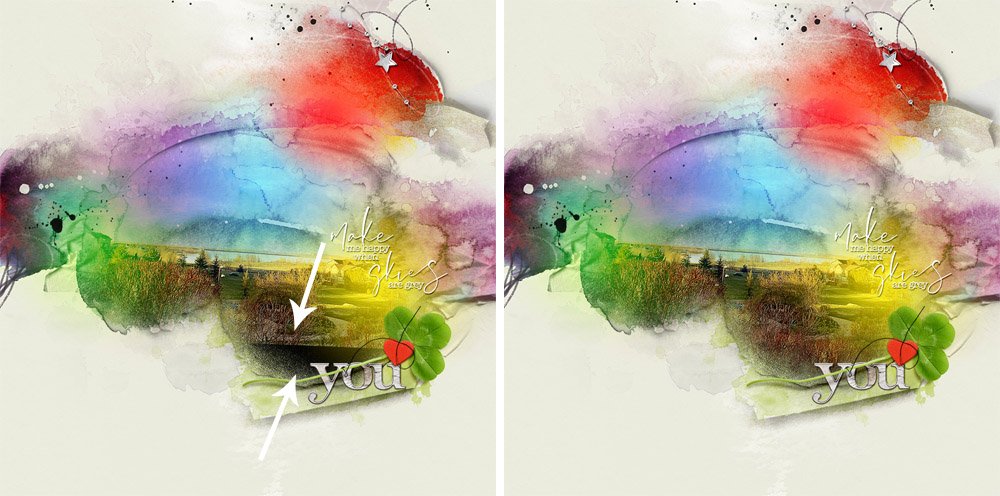
- NOTICE the very obvious ‘HARD’ PHOTO EDGE in (Image 1).
- Covering edges with embellishments can help to hide these frustrating lines but this does NOT fully solve the problem.
- Modify Clipping Masks provides 3 APPROACHES for blending those pesky hard photo edges.
>>>Eradicate hard edges in your blended photos right now<<<
2. Increase Density
Bring back details in a photo which are distorted/disappear when clipped to a mask.
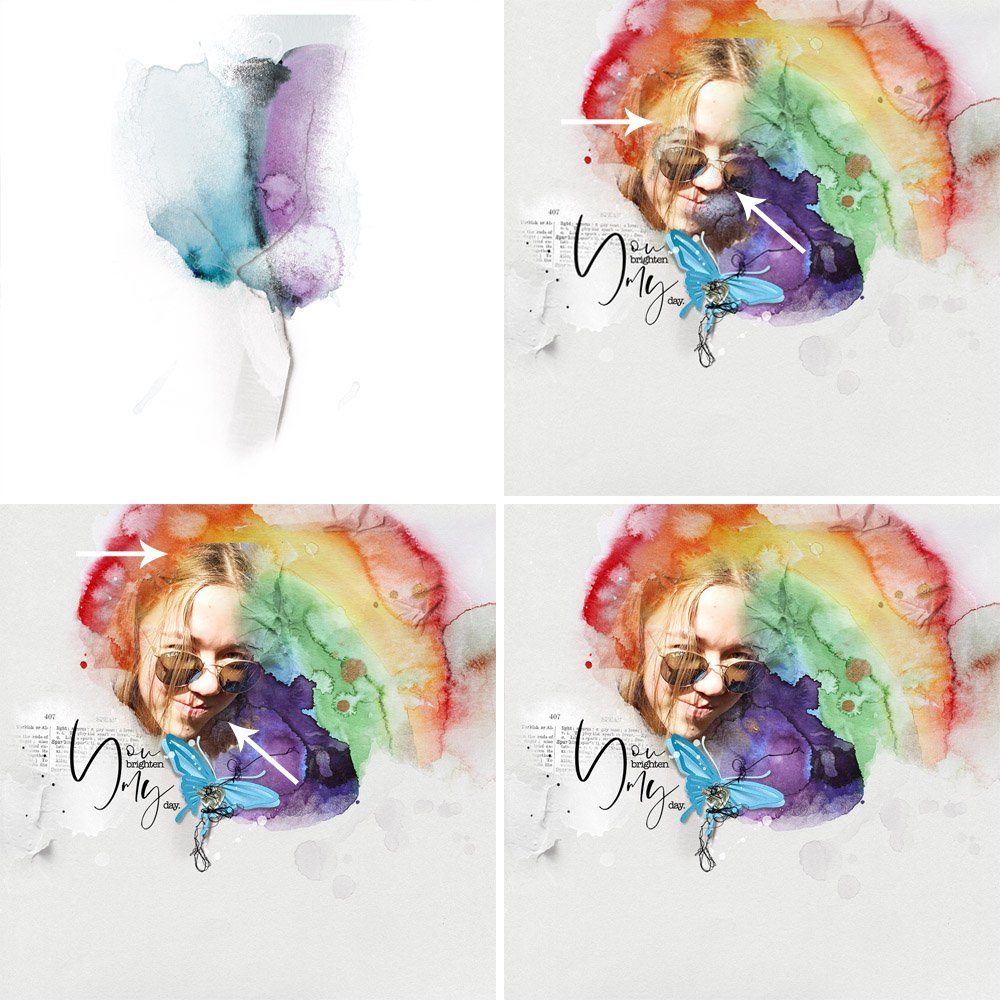
- A Transfer from ArtPlay Palette Rainbow was used as the clipping mask (Image 1.)
- NOTICE how many of the facial features are distorted, unclear or hidden when clipped to the Transfer (Image 2.)
- Modify Clipping Masks shows you how to bring back the DETAILS of your image, plus modify your mask to BEST suit your photo as shown in Image 3 to yield the final image (4.)
>>>Learn how to customize your masks to better suit your photos<<<
3. Reduce a Clipping Mask
This involves removing areas of a clipping mask to change shape, orientation and size.
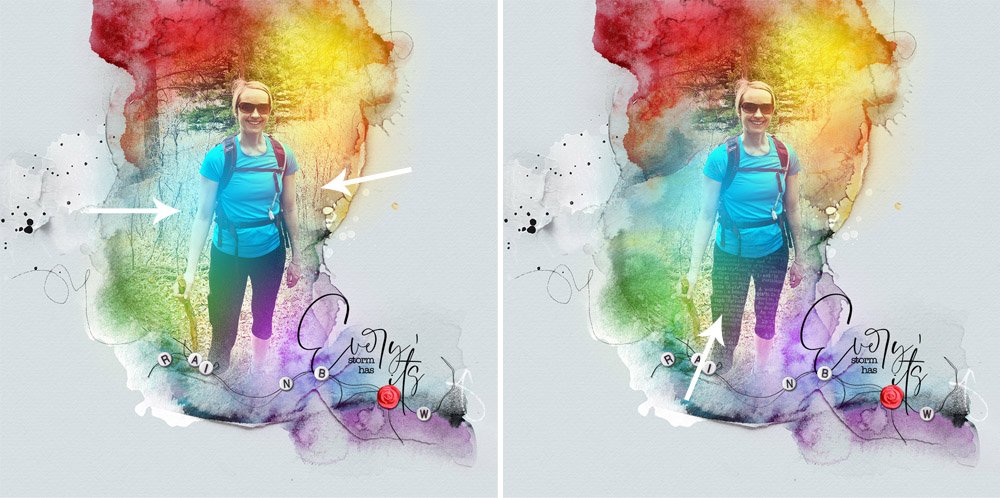
- Use ArtPlay Brushes to CUSTOMIZE a clipping mask and perfect your layout design.
- Add VISUAL INTEREST to your photos with TEXTURE and MOTIF such as text (Image 2.)
- NOTE that I also re-positioned the FotoGlows in the Rainbow FotoBlendz to better support my imagery.
>>>Start adding texture and visual interest to your blended photos today<<<
4. Expand a Mask
This is the process of adding to a mask to change shape, size or orientation.
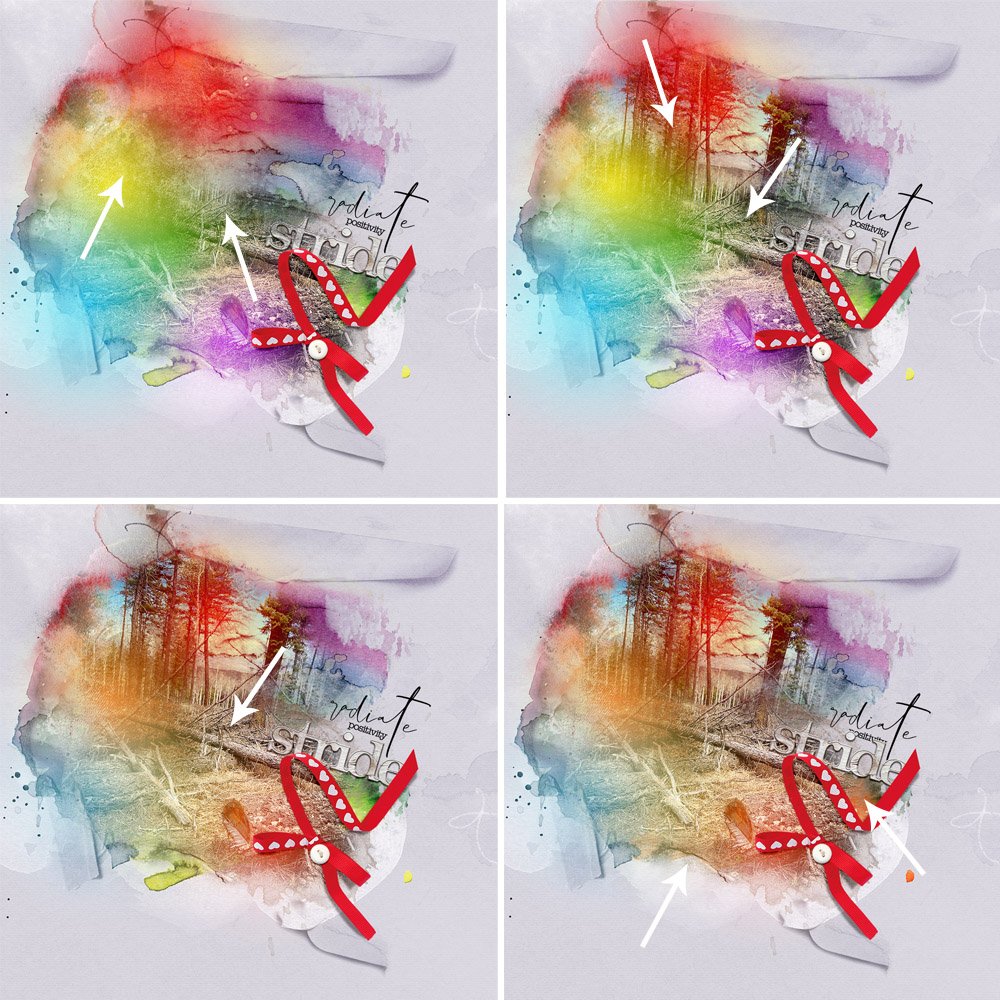
- HALF my photo was hidden when I clipped the image to the Rainbow FotoBlendz (3) mask (Image 1.)
- Use ArtPlay Brushes to change the SHAPE of the mask from Landscape to Portrait (Image 2.)
- Recolor any of the texture/paint/FotoGlow layers in Rainbow FotoBlendz (3) to best support your photo.
- Apply my favorite technique for handing HARD PHOTO EDGES to your other DigitalART supplies.
>>>Mix and match the techniques to improve your blending with clipping masks<<<
- Learn EVERYTHING about Modifying Masks with ArtPlay Brushes.
- FREE DigitalART Pack with purchase.
- BONUS Discounts + $20 Coupon ENDS SOON.
Got a question?
Post in the comments BELOW.