
Creative Team Member, Barbara, shares her Text On A Path Tutorial.
Text On A Path Tutorial
A different title approach for your digital scrapbooking and artistry layouts.
After trying out several different title looks for this page, I liked the idea of hugging it to the circle frame.
In a sense, the title became part of the frame, and ‘framed the frame.’
1. Shape Tool
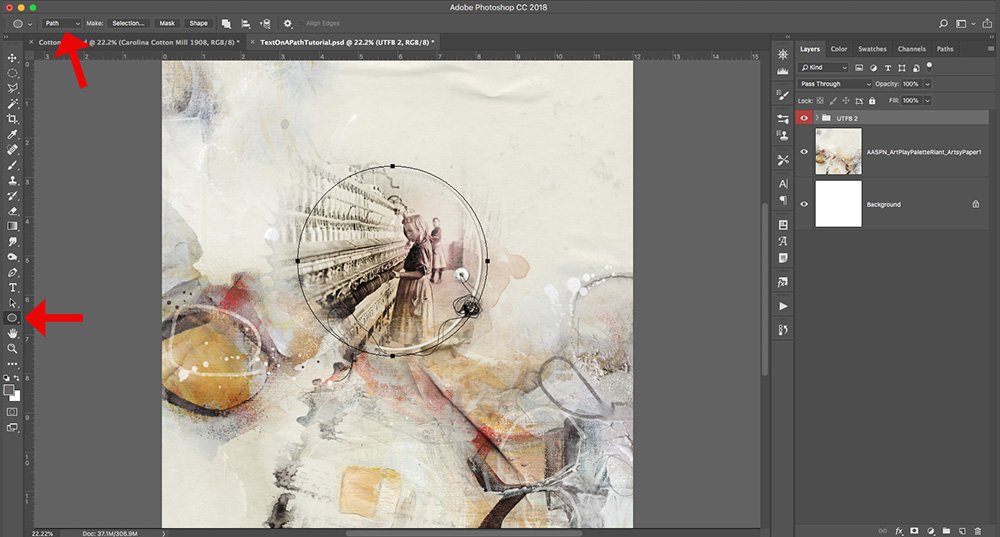
Create a circle using Elliptical Shape Tool
- Select the Elliptical Shape Tool from the Tools Panel.
- Note that the Elliptical option is nested under the Rectangle Shape Tool.
- Ensure the Path option is selected in the Options Bar at the top of your screen.
- Hold down the SHIFT key, to constrain proportions to create a perfect circle, as you click down with your pen/mouse, drag and then release.
- Press the Space Bar to move your shape and position it around the frame.
- Note will still need to hold down the SHIFT key to maintain your circle shape.
2. Text Tool
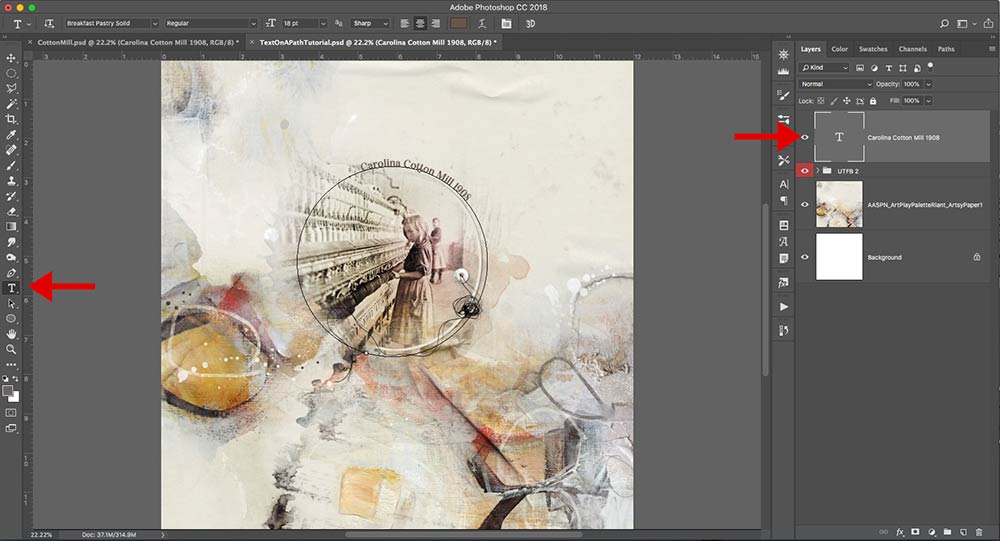
Add Type to the Circle.
- Select the Text Tool from the Tools Panel.
- Click on the line (path) of the circle shape.
- Notice the cursor transforms to a ‘T‘ with a circle around it.
- Begin typing in the size of your choice.
- 18 pt Breakfast Pastry font was chosen for this layout.
- Notice the type appear on it’s own layer in the Layers Panel.
- Click on the check mark in the Options Bar at the top of your screen to accept the type.
3. Move Tool
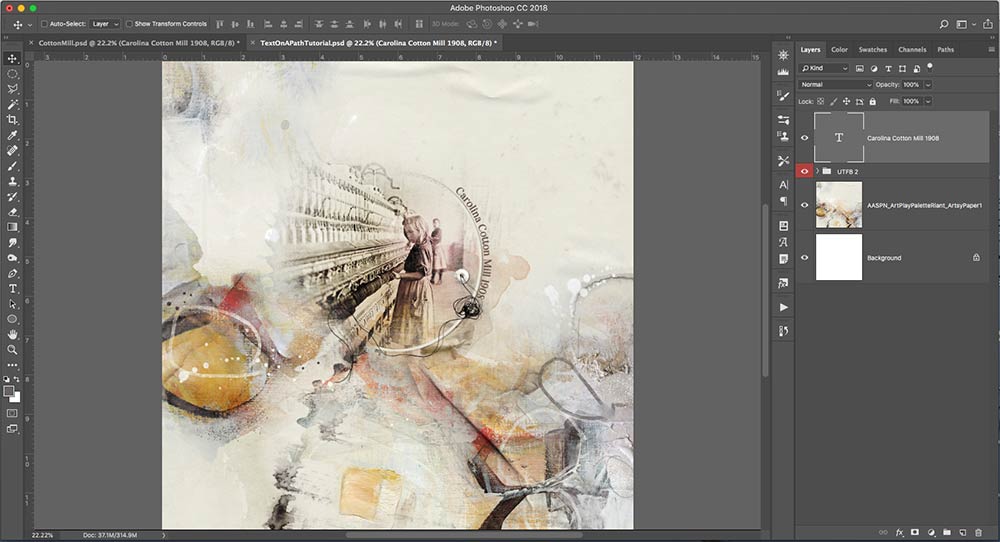
Re-position your words using the Move Tool.
- Select the Move Tool from the Tools Panel.
- You can use use short cuts by pressing CMD + T (on a Mac) or CTRL + T (for Windows) to rotate the words into their final position.
- Note that you can go back and make changes in terms of font size or spacing at any time.
- Apply Blend Ifs and Linear Burn Blending Mode to provide more depth and visual interest.
Conclusion
This Text On A Path tutorial offers a simple way to create an interesting title in Photoshop.
For this layout, I tried out different title looks on different parts of the page but they just weren’t hitting the mark for me.
Everything I tried did not provide balance with the journaling on the left side of the page and I didn’t want to disrupt the white space on the upper right.
The Text of Path provided an approach that offered an easy solution.
For more title guidance, see TitleSmarts.
Maybe this technique will be a design solution for you also.
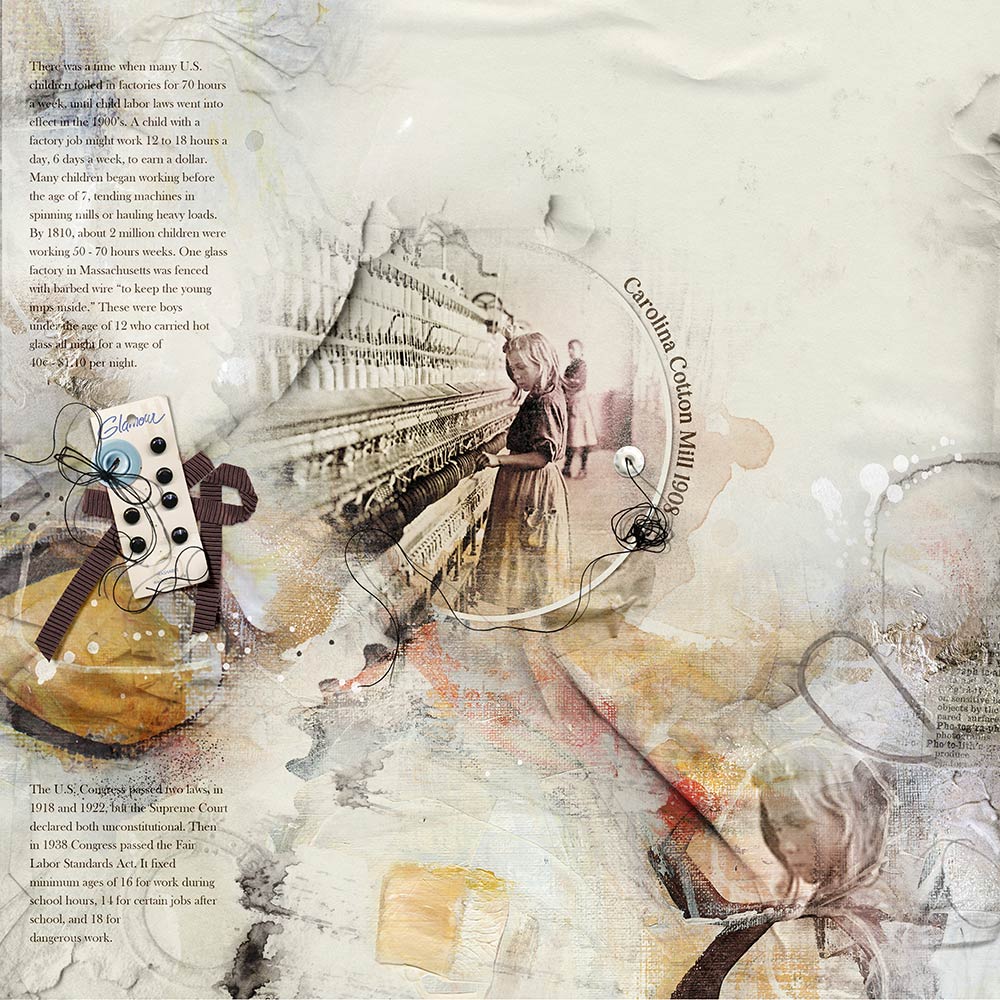
Post your digital artistry and artsy digital scrapbooking pages in The Gallery, and if you liked this Text On A Path Tutorial, please consider sharing it using the social media buttons below.
Enjoyed this tutorial. It was easy to follow and I will certainly try this in the near future. Thanks for the tip about using a blend mode on type, I always forget about that and it offers a cool effect. Thank you.
Always happy to provide a useful tutorial 🙂
How do you do this in Elements 15, I can’t see the ‘path’ to select it.
It’s a different process in Adobe Photoshop Elements. You will need to use the Text on a Custom Path Tool from your Tools Panel, create the path and then type as described in this tutorial.