
Today, Creative Team Member, Miki, is sharing her Multiple SmartPhone App Editing Process.
Multiple Smart Phone App Editing Process
Manipulate your photo using multiple artsy iPhone Apps and then blend together in Adobe Photoshop or Elements.
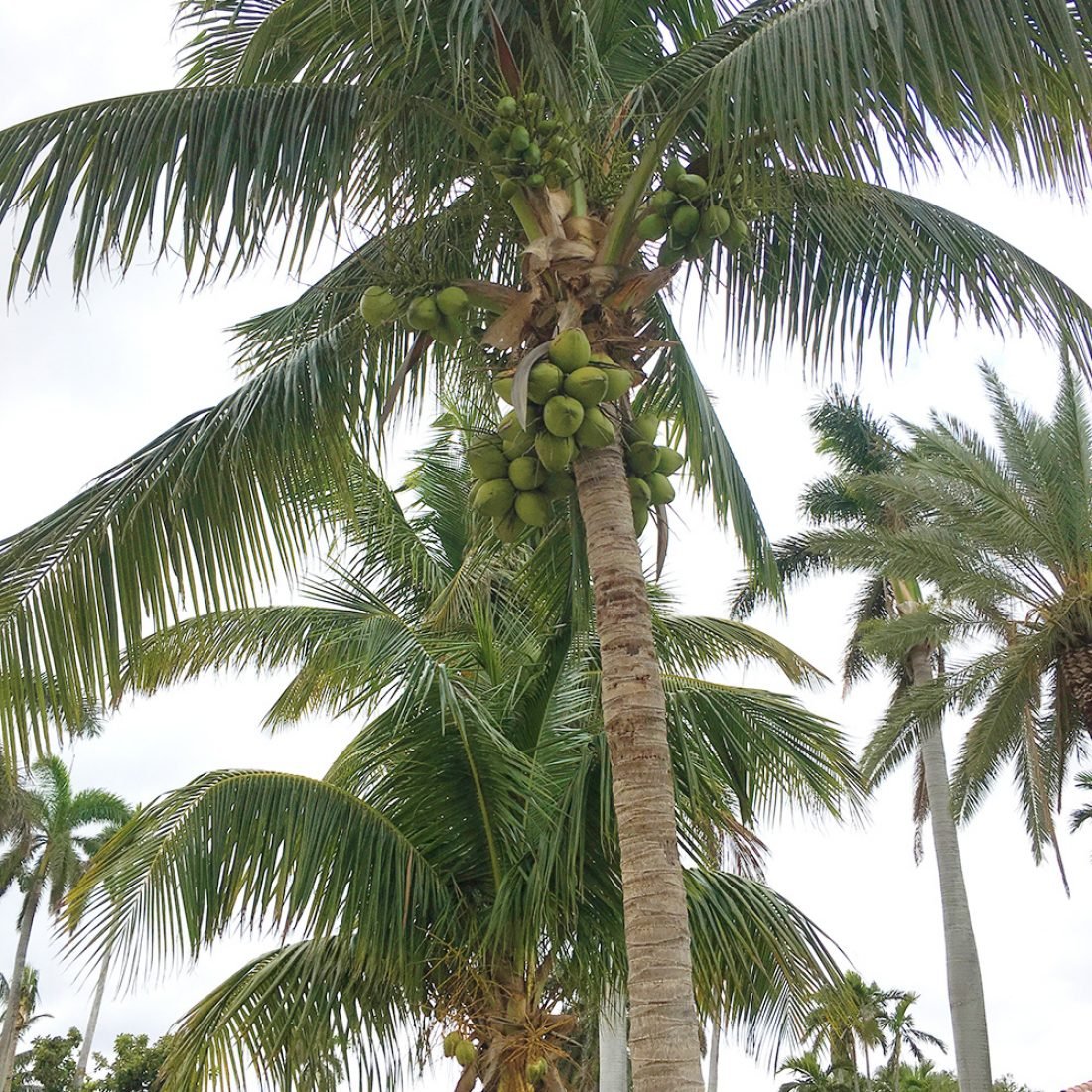
Snapseed
Great for making an image lighter or darker.
- The Tune Image and White Balance (Tools) functions were used to brighten the image and improve the color.
- Hue/Saturation adjustments intensified the colors providing greater contrast.
Waterlogue
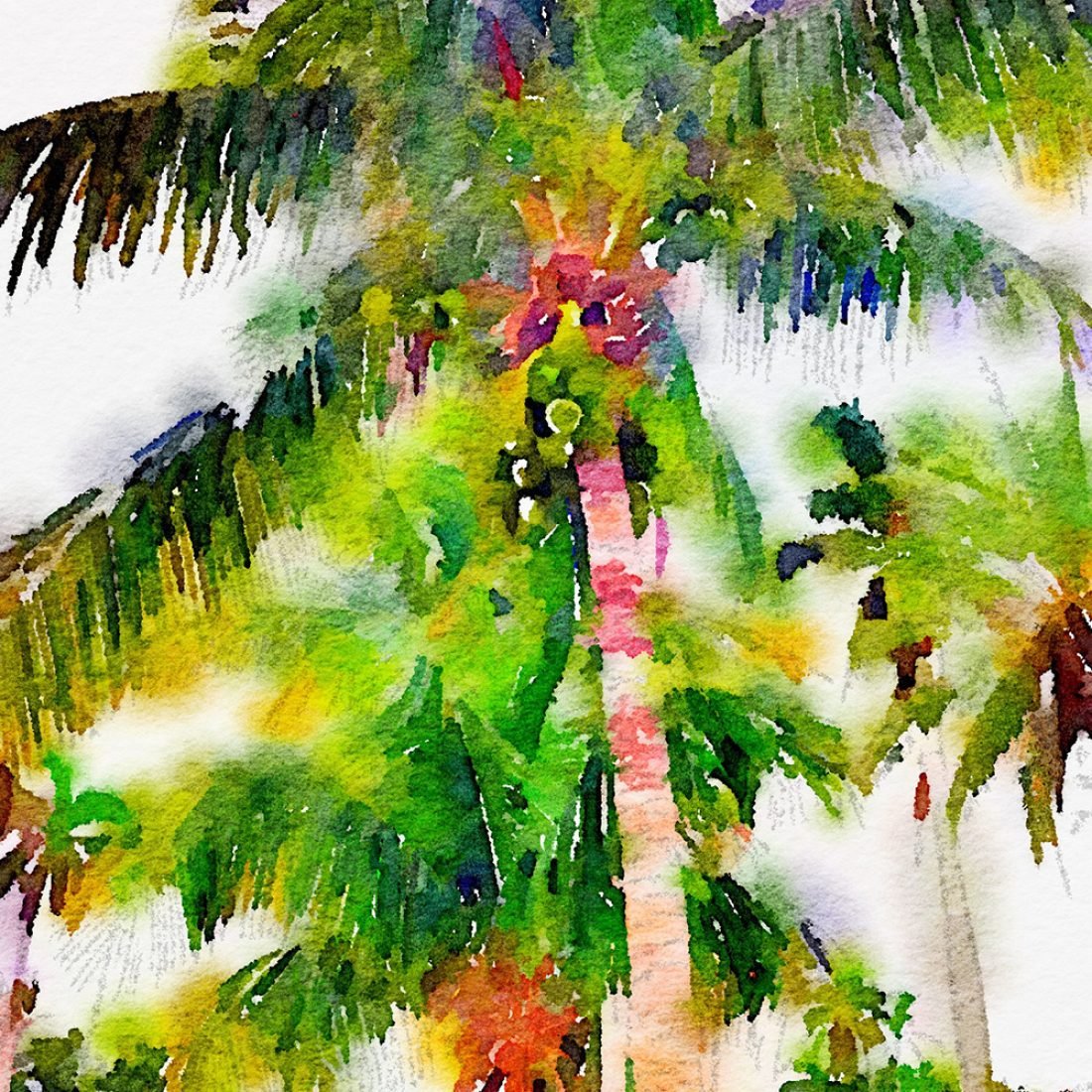
Transforms a photo into a watercolor image.
- Choose from a variety of presets.
- The ‘bold setting’ was selected to create a brightly colored watercolor image.
Sketch Master
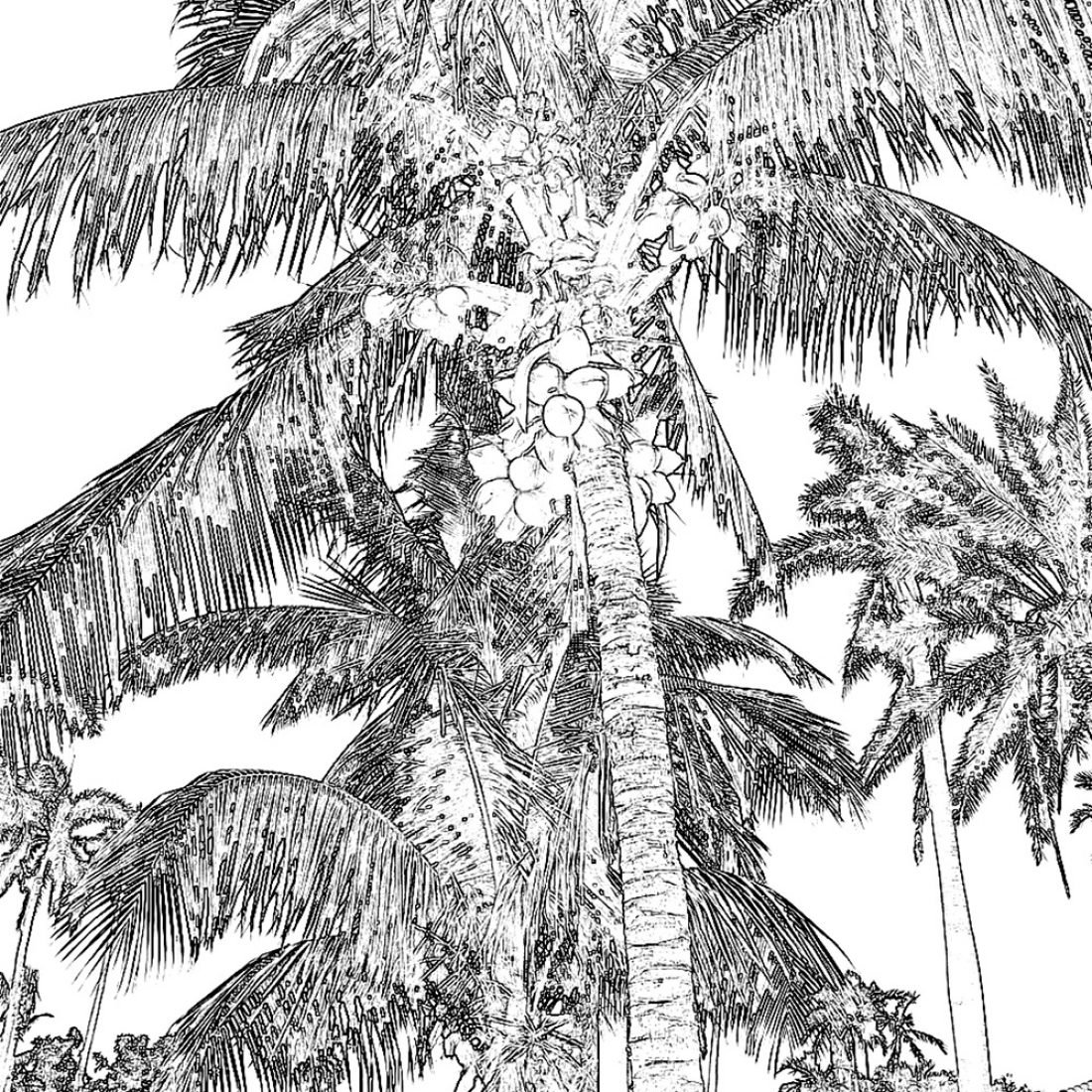
Creates a pencil drawing effect
- Adds definition to the watercolor image.
- The watercolor image was processed using Sketch Master to create a monochrome line drawing.
Adobe Photoshop or Elements
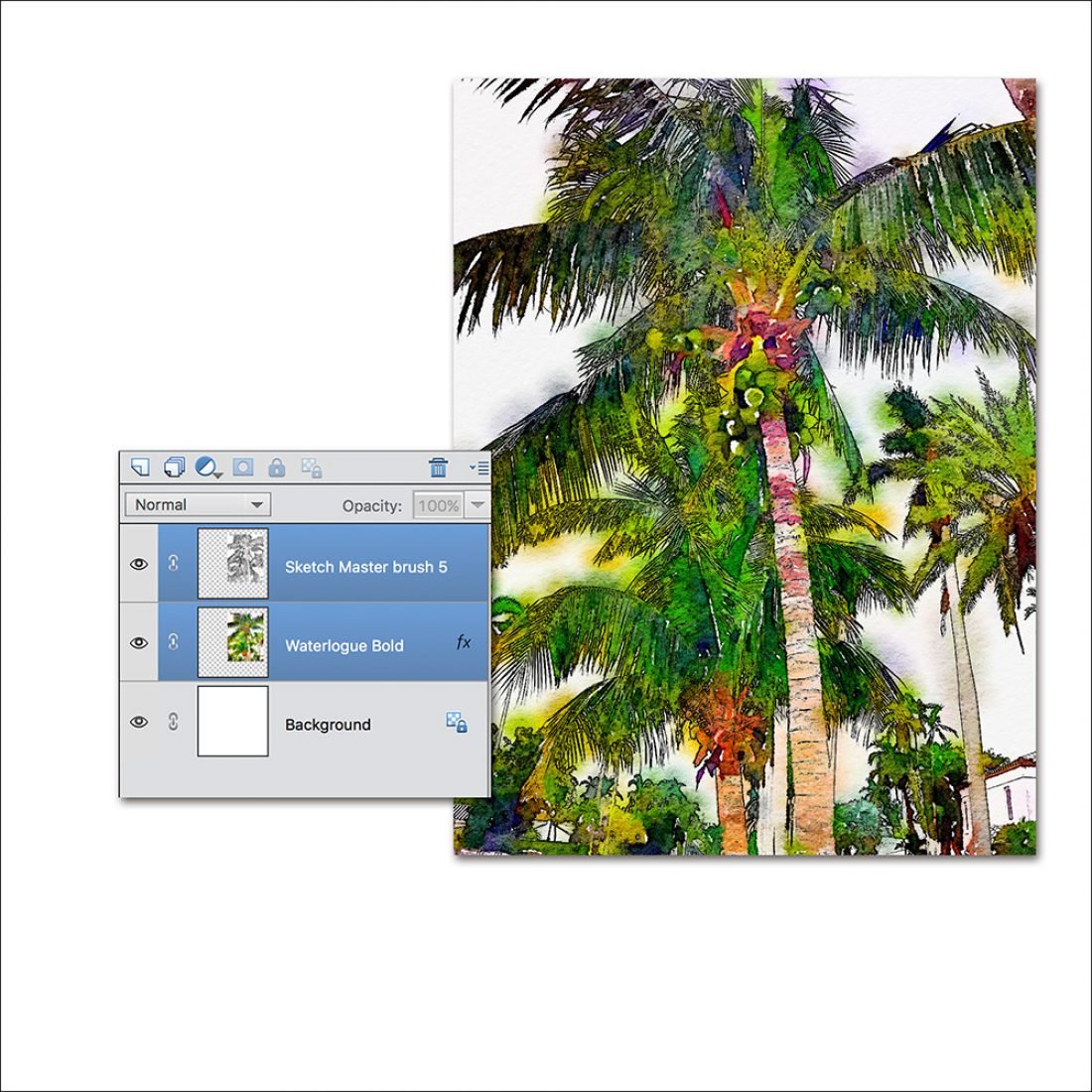
Blend the images together.
- Import both the ‘watercolor’ and ‘sketch’ images into Adobe Photoshop or Elements.
- Place the ‘watercolor’ image below the ‘sketch’ image in the Layers Panel.
- Change the Blending Mode of the ‘sketch’ layer to Darken.
- This allows areas of the ‘watercolor’ image to show through the ‘sketch’ image therefore blending them together.
- Merge the two layers together (CMD/CTRL + M).
Artsy Digital Layout
Create A Foundation.
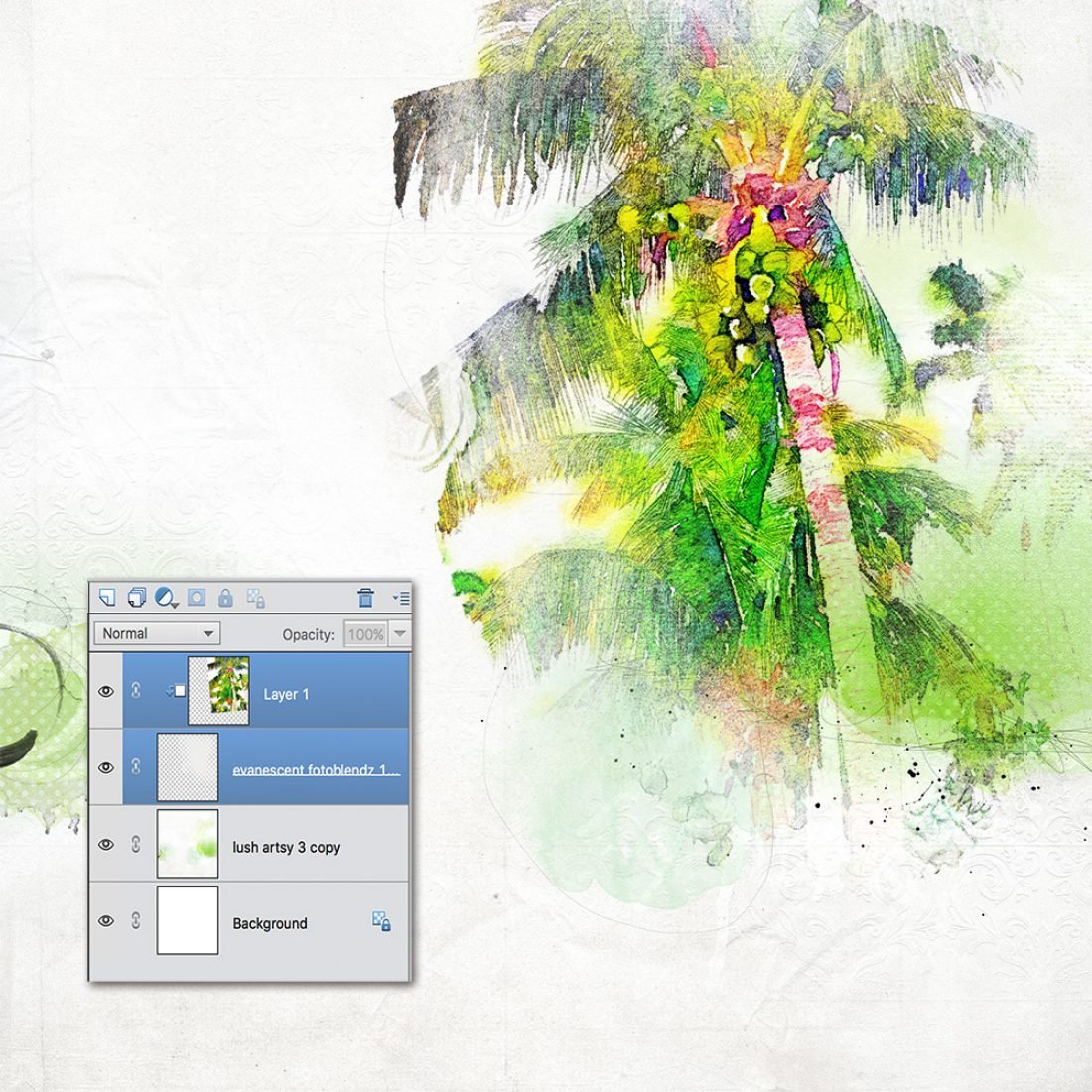
- Create a new 12 X 12 layout at 300 DPI (File> New> Open).
- Move the digital paper of your choice onto the layout using the Move Tool from the Tools Panel.
- Artsy paper 3 from Artplay Palette Lush was used as the foundation of this page.
- Clip the blended image to a FotoBlendz Clipping Mask (Cmd/Ctrl+G) such as Evanescent FotoBlendz No. 1.
Tip: The mask was recolored to match the color of the background page for better blending of the image edges. Use the Color Picker (eye dropper) to sample the paper color, then recolor the mask Edit> Fill Layer.
Build the Color and Textures.
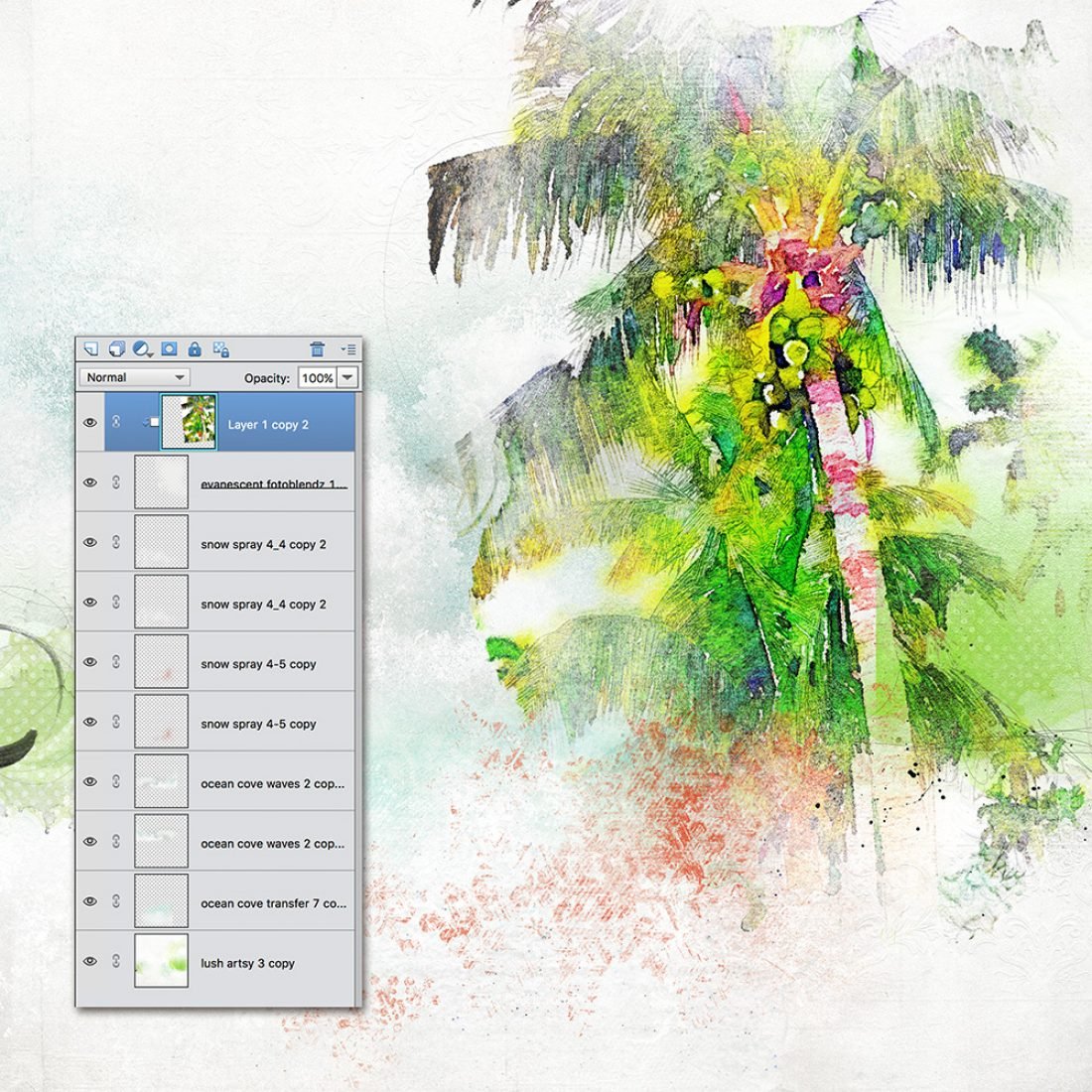
- Layer Transfers and Overlays from Artplay Palette Ocean Cove to create more dimension.
- Note that snowflakes are not just for winter pages – They make great waves on a beach page adding texture and interest!
- And they don’t always need to be white – Recolor some of the SnowSpray No. 4 brushes to add more punch to the page.
Enhance and Embellish
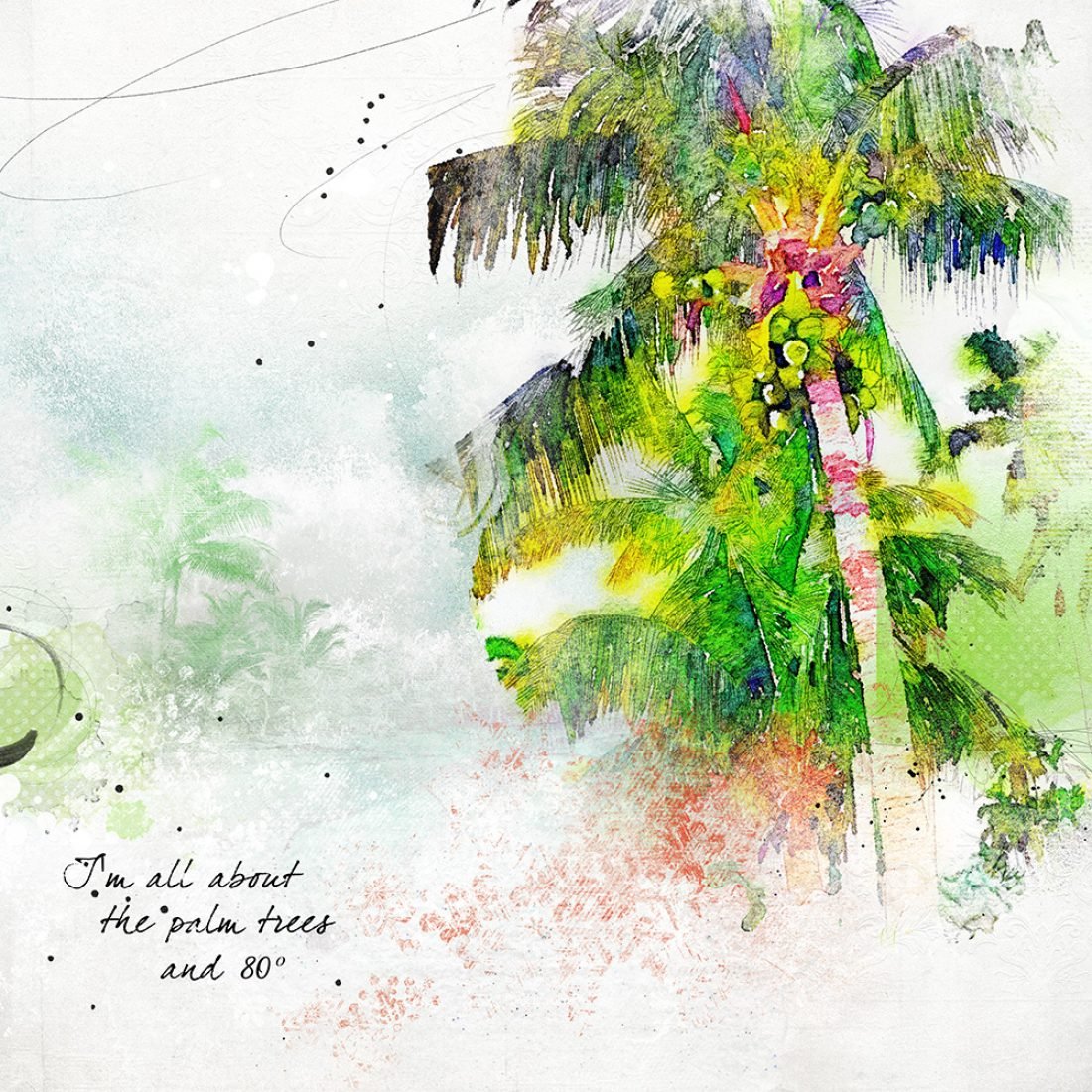
- Add Brushes, WordArt and Embellishments of your choice.
- A brush from Oasis No. 2 was stamped onto the page and resized.
- An Artsy Paper from Artplay Palette Storm was clipped to the brush, duplicated, and the Blending Mode of the paper changed to Hard Light.
- Add your journaling and WordArt.
Post your digital artistry and artsy digital scrapbooking pages in The Gallery, and if you liked this Multiple SmartPhone App Editing Process tutorial, please consider sharing it using the social media buttons below.
These apps look very fun to try Miki. I have the Waterlogue and will check out Sketch Master. Thank you for sharing.