
Miki, shares her process to Blend Maps into Digital Scrapbook Travel Pages
This tutorial may also be achieved using Adobe Photoshop Elements, excluding the title.
Blend Maps into Digital Scrapbook Travel Pages
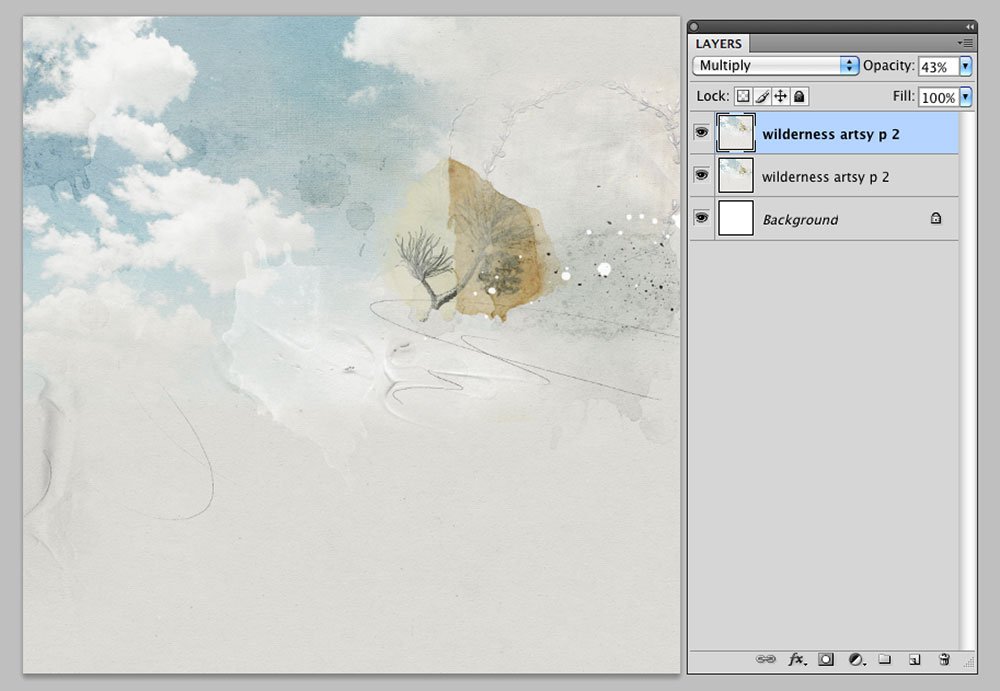
1. Create Foundation
- Create a new 12 x 12 layout at 300 DPI. Go to File> New File.
- Open and move Artsy Paper 2 from ArtPlay Palette Wilderness onto the layout using the Move Tool from the Tools Panel.
Miki duplicated the paper and applied the Multiply Blending Mode with a reduced Opacity to darken the overall effect.
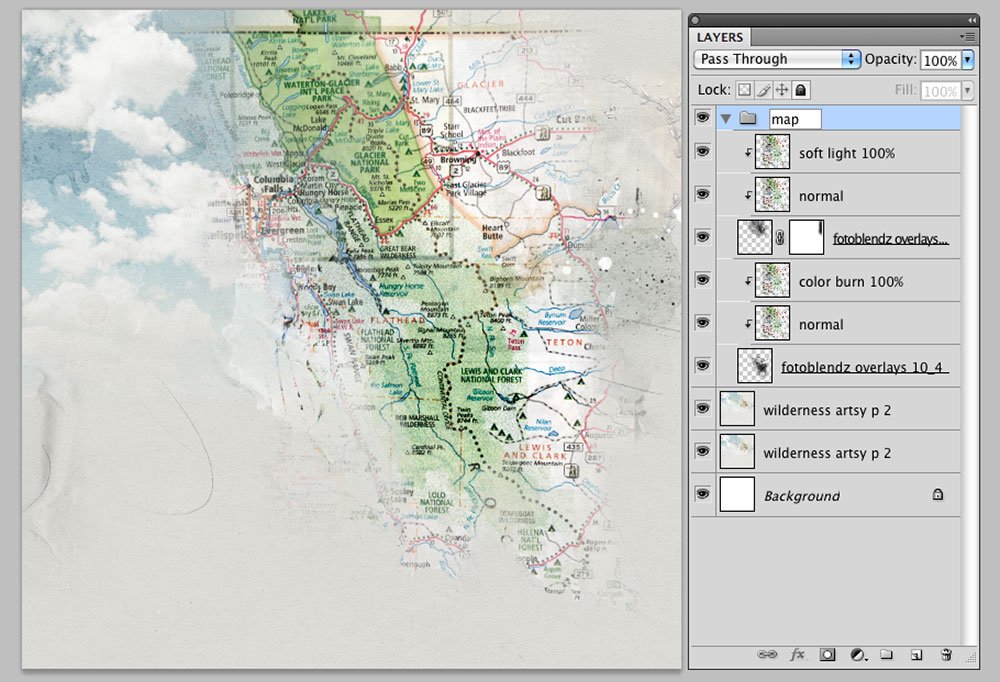
2. Blend Your Map
- Open and move a map file of choice onto the layout using the Move Tool from the Tools Panel.
Note that you can scan memorabilia or find a map in your digital supplies.
- Place the map layer above a FotoBlendz Clipping Mask layer and use the clipping mask function so that the map conforms to the shape and assumes all properties of the mask layer.
- Miki uses a FotoBlendz mask from FotoBlendz Overlays No. 10, duplicating the map layer and clipping it to a second FotoBlendz mask to extend the map.
- Re-position the masks as preferred to yield desired coverage or result.
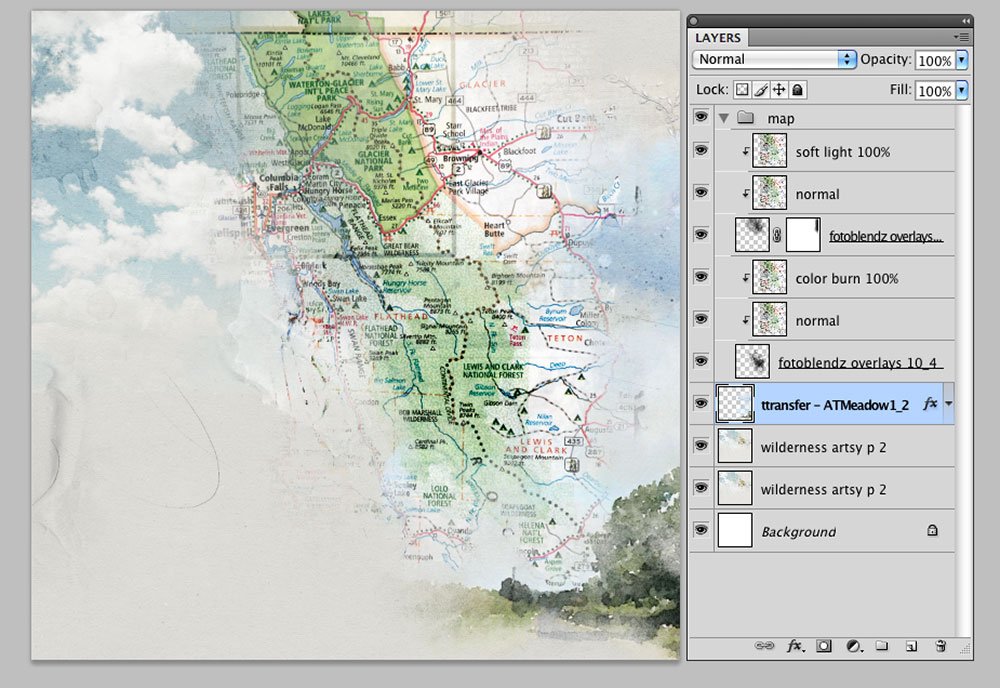
3. Create a Matte
- Anchor the blended map image to your foundation by creating a matte for the map layer.
- Add a Transfer from ArtsyTransfers Meadow between the 2 layers and position at the bottom of the page.
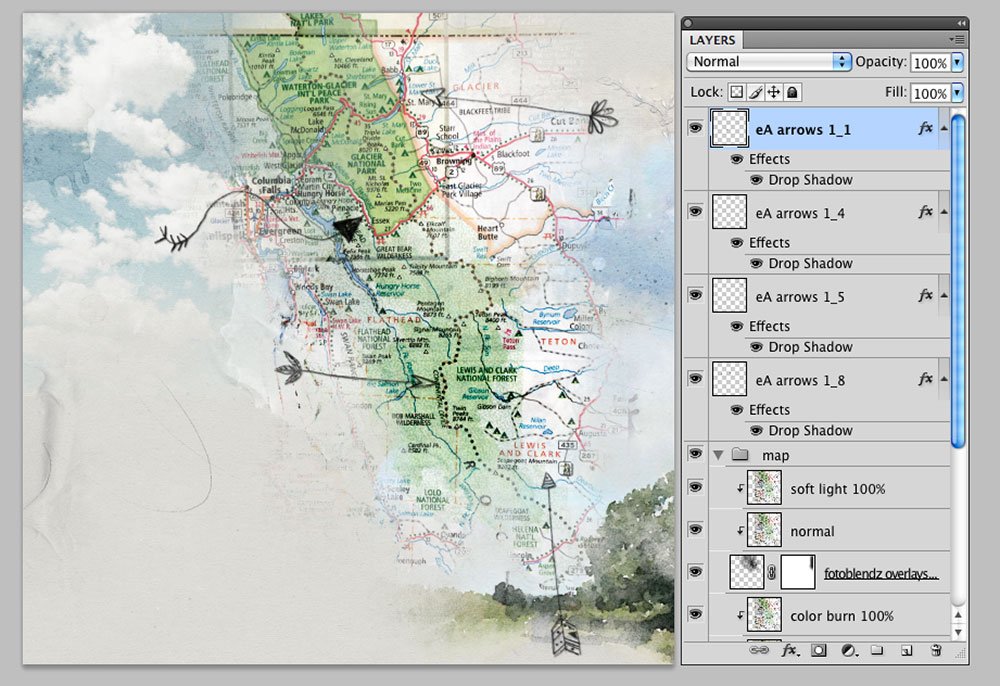
4. Draw Focus
- Stamp eA Arrows No. 1 on New Layers, rotating each arrow as preferred, using the Paint Brush Tool from the Tools Panel.
Use the arrows to indicate places you want or have visited.
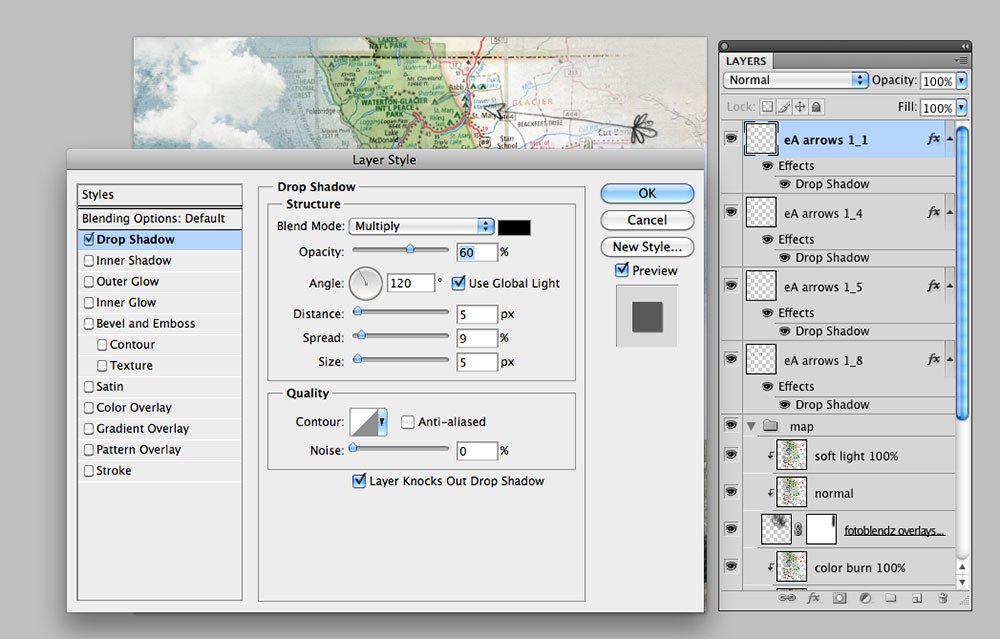
- Add a Drop Shadow Layer Style to the arrows at add visual interest and dimension. Go to Layer> Layer Style> Drop Shadow.
5. Add Title
- Type your title using the Type Tool from the Tools Panel.
- Miki applied a Drop Shadow Layer Style (red), an Inner Glow (lighter red) and an Outer Glow (blue).
6. Embellish
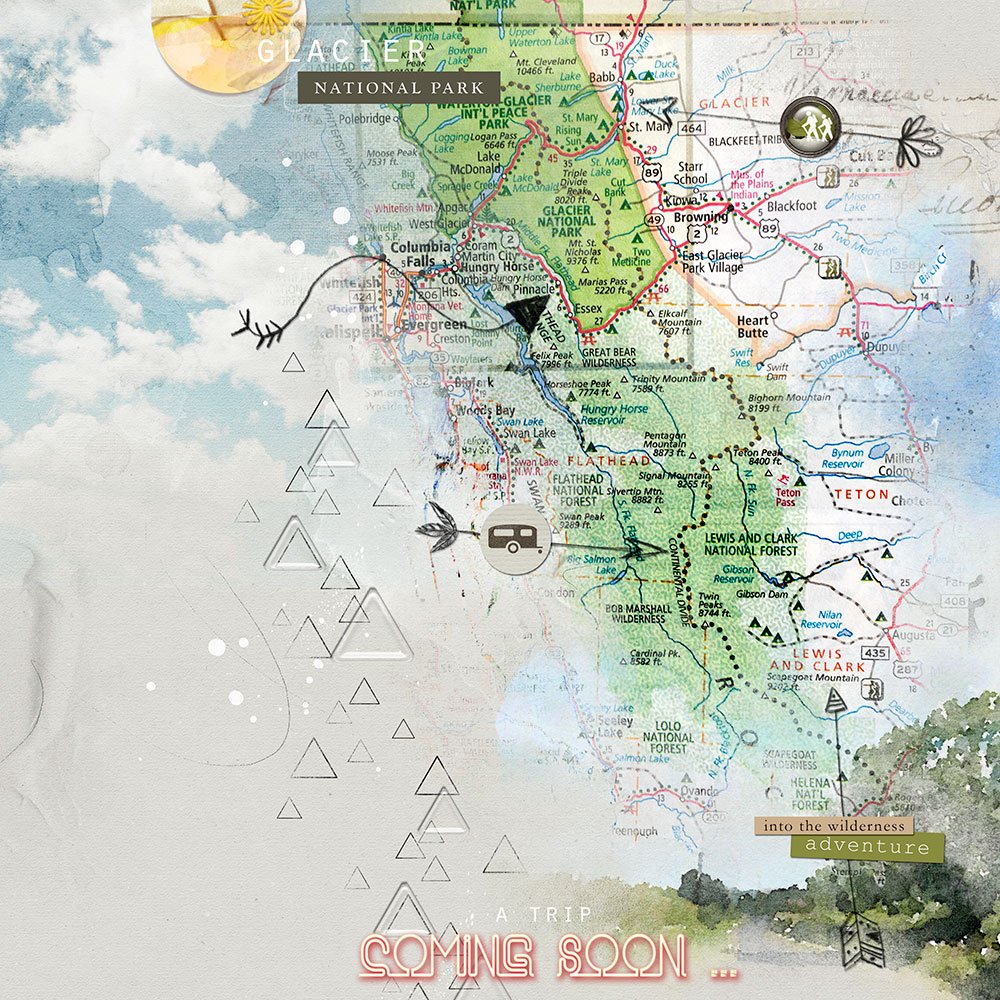
- Complete the layout with MultiMedia Arrows, labeled words and embellishments.
Blend Maps into Digital Scrapbook Travel Pages and post in the AnnaGallery.