
Today, Creative Team Member, Viv, is providing an introduction to the Adobe Photoshop Camera App.
Adobe Photoshop Camera App
Introduction
Use the App to process your photos for inclusion in your photo artistry and digital scrapbooking layouts.
- Edit your photos on your smart phone or device using the Adobe Photoshop Camera App.
- Import the images for use in your layout designs in Adobe Photoshop or Elements.
Viv share how to use just one of the settings available in her tutorial below.
1. Getting Started
THERE ARE TWO WAYS TO APPLY AN EFFECT TO A PHOTO.
- Import a photo from your camera roll on your mobile device, this is my preferred method.
- Choose a Filter and take a photograph using the camera.
Note. The camera applies the Filter, keeps a copy of the original photo and saves the image to the in app camera roll.
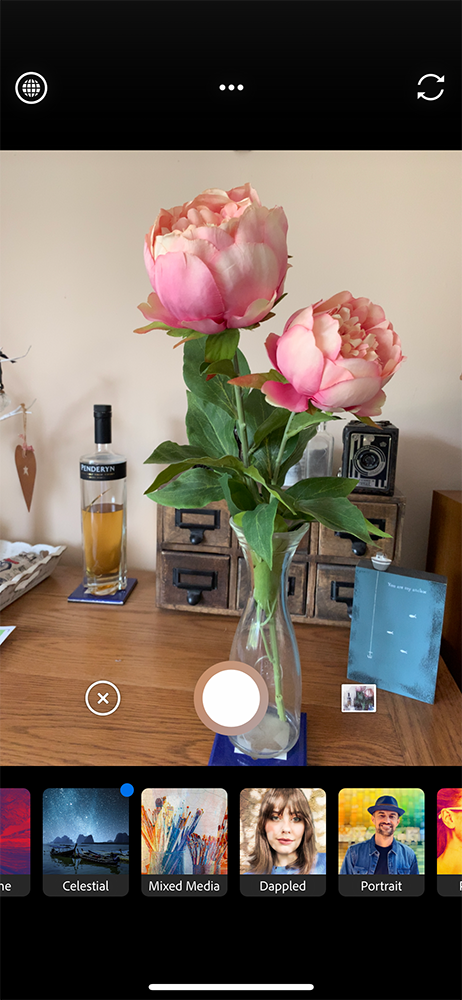
2. Apply a Filter
Apply a filter to a photo.
- Open the App.
- First time, you will be prompted to sign in with your Adobe ID or sign up.
- A short tutorial is provided but the interface is intuitive and similar to all other Adobe apps.
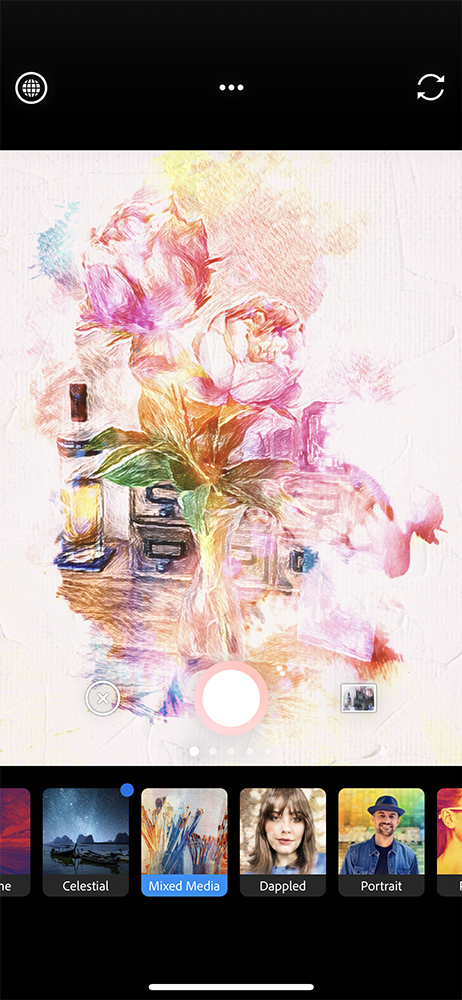
- Select a Filter to view the corresponding image result.
- Swipe across the screen to view more examples.
- Use an existing photo or take an image using the camera.
Note. Use an existing photograph offers MORE control.
- Tap the photograph thumbnail on the left of the screen.
- The option is given whether to use a photo from PC Studio or Camera Roll.
- Tap on a photograph and it will open and make minor adjustments automatically.
- Touch the lenses on the left of the tool bar to view your Lens options.
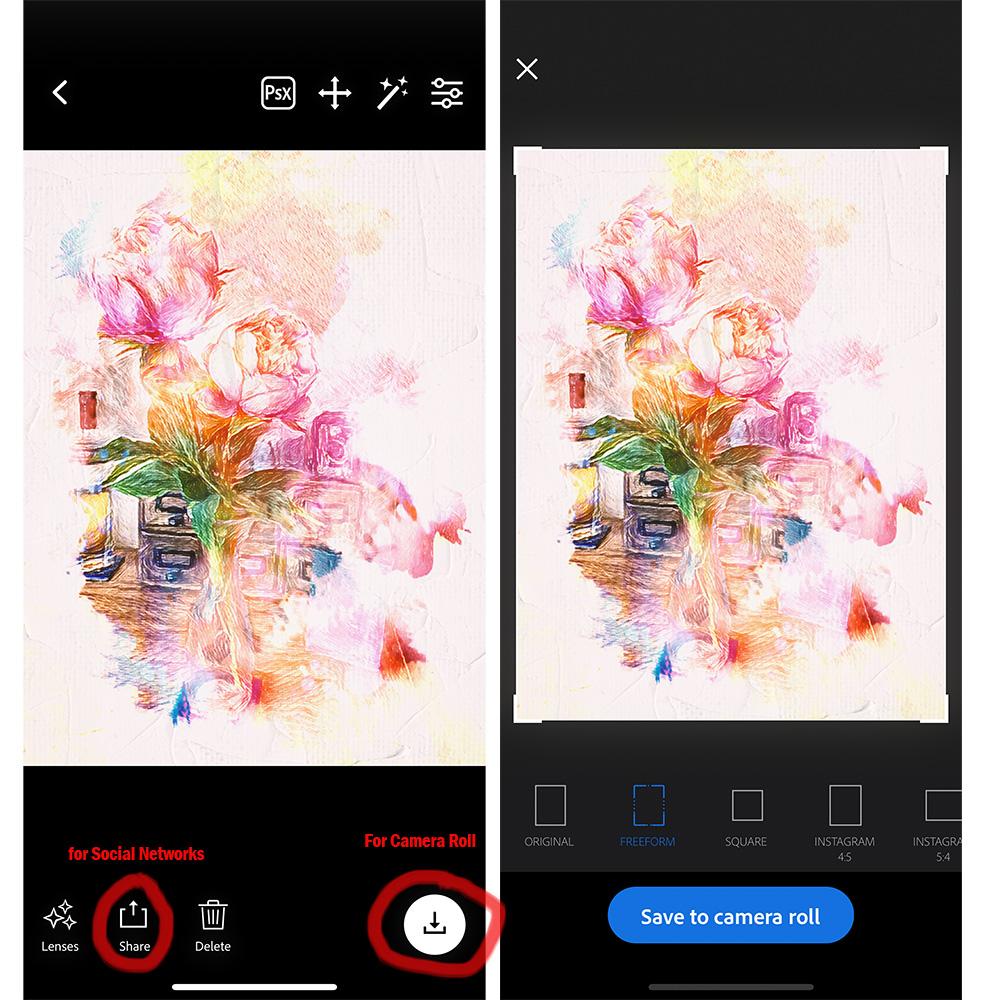
3. Save/Share a Photo
Save to your camera roll or share to social media.
- Tap the photo thumbnail and two options will become available.
- Save to PC Studio or Camera Roll.
- If you select Camera Roll you will get 2 more options to Share to Social Media and Save to Camera Roll.
Note. Your photograph can be shared to ALL the social platforms.
4. Experiment with Features
Play with the different features and options available within the app.
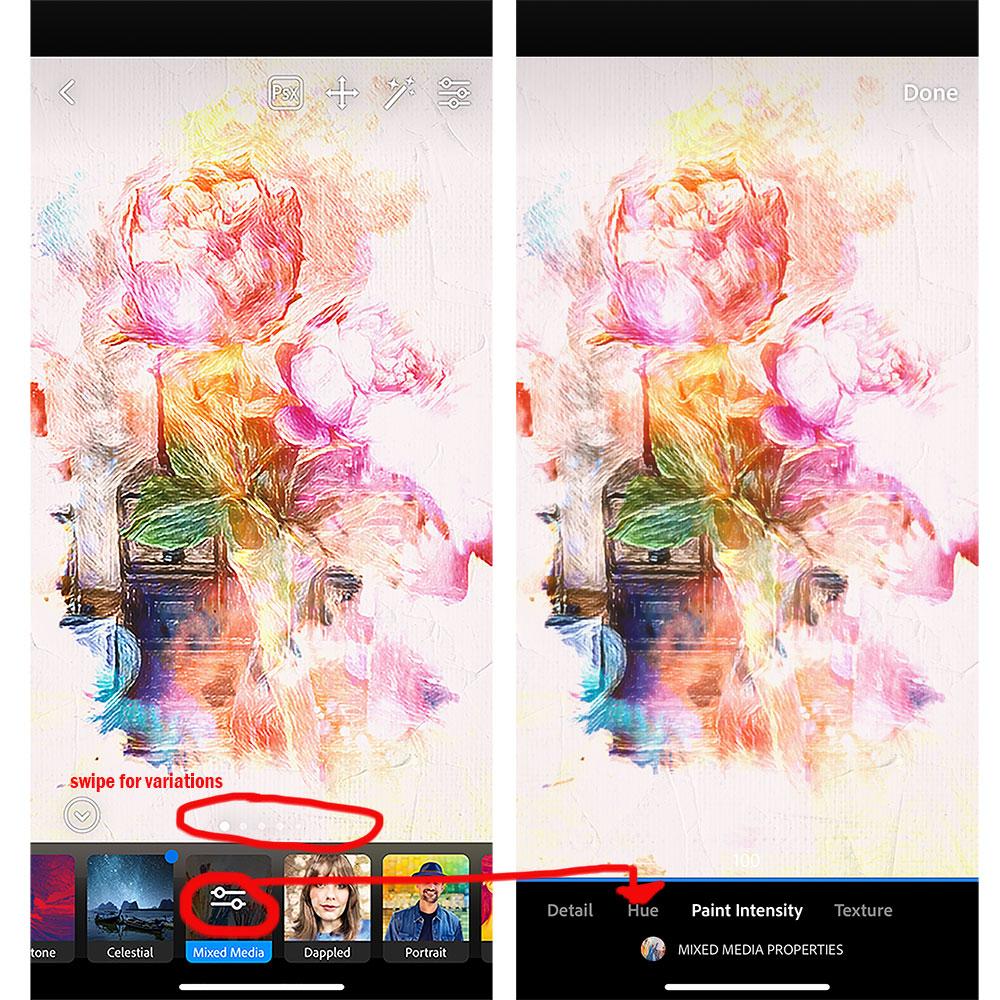
- Each lens has various Modes.
- Click on the Lens thumbnail to open MORE options.
- Swipe right to access further variations
Summary
Photoshop Camera App can become another tool in your creative arsenal.
- Process and be creative with your photos on the go.
- Share directly to social media or incorporate into your photo artistry and digital scrapbooking layout designs.
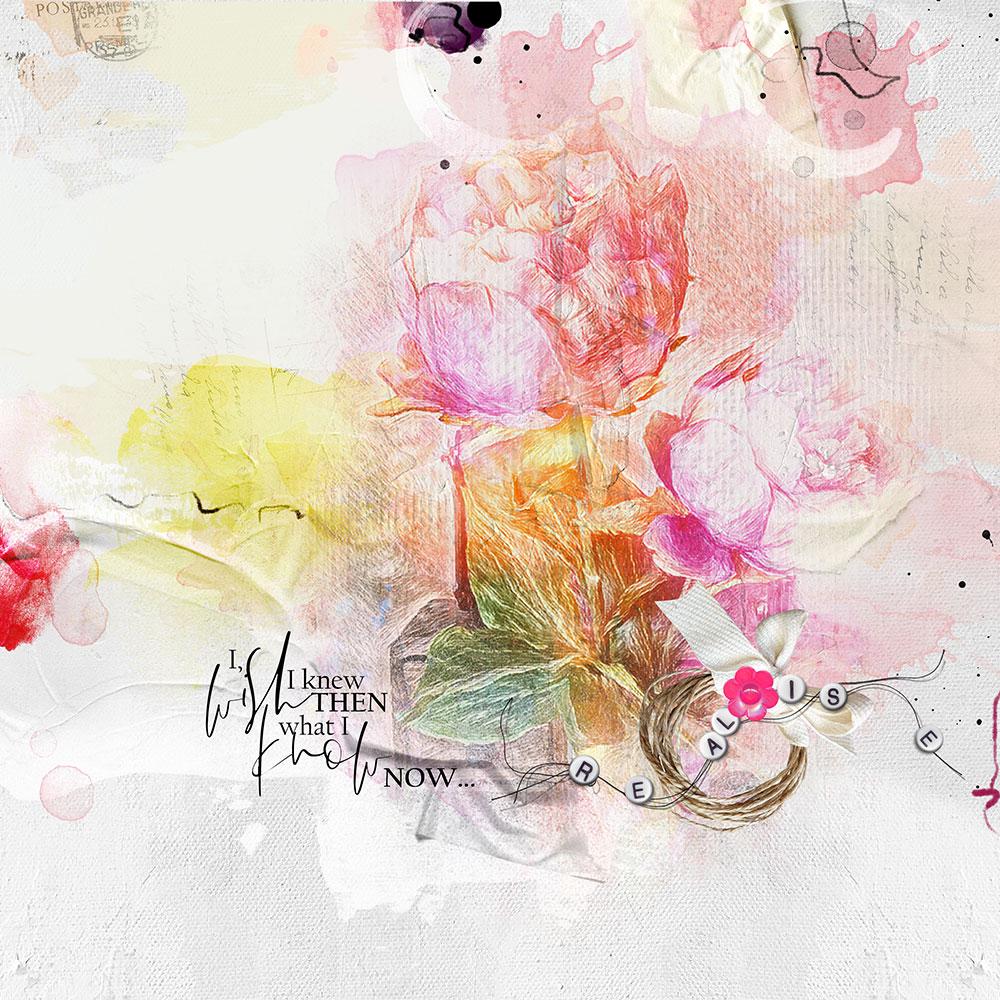
Peony | Viv Halliwell
See full list of [aalogo] DigitalART Supplies here.
TRY THIS:
- Apply different Filters to photos.
- Experiment with the different variations associated with those Effects.
See also:
- Multiple Smart Phone App Editing Process
- Artsy Processing with Smartphone Apps
- Artsy Sketch Effect Using Apps
And if you liked this using the new Adobe Photoshop Camera App introduction, please consider sharing it using the social media buttons below.
Thank you Viv for sharing the process for the app! I look forward to trying it soon. Your photos is beautiful, so uplifting.
So true.
Thanks for this awesome tutorial Viv! I am definitely going to give this App a try! xx
Yes, Me too. I bet it plays well with Procreate 🙂
This looks wonderful. I am so excited to try it, but it is not available in my (Android) Play Store. Am I overlooking something?
It’s looks like it’s available for both iPhone and Android:
https://www.nextpit.com/downalod-adobe-photoshop-camera-app