
Today, [aalogo] Creative Team Member, Miki Krueger is sharing guidance on how to create Extractions and Color Balance in Digital Scrapbooking and Photo Artistry.
Extractions and Color Balance in Digital Scrapbooking
Introduction
Bold or vivid colors carry visual weight in your digital scrapbooking and photo artistry designs.
- For example, red is suggests extreme energy, passion and action.
- You can create BALANCE in your layout designs using COLOR and VALUE alone.
- Use bold colors as ACCENTS but create BALANCE using large blocks of more NEUTRAL tones.
- Offset WARM hues with contrasting COOL tones.
1. Establish Layout Foundation
Layer an Artsy Paper and photo clipped to a FotoBlendz Mask on a New Layout
- Go to File> New and create a New Layout at 12 x 12 inches, 300 PPI.
- Open a digital paper from an Artplay Palette into the workspace.
- Move the paper design onto the layout foundation using the Move Tool from the Tools Panel.
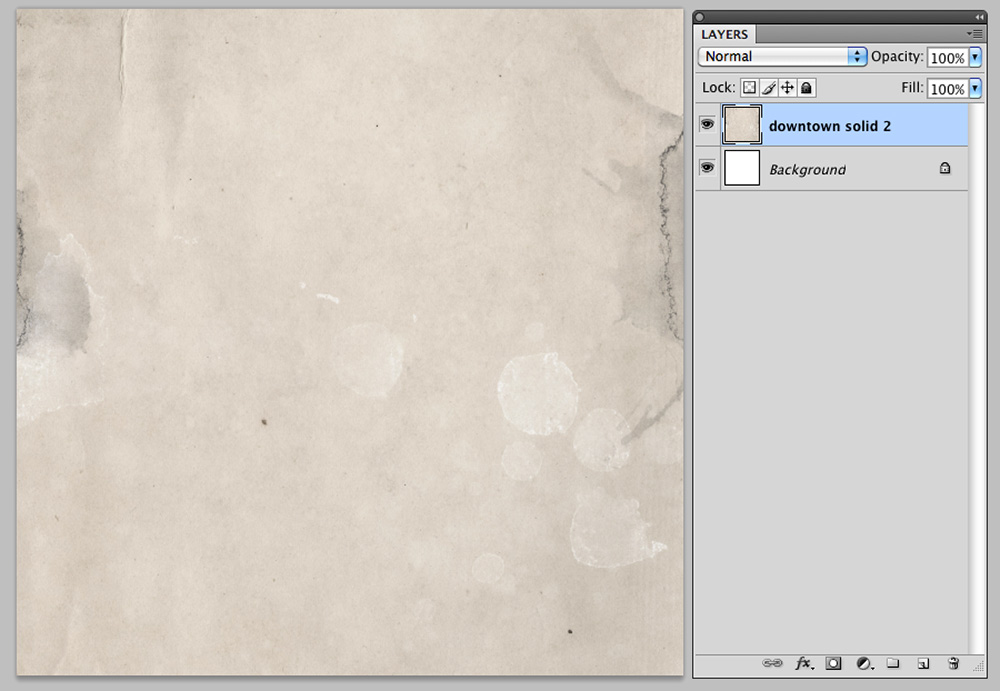
- Add a FotoBlendz clipping mask to the layout foundation.
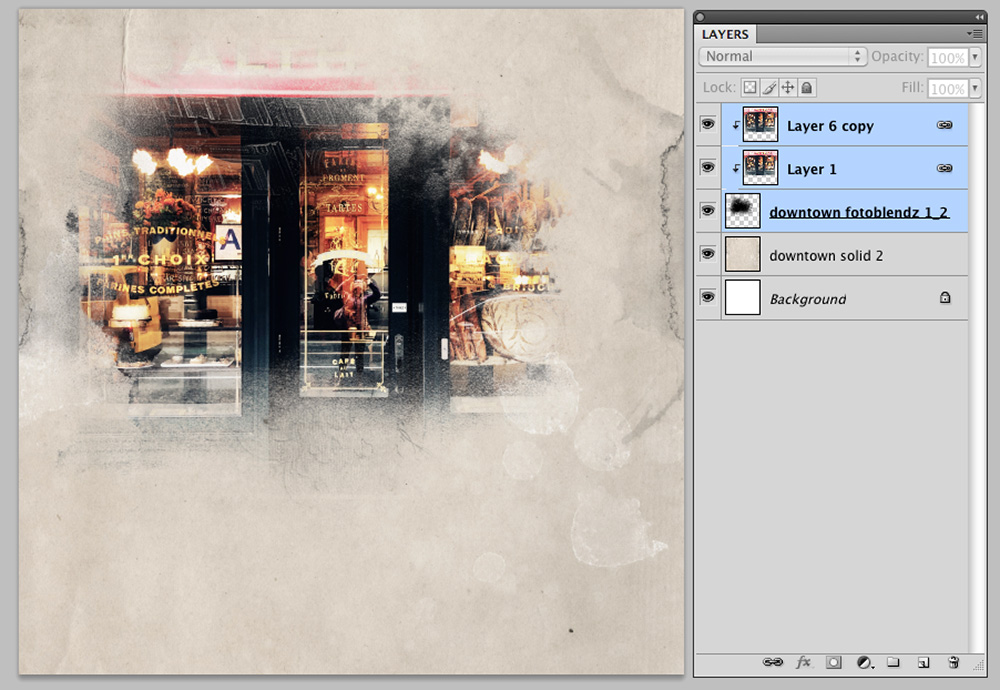
- Select photo of choice and move the photo layer on top of the mask.
- Clip the image to the mask with Layer> Create Clipping Mask.
Note. You can RESIZE the photo or FotoBlendz clipping mask layer as preferred using the Useful Techniques in Photoshop and Elements video as a guide.
Tip. See also Modify Clipping Masks for everything you need to know about using FotoBlendz to achieve successful photo blending.
2. Create an Extraction
Use the Quick Selection Tool to select, extract and highlight a focal point in your photo.
Note.
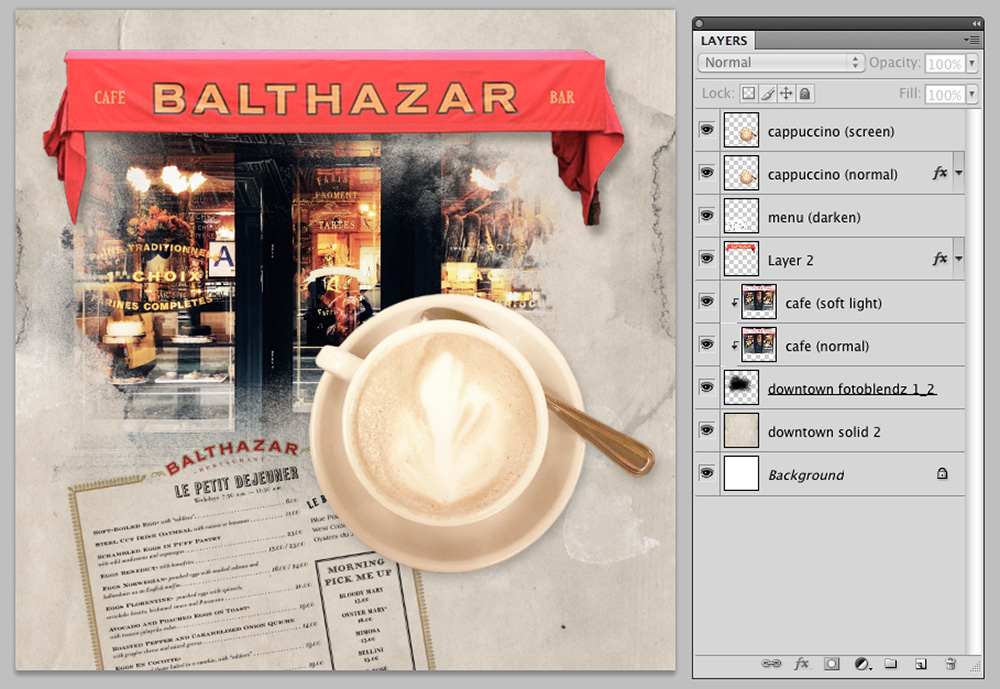
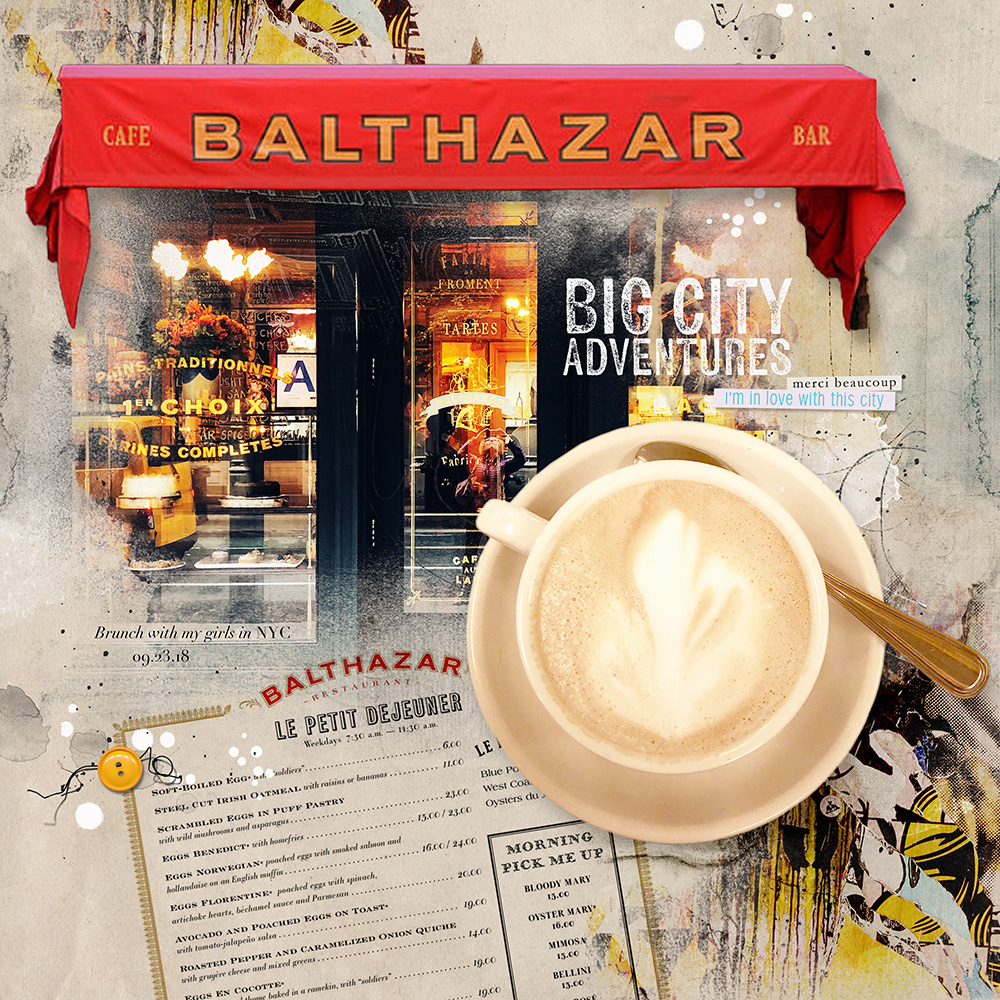
- The awning of the eatery was masked out when clipped to the FotoBlendz mask – It is one of the main points of interest.
- The red serves to draw the viewers eye to the door, inviting the diners inside.
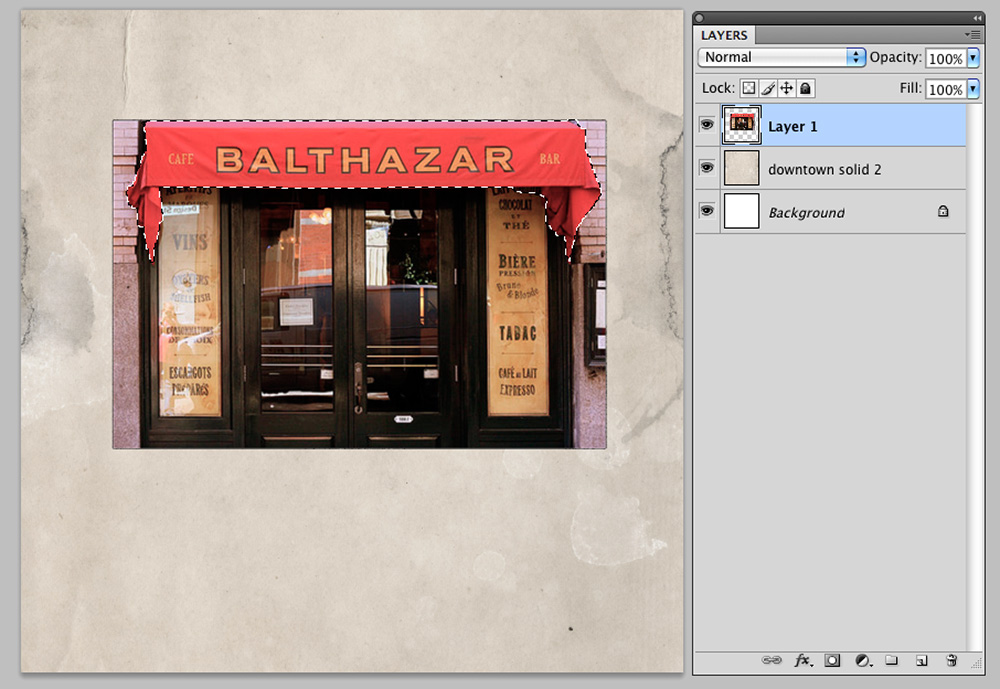
Create an extraction to remove all surrounding background of the subject.
- Select the Quick Selection Tool from the Tools Panel.
- Click and drag the cursor within the area of the photo and focal point that you want to select.
- Notice a line of of ‘marching ants’ appear around the subject.
- You can ADD to the selection by continuing to drag the cursor within the area.
- Go to Select> Inverse to invert the selection.
- This will cut out the unwanted background.
- Press CMD/CTrL +X on your keyboard o delete the area.
Tips.
- This technique works best when there is a clearly defined SUBJECT in your image.
- You may need to use the Eraser Tool from the Tools Panel to clean up the areas or ‘stray pixels’ that the Quick Selection Tool excluded.
3. Adjust Color Saturation
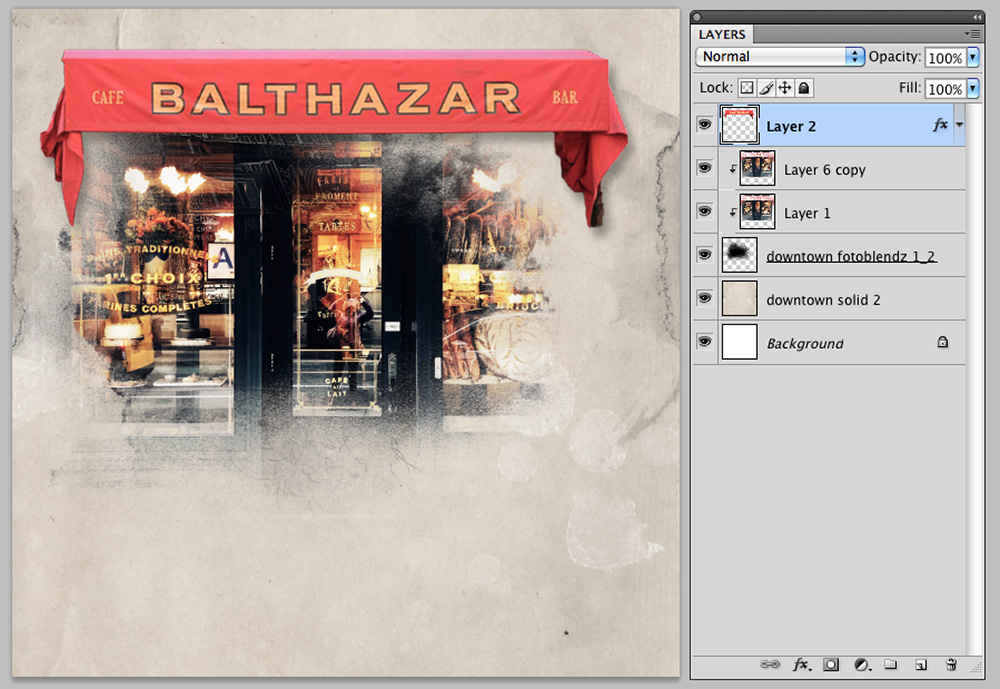
You can adjust the color saturation of your extracted image using the Hue and Saturation tool.
- Go to Image> Adjustments> Hue and Saturation (Photoshop) or Enhance> Adjust Color> Hue/Saturation (Elements).
- Adjust the Saturation lever to the right to increase the intensity of color.
Tip. You can also apply an Adjustment Layer to the extracted image for an editable approach to the technique.
Note.
- The awning was resized using the Free Transformation Tool (or press CMD/CTRL + T) to extend across the image.
- A Drop Shadow Layer Style applied via Layer> Layer Styles> Drop Shadow (Photoshop) and Layer> Layer Styles> Style Settings> Drop Shadow (Elements).
Also.
- The same process was applied to extract the cup of cappuccino.
- Notice how the all the NEUTRAL tones of the image help to BALANCE the smaller area of red.
- The circular shape of the color also adds CONTRAST to the lines in the awning.
4. Embellishment
Add Brushes, WordART and Embellishments to complete your layout design.
- Embellish your page with digital products such as WordART, Textures, Stitching, ArtsyTransfers, MultiMedia and Brushes from the [aalogo] store.
- We invite you to post your digital artistry and artsy digital scrapbooking pages in The Gallery.
DigitalART Supplies
Find a complete list of the digital designs used in this photo artistry layout here.
Summary
Use bright colors to guide the eye and add visual interest to your designs.
- Highlight a BOLD colored photo subject by creating an extraction.
- Edit your images using the Hue/Saturation tool.
- Create BALANCE using large blocks of NEUTRAL colors.
- Use CONTRAST to add TENSION to your layout designs.
You may also be interested in:
- Learning from Blend with Color.
- Reading Color Matters.
- Watching Color Considerations and Adjustments.
- Understanding Design Principles and Element Properties.
And if you enjoyed this how to create Extractions and Color Balance in Digital Scrapbooking post, please consider sharing using the social media buttons below.