
Today, Margo is sharing a fun Photo Artistry ArtsyKardz Coloring Effect.
Photo Artistry ArtsyKardz Coloring Effect
Introduction
Colorize WordART, Brushes and Text using ArtsyKardz .jpg files.
- Apply a cool color gradient effect to WordART and BrushSet files.
- Make the magic happen using the Clipping Mask function.
- Coordinate COLOR in your layout designs quickly and with ease.
1. Establish Layout Foundation
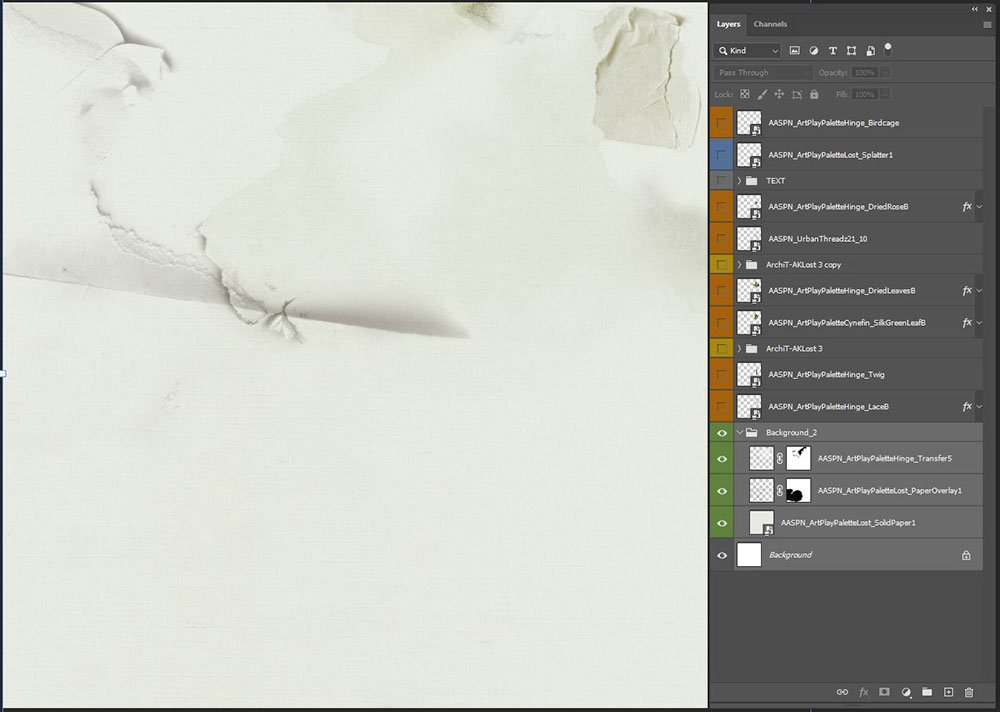
Use a variety of DigitalART supplies to build your layout foundation.
- Go to File> New and create a New Layout at 12 X 12 300 DPI/PPI.
- File> Open SolidPaper1.jpg from ArtPlay Palette Lost and move onto the New Layout using the Move Tool.
- Open, move and position the PaperOverlay1.png and Transfer5.png file from ArtPlay Palette Lost.
- Modify the elements using a Layer Mask and Brushes to preference.
2. Placement of Text
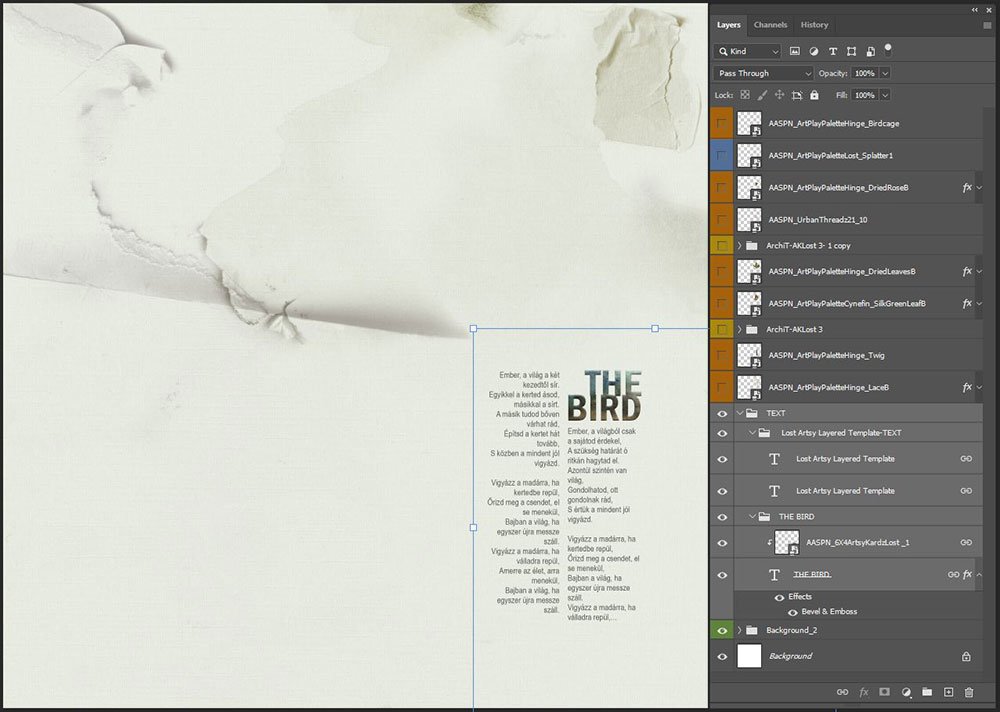
‘Borrow’ text from an Artsy Layered Template and customize using ArtsyKardz files.
- Open the Lost Artsy Layered Template into your Photoshop or Elements workspace.
- Select the ‘text’ and ‘title here’ layers in the Layers Panel.
- Link the 2 layers by clicking on the ‘clip’ icon at the bottom (Photoshop) or top (Elements) of the Layers Panel.
- Move the text layers onto your layout foundation and reposition as preferred.
- Edit the text and title layers to provide context to your photo.
- Open a 6 X 4 .jpg file from ArtsyKardz Lost MultiPack.
- Resize as needed and clip the file to the title layer using the Clipping Mask function.
- Go to Layer> Layer Style> Bevel & Emboss to add dimension.
Tip. Select the ‘Pillow Emboss’ Style option to create the indentation.
3. Create a Visual Focal Point
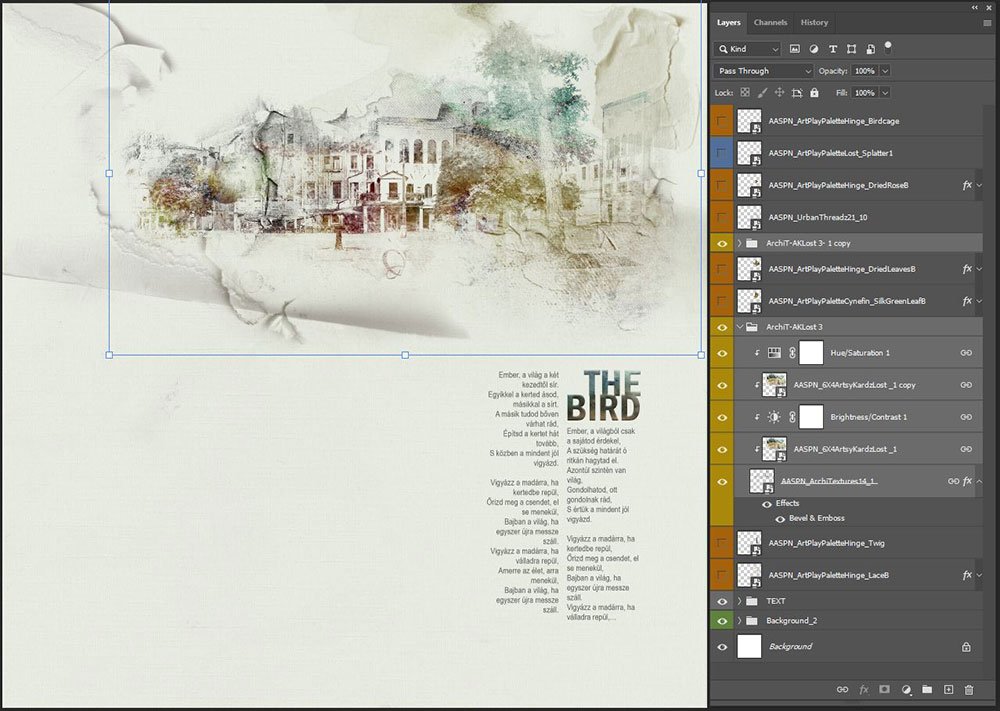
Introduce an image to support the text and create a focal point using the foundation as your guide.
- Open the 1.png from ArchiTextures No.14.
- Apply a Bevel & Emboss Layer Style to strengthen the edges and add visual interest via dimension.
- Open a 6 X 4 .jpg file from ArtsyKardz Lost MultiPack.
- Clip the file to the brush layer adjusting the SIZE and COLOR as preferred.
- Duplicate the ArtsyKardz layer and apply a Linear Burn Blending Mode.
- Adjust the Opacity of the layer as preferred.
Optional:
- Layer> Group Layers and duplicate to increase visibility of the image.
4. Embellish Your Design
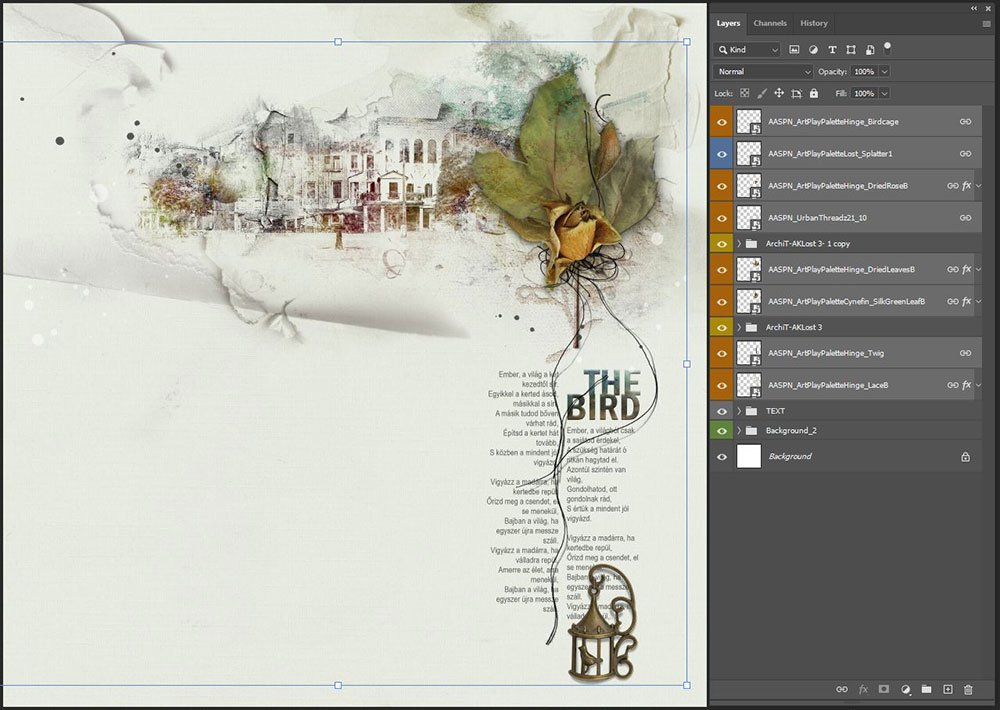
Add DigitalART to elevate the visual interest of your composition.
- Select embellishments according to COLOR and THEME of your photo artistry or digital scrapbooking layout design.
- Use UrbanThreadz to lead the viewers eye to specific areas of interest in your design such as the text.
DigitalART Supplies
See the complete list of [aalogo] DigitalART supplies.
Summary
Use ArtsyKardz to color your [aalogo] Digital supplies.
- Borrow pre-designed text boxes from Artsy Templates.
- Clip ArtsyKardz to elements in your layout design to create color coordination.
- Try this approach with the individual .psd format ArtsyKardz layers to further customize.
WE INVITE YOU TO:
- Read this 7 Ways to Use ArtsyKardz on the [aalogo] Blog.
- Watch this Blending with ArtsyKardz video on the [aalogo] Youtube Channel.
- Learn how to create this ArtsyKardz Cut-Out Title Effect.
Thank you Margo and Anna for the explanation of the beautiful design using Artsykardz!
Thank you very much for your feedback, Francine! I was glad you found the description useful.