
Today we’re sharing a tutorial via Laura Tringali Holmes on how to create Balanced FotoInspired with Design Principles.
This tutorial is created in Photoshop Elements but you can also follow on along in your version of Adobe Photoshop.
Balanced FotoInspired with Design Principles
Introduction
Create balance in your artistry while still using all your photos.
- FotoInspired templates offer a LOT of ‘real estate’ to place photos.
- But there’s no better way to overwhelm a digital scrapbooking layout design than cramming in TOO many photos.
- There are 3 approaches I use to create my multi-photo FotoInspired photo book layouts.
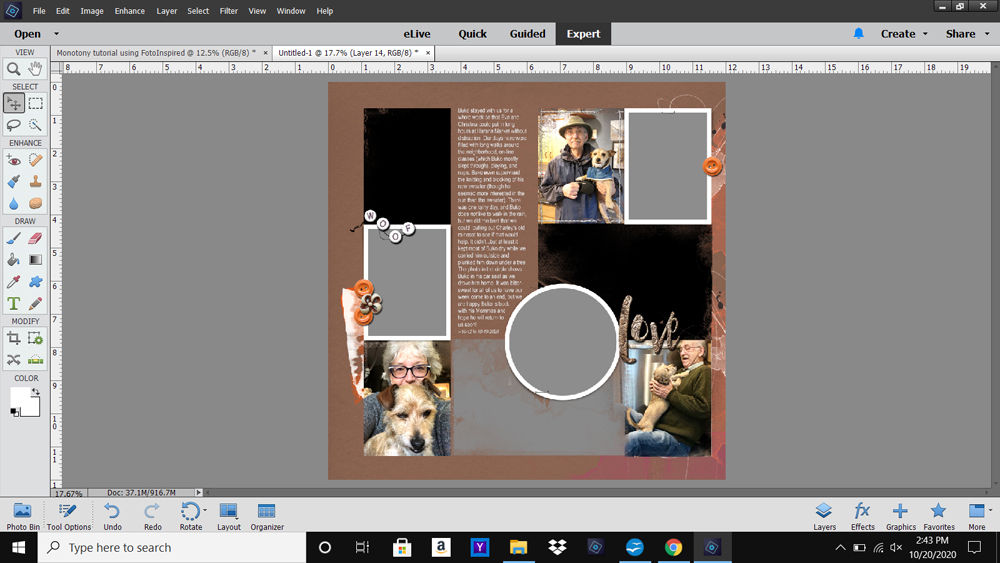
1. Create Visual Triangles
Place 3 elements with similar Element Properties so a triangle shape would form if connect by invisible lines.
- Elements may be [aalogo] DigitalART supplies, or in this case photos.
- Choose and position photos from the SAME series on your photo artistry layout design to form the Visual Triangle.
- Note that 3 ‘people photos’ were used in to apply this Design Principle to my digital scrapbooking page.
Tip. Support your primary design with SECONDARY Visual Triangles.
- Use elements such as Beaded Threadz, Buttons from ArtPlay Palettes or MultiMedia, and Titles.
- Ensure SIMPLICITY of the Element Properties, such as SINGLE colored element or type of WordART.
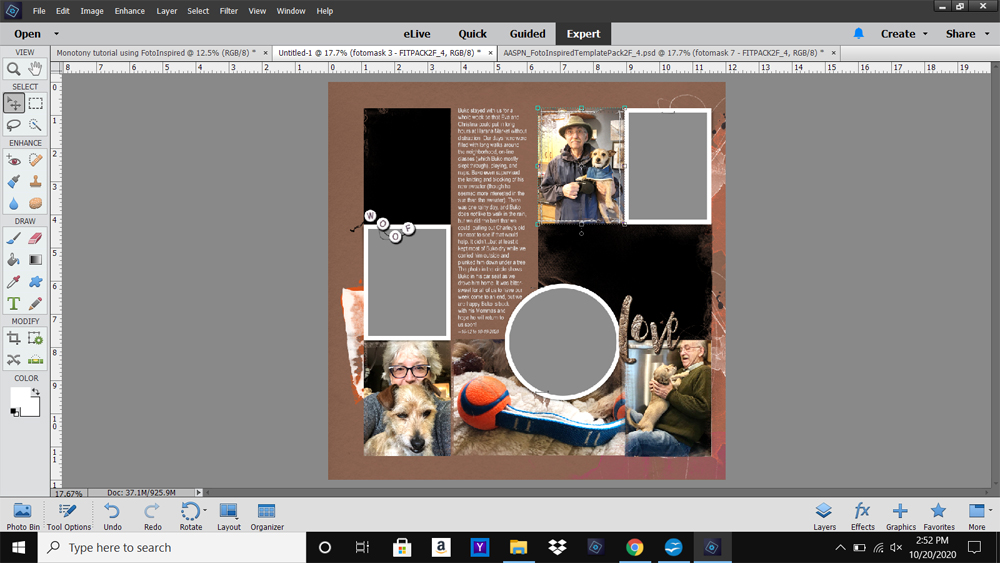
2. Vary The Scale
Adjust the ‘cropping’ on your photos to create more targeted Focal Points.
- An object, such as dog toy, carries more Visual Weight when you crop out the background and isolate the element.
- Creating a ‘tighter’ composition will create better FOCUS and draw the viewer’s eye to specific detail.
- The SCALE of the head shots were also varied to create HIERARCHY in the digital scrapbooking page.
- Notice how the Laura’s head is bigger that of her husband in the 2 remaining photos.
- The 3 frames also have similar Element Properties to create another Visual Triangle.
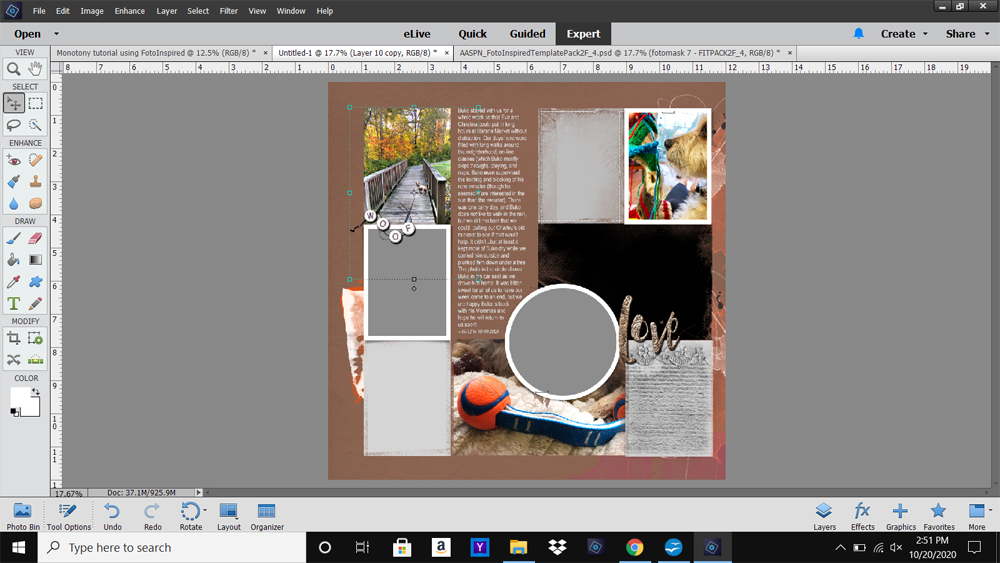
3. Lead the Eye
Use COLOR to guide the eye around to the focal points in your photo artistry layout design.
- Place photos with similar bright or bold colors in DIFFERENT areas of your digital scrapbooking page.
- The human eye looks for PATTERNS and spreading similar colors around your layout design will lead the eye.
- Notice too that the leaves, ball, and knit sweater objects in the photos ALL share common colors.
Tip. Embellishments and colorized Brushes can also be used effectively in this way.
DigitalART Supplies
Find a complete list of [aalogo] DigitalART supplies used in this digital scrapbooking layout design.
Summary
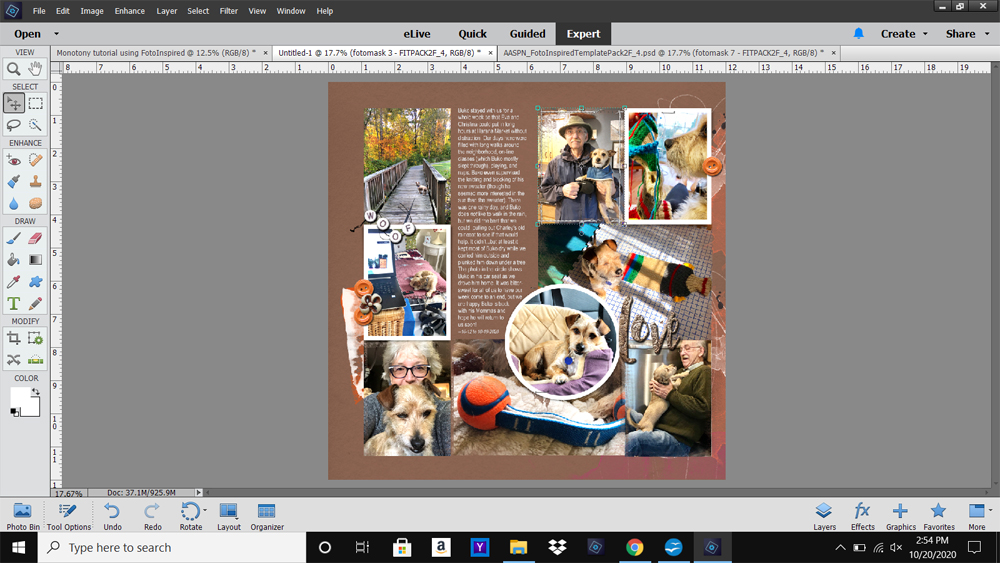
The masks are filled with photos but there is a presence of balance through the careful placement of elements.
- Use the Visual Triangle design principle to create SPACE between like elements.
- Pay attention to the size or SCALE of elements and establish VARIETY in your digital scrapbooking layouts to build Visual Interest.
- Use COLOR to grab the viewers attention and lead the eye around the Focal Points in your photo artistry designs.
Tip. If you can bear to drop a photo or two, you can fill those empty masks with ArtsyKardz which work beautifully to open up a layout and create areas of White Space.
See also:
- Design Principles and Element Properties
- Extractions and Color Balance
- Visual Triangle Design Principle with Elements
And if you liked this Balanced FotoInspired with Design Principles, show us how you use them by posting your artsy digital scrapbooking pages to the AnnaGallery.