
Today, Creative Team Member, Nancy Adams, is sharing Using Glyphs in Photoshop Elements.
Follow this tutorial in Adobe Photoshop Elements 14.
Using Glyphs in Photoshop Elements
Introduction
FONTS ARE AS VARIED AS THE DESIGNERS CREATING THEM.
Designers sometimes include visual embellishments for their fonts called GLYPHS and LIGATURES as part of a font family.
- GLYPHS are ornamental swirls or decorative additions to a letter.
- LIGATURES are combinations of letters or letters and accent marks that are paired together in your Font palette.
Note. Photoshop Elements does NOT have a Glyphs Panel but you can still use Glyphs and Alternate Characters in Photoshop Elements.
Install a Font
IDENTIFY A FONT AND VIEW THE CHARACTERISTICS.
On a PC:
- Extract the font from the .zip file.
- Right Click on the file.
- From the Drop Down Menu, click Install.
On a Mac:
- Double Click the Font from your Download.
- In the Pop Up Window, click Install.
Note. An Open-Type Font (OTF) has more versatile features than its predecessor True-type Font (TTF).
4 Ways to Use Glyphs and Ligatures in Photoshop Elements
1. Double Text Layers
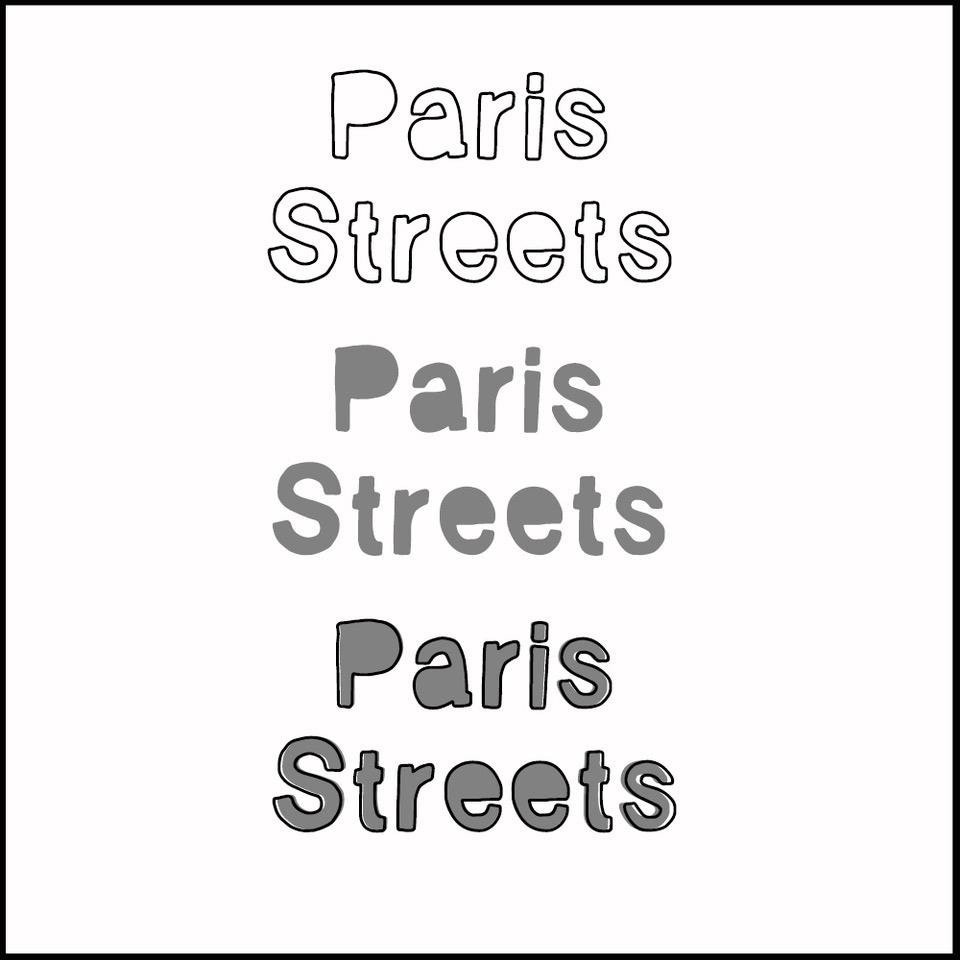
Combine 2 fonts on 2 different Type layers to add glyphs and ligatures to your titles.
- The Vagabond font features a Solid Fill style and an Outline version.
- Create a text box by clicking the T in the Drawing Tools Panel.
- Draw a Text Box on you layout design via the Click-Drag-Release method.
- Select the Solid Style fontfrom the pop up menu in our Tool Options.
- Type your title or text using the Type Tool.
- Duplicate the layer via Menu> Layers >Duplicate Layer or press CTRL/CMD + J on your keyboard.
- Click the T in the Layers Panel to activate the Text box.
- Choose the second font option, Vagabond Outline, from your Tool Options.
- Select the 2 text layers in the Layers Panel and click on the ‘clip’ icon in the Layers Panel.
Note.
- Adjust color and size in the Tool Options – Each layer can be a different color.
- You can also create a a unique title by combing two different styles of fonts e.g. a script with a serif style font.
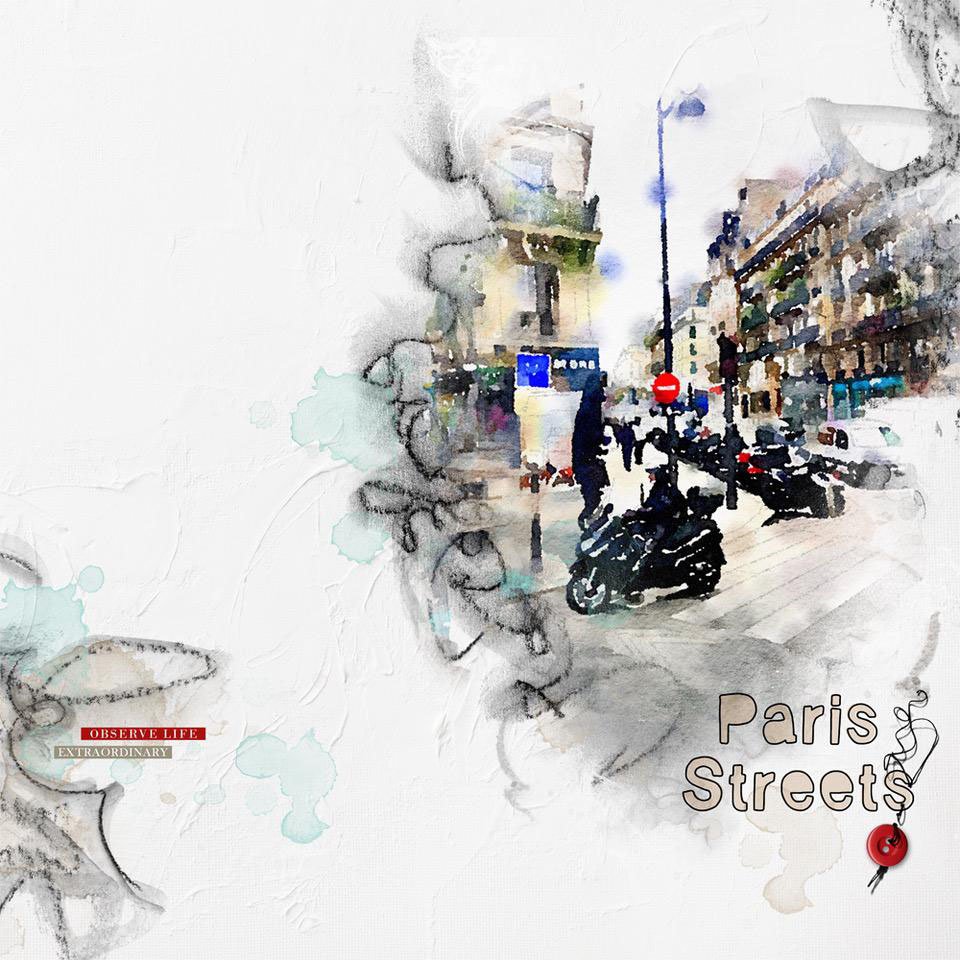
Paris Streets | Nancy
2. Combine Regular Characters with Glyphs
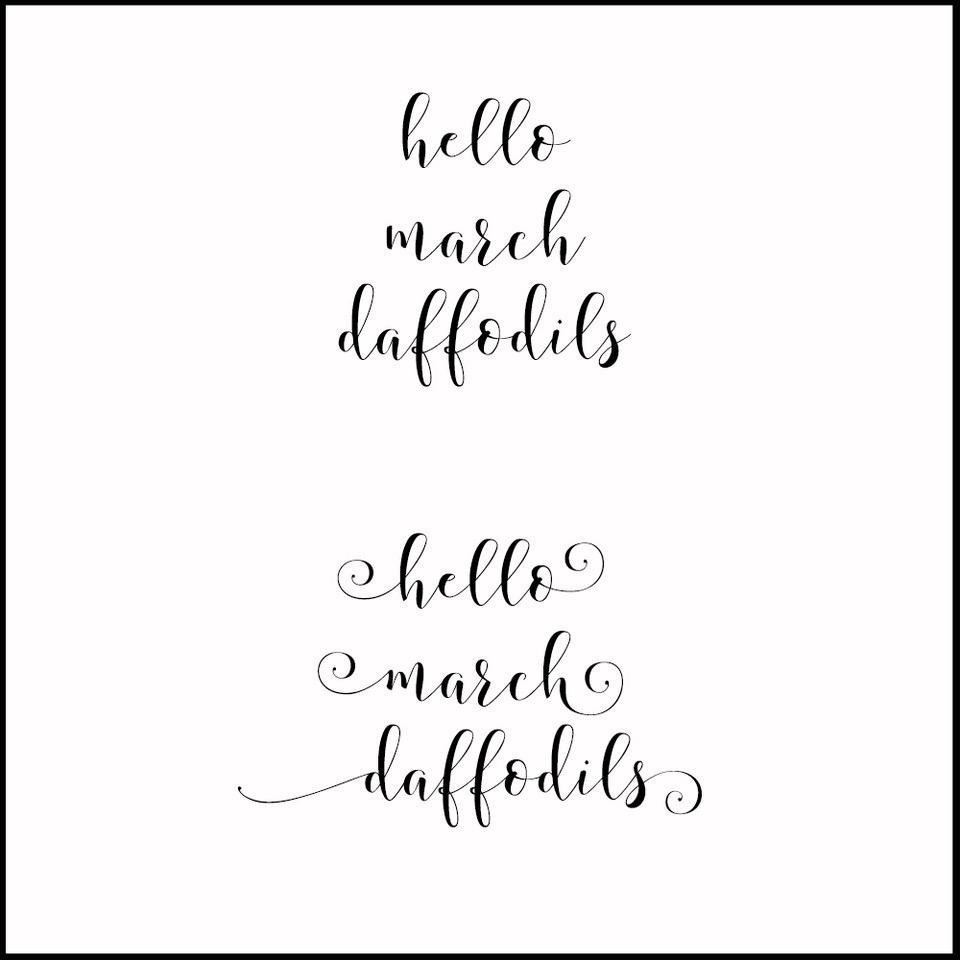
Apply Alternate characters or GLYPHS to the first and last characters of a word.
- The Storybook font family offers Alternate Characters or Glyphs.
- Create a Text Box on your layout design.
- Select the Storybook Regular font style from the pop up menu in the Tools Option.
- Type your title or text using the Type Tool.
- Highlight either the first (Left) or last character (Right) of the word you typed in the Text Box.
- Select the Storybook Left Alternate or Storybook Right Alternate font Style from the Font Family from your Tools Options.
- Notice the Alternate Glyph letter appear in your word.
- Repeat these steps for the Alternate Glyphs to appear at the beginning and end of your word.
Note. Storybook adds the Alternate Glyphs to the LOWERCASE letters only. Capital letters will convert to the corresponding lowercase letter.
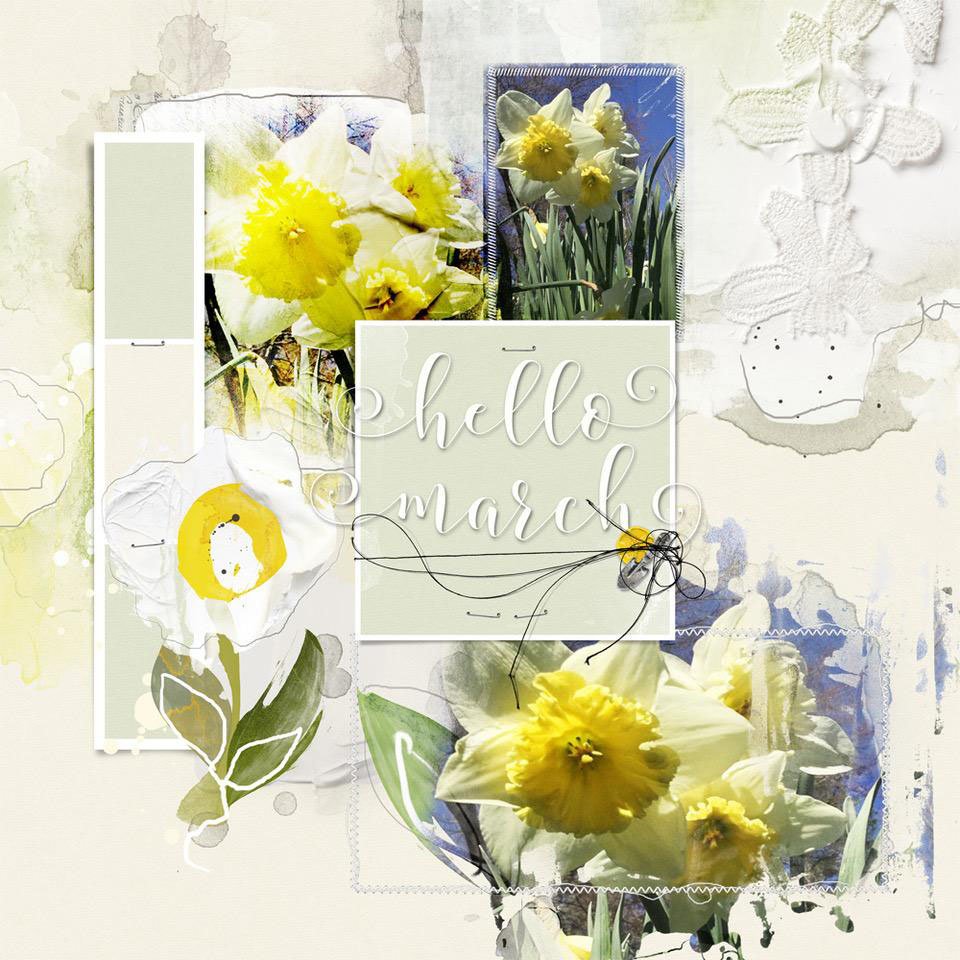
Daffodils | Nancy
3. Alternate Font Styles Embedded by the Designer
Use keyboard shortcuts to add Glyphs to your titles.
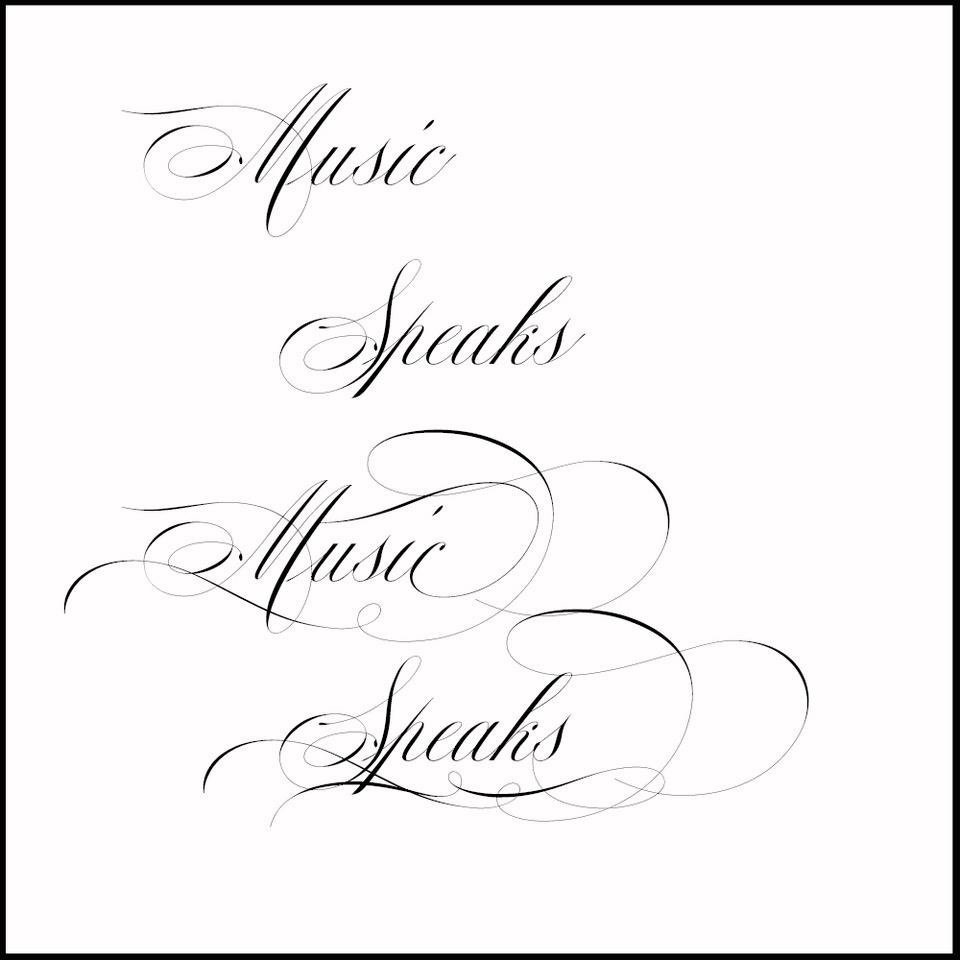
- The Mozart font includes elegant calligraphy letters and Glyphs for titles or invitations.
- These Alternate Characters do NOT appear in your Tools Option Menu.
- They are embedded instead by the designer and accessed by Keyboard Shortcuts.
- Create a Text Box by clicking the T in the Drawing Tools Pane.
- Select Mozart Regular from your Font options.
- Click in the Text box and type your title.
- Now click your Cursor directly behind the first letter.
- The Alternate Characters can be accessed through Keyboard Shortcuts.
- Press number 2, 3, or 4 or your keyboard.
- Each letter/number combination has multiple or Alternate Styles.
- The higher number is usually the most elaborate – Some may have only two variations.
- Repeat by clicking your Cursor directly behind the last letter of your word and and press number key of choice.
- Remove Glyphs by pressing the DELETE button on your keyboard.
Note.
- If you get a number instead of the Glyph, delete the character, re-type, and press the number once more.
- The number will also replace the Alternate Character in the Layers Panel e.g. M4usi2c4.
Tip. Mozart is classified as an OTF font. When purchased, programs are recommended for use. This Font style has been working beautifully in Photoshop Elements 14 without any issues.
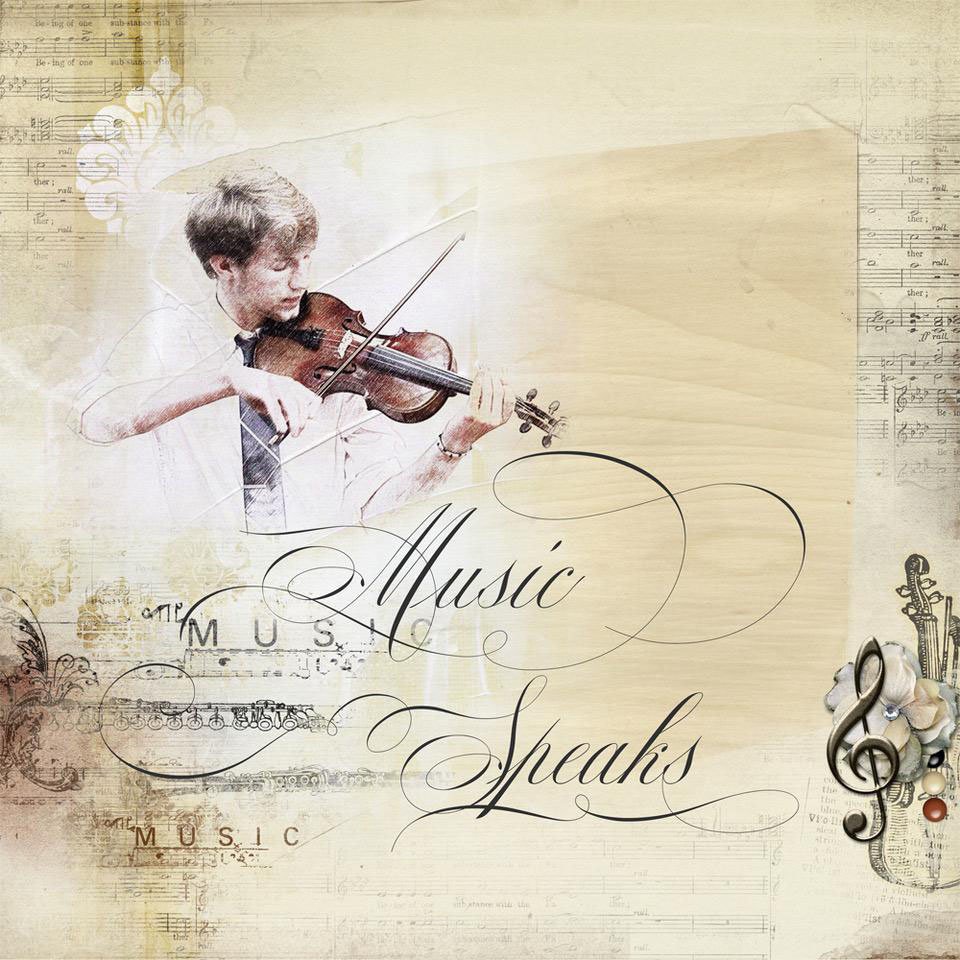 Music Speaks | Nancy
4. Ligatures and Alternate Glyphs
- Ligatures are characters that are connected to one another.
- They may be visible in your Font Character Maps alongside Alternate Glyphs i.e. a catalog of your font collection.
- You can COPY and PASTE these image files onto your layout designs.
On a PC:
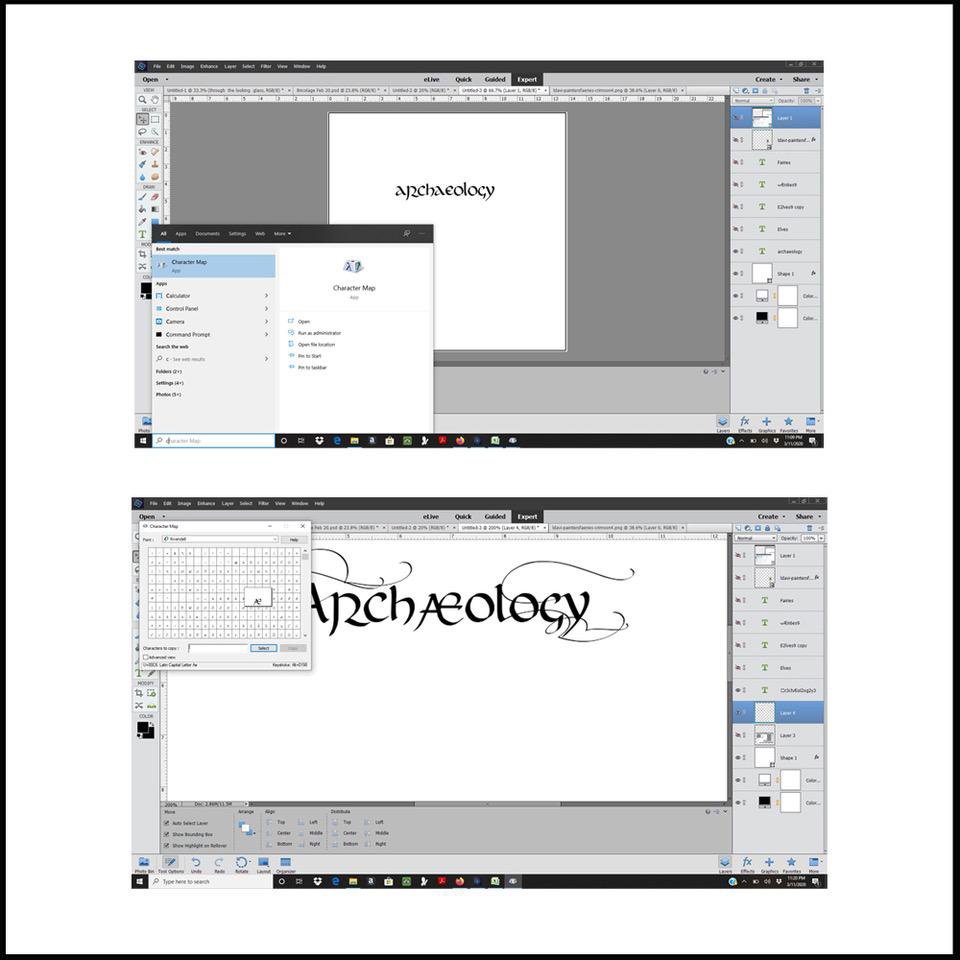
- Access the Character Map from the Start Menu> Search> Character Map> Open.
- The window will display the a drop down menu with all the Fonts and each character available.
- Select the preferred Ligature or Alternate Glyphs via Select> Copy.
- Press CTRL + J short cut to insert the Ligature or Alternate Glyph.
On a Mac OS Catalina:
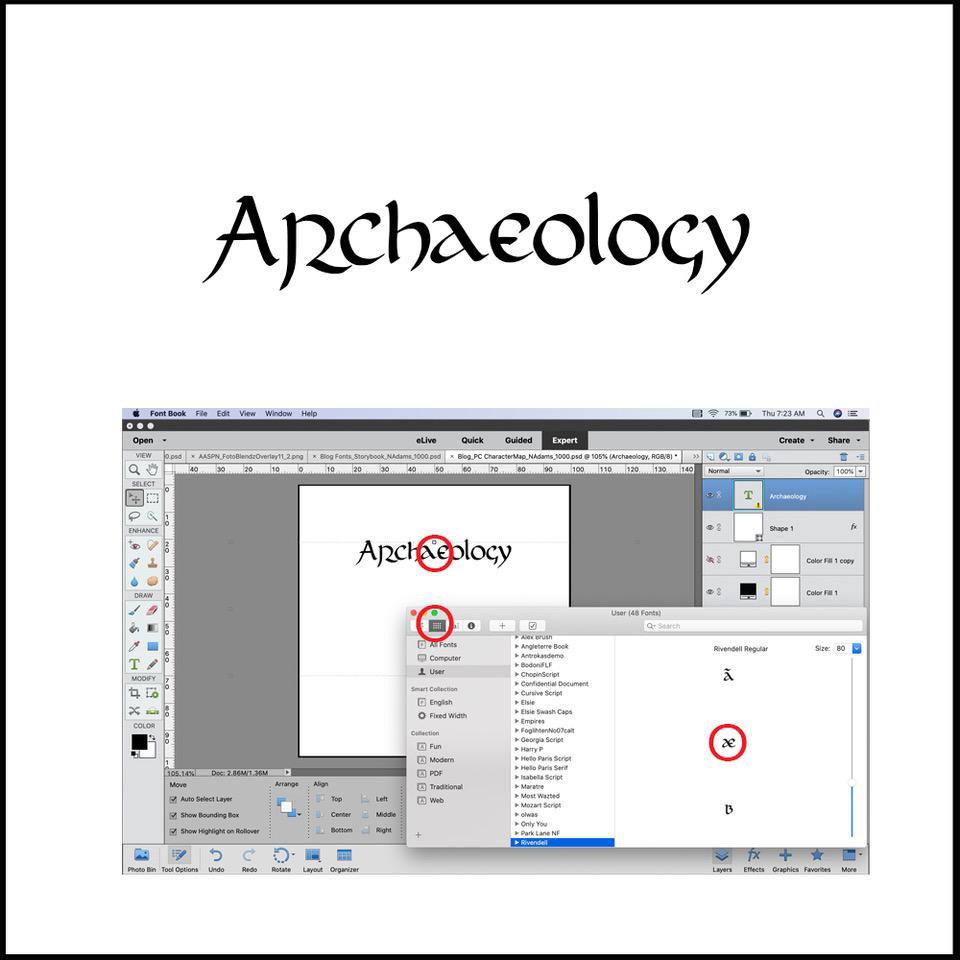
- Access the Character Map via Launchpad> Font Book.
- Choose your Font from the Font Book.
- Use the tabs for display view in the upper left and Select> Copy.
- Press CMD + J shortcut to insert the Ligature or Glyph into your text.
 Note.
Note.
- There are variations for reaching the different Ligature and Glyph Characters for various versions of the Mac platform.
- The Ligature was easier to reach through the Character Map but techniques 2 and 3 worked equally well for the Glyphs.
- Font here is Rivendell.
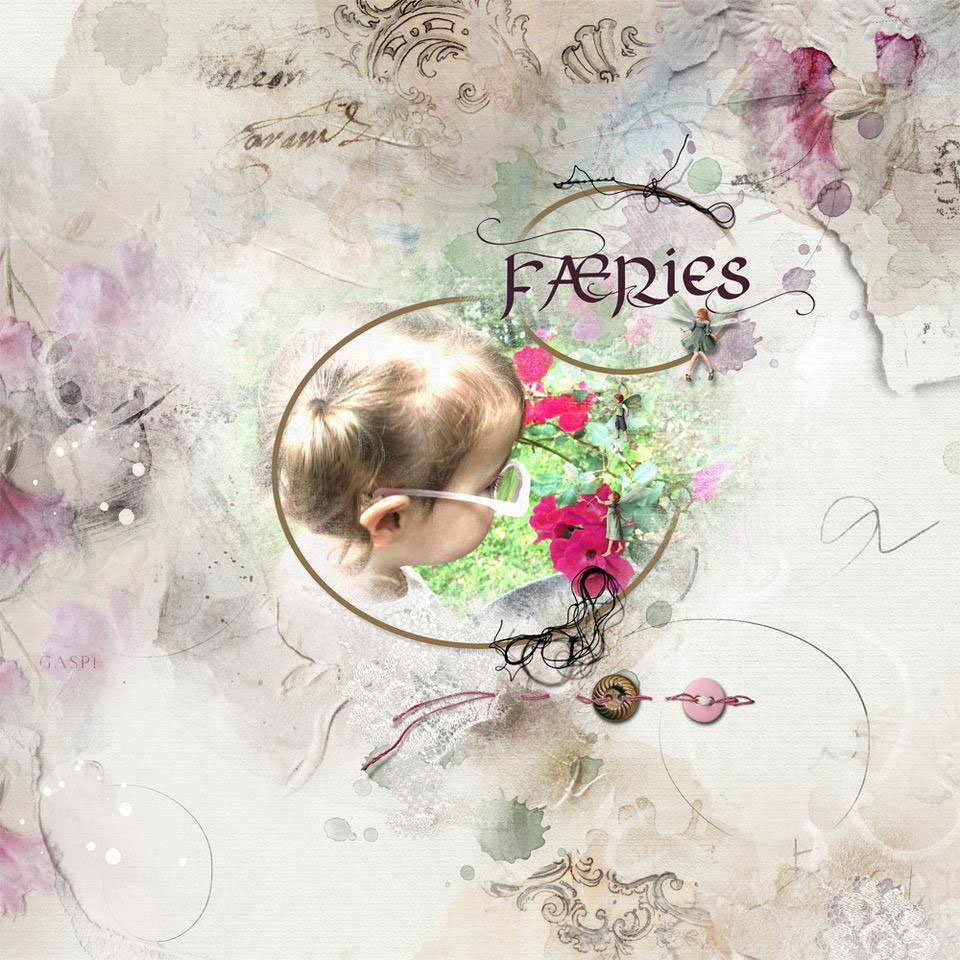
Faeries | Nancy
Summary
Use Fonts, Glyphs and Ligatures in Photoshop Elements to elevate your photo artistry and scrapbooking titles.
- Create 2 Text Layers using different font styles.
- Combine 2 Font Styles in the same text layer.
- Use embedded Keyboard Shortcuts.
- Copy and Paste Ligatures and Alternate Glyphs.
We invite you to:
- Create a layout using these techniques and share in the [aalogo] Gallery.
- Read 8 Ways to Create an Artsy Title
- Watch Fabulous Titles and Blending Modes video.
- Learn more about fonts, management and using them to design titles.
I’ve been working on an album entitled “Rambling Recollections of My Childhood”. I am about 55 pages into it now, and have been dissatisfied with the titles that I created early on in the project. As a result I have not used titles for chapters that are more recently made. I think that this tutorial will help a LOT! Thank You!
Excellent. The TitleSmarts workshop would also be a great companion as it shares my approach for choosing fonts and creating winning titles. https://staging-aa.annaaspnesdesigns.com/product/titlesmarts/
I’ve experimented a bit with Ligatures and Glyphs, but not always with success. I DO LOVE those lovely scrolls and swashes! Excellent instruction and examples, Nancy…thank you!
Thank you! I hope the instructions were clear and useful!