
Today I’m sharing a post Why Size Matters Not in Wacom Tablets complete with a Giveaway.
Why Size Matters Not in Wacom Tablets
A 17 year career in digital artistry, with almost as many years using a Wacom pen and tablet, has not only enhanced my creative experience, but generated a few surprises too.
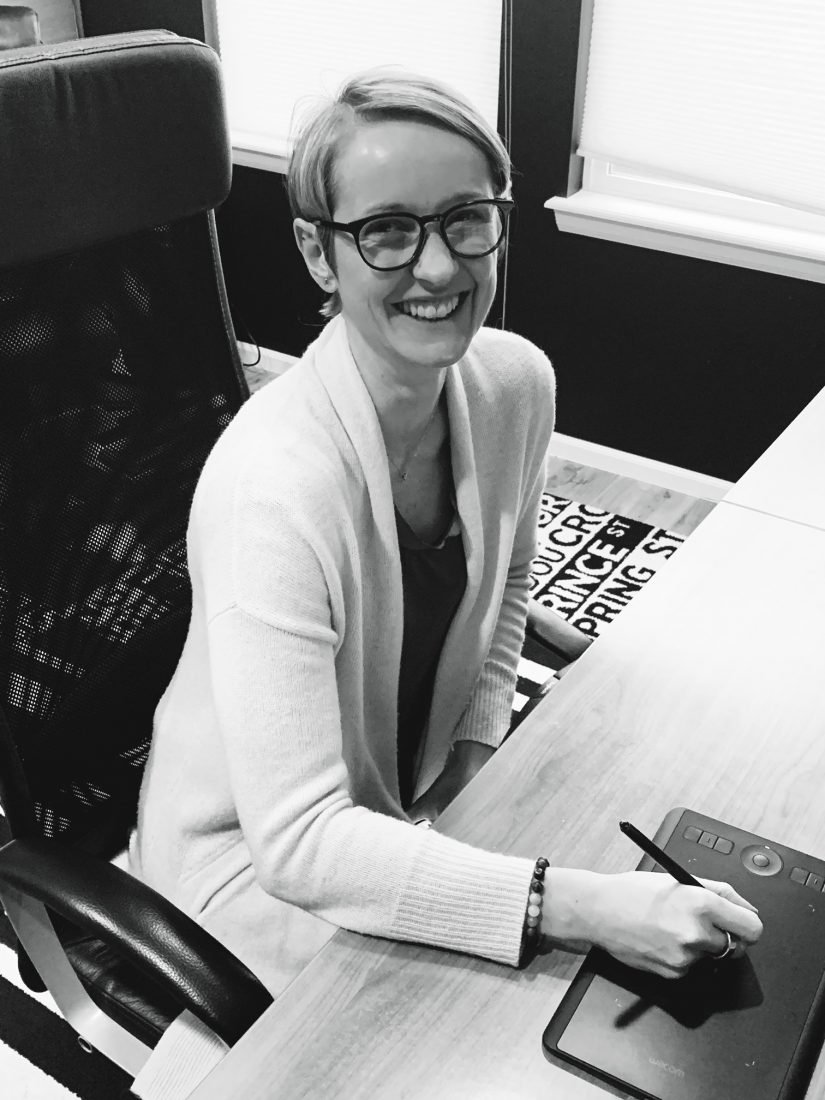
Many a tablet and pen has graced my work space throughout the years, from the smaller ‘cheap and cheerful’ models, to larger more expensive versions. It usually stands to reason that, the more you pay and the bigger you go, particularly where technology is concerned, the better the device will be.
My personal experience, however, completely disproved this misconception, and supports the notion that size matters not where Wacom tablets are concerned.
 Bigger Isn’t Always Better
Larger relates to occupation of space, complexity and overall cost.
- Size equates to the amount of physical space an object such as a tablet occupies in your environment, leaving less room for everything else you need to create. This could be the cup of coffee that eases you into your zone, inspirational prompts or other tools of your trade.
- A smaller tablet can help minimize the desk clutter, which in turn, will free up your mental capacity for more ingenuity and creativity in your craft. Many creatives, including myself, are directly impacted by the state of their environment and a mode of ‘creative chaos’ is not something that works for everyone.
- Bigger is often associated with complexity and monetary expense. When you pay more, you usually get more for your investment. You may not need all the included functionality, and such complexity can cost you precious time in actually making the artistry happen. Being tempted by the added ‘bells and whistles’ may also lead to a steeper learning curve and distraction.
Creativity on the Move
The world has become smaller with more people travelling larger distances on a more regular basis.
- Whether you are traveling to another country, or your local coffee shop, you are probably on the move a LOT more than your Grandparents were in their generation. Size matters in terms of the portability of the items you wish to carry with you on your travels both near and far.
- Smaller devices and tools allow you to take more with you, have more choice and options, in creating your artistry on the go. It’s the different between maneuverability with ease and lugging around a heavy appendage.
- It’s so much easier and more attractive to slip a small slim tablet alongside your laptop than to struggle to accommodate an additional large device.
Let the Technology Support the Artistry
Any tool used by an artist should be intuitive and enhance the creative experience.
- Wacom tablets offer a digital artist more precision than can be gleaned through the use of mouse, but it should also be an intuitive experience that mirrors the process of tracing, art stroke making and detail work found in tactile art mediums.
- A tablet can mapped to the size of your computer screen, but the size of tablet relates directly to the surface area an artist’s hand must move in order to create the desired results. A larger tablet has a greater surface area over which the hand can or must move which can also result in aches and pains resulting from over exaggerated mark making.
- The surface area of a smaller tablet is often more appropriate, and intuitive, in the case of writing, drawing or creating extractions from photos, unless your preference, of course, is to create over-sized artwork.
 Less is More
Small is BEST when it come to Wacom tablets.
Larger tablets may be the more ostentatious choice with all the shiny gadgetry, but smaller tablets with their ease of use, shorter learning curve and less intrusive ‘footprint,’ will always be my preference.
This is why I see the new Wacom Intuos Pro Small being my new favorite tablet. My ability to trace, select, draw, extract photos and create digital artistry on-the-go become easier without losing the pro features, which are always so fun to play with. I get the best of BOTH worlds. I’ve added the new Wacom Pro Pen slim, a stylus with all the power of Wacom Pro Pen 2 technology in a slimmer form factor. It comes comes with an elegant case for portability too!
See this post on the Wacom community website.
Wacom Intuous Pro Small Giveaway
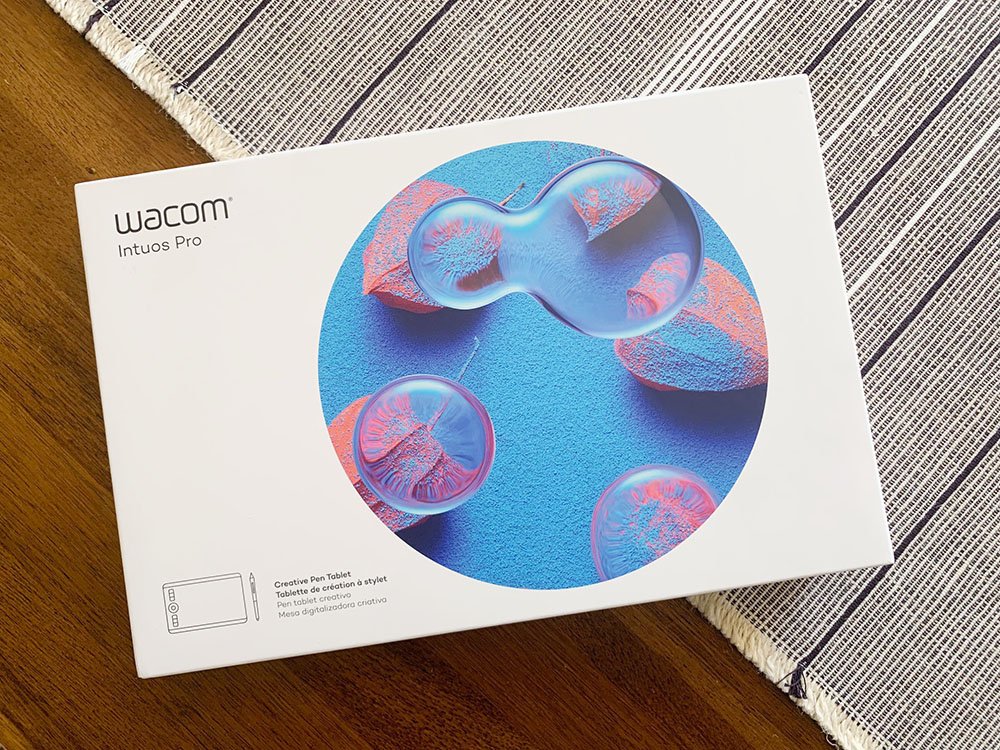
Wacom have generously provided a Wacom Intuos Pro Small to give away to ONE randomly-selected [aalog0] community member.
COMPLETE AS MANY ‘TASKS’ FROM THE FOLLOWING LIST AND LEAVE A SEPARATE COMMENT BELOW TELLING ME WHICH YOU’VE DONE.
The more you participate, the more entries you get.
- Leave a comment telling me what you would like to learn if I created a new Pen & Tablet Class.
- Leave me a review for ANY of the classes you’ve already taken at Anna Aspnes Designs. Note that EACH review gets you another entry into the give away but be sure to leave a SEPARTE comment below for each ONE. Log into your account at Anna Aspnes Designs and locate the REVIEW tab beneath the preview image of each class.
- Follow me on Instagram.
- Like the Anna Aspnes Designs Facebook Page.
- Sign up for AnnaNews, if you haven’t already done so, by entering your name in the ‘Learn to ArtPlay’ sign-up at Anna Aspnes Designs.
A winner will be RANDOMLY selected and posted on the [aalogo] Blog on Tuesday May 21st, 2019 at 2 pm MDT.
I followed you on IG was so surprised to see I hadn’t long ago. Definitely a good thing.
I would be interested in knowing how to use this new tablet. I have an old Wacom Bamboo that seems to have a mind of it’s own.
I follow you on Facebook
I’m enjoying the Artsy flowers course. Learning more new things
Since I’m also doing a heritage album the Heritage live Course has been a wonderful asset.
I also have the artsy Memorabilia course which has been very helpful not only on my heritage album but no creating travel memorabilia and other elements.
I took the advanced brush course and learned so much more than I ever knew existed about brushes.
I took the course on National Scrapbook day 2019 and loved the 3 different presenters. I’m having fun making butterflies.
I also took the artsy doubles course and have learned so much more than just making a double page. I go back to it when creating may pages. It will be wonderful to reference on my next travel album.
I have purchased the Year of ArtPlay May 2017. I love the look of the page and will be applying lots of the information to my pages.
I purchased the Year of Art Play May 2017. I liked the look of the page and with Anna’s great instructions I can apply it to more of my pages.
Hi Anna, I have liked you on Facebook. I have been interested and fascinated by the Wacom tablet for a long time but have never had the opportunity to try one. I love all of your classes that I have taken, thank you for the hard work that you put into them. You always give value for money.
Knowing that you use a tablet, I asked for one last Christmas. My dear husband ordered the Intuos CTH-490 Pen and Touch at my request. However after viewing numerous tutorials, reading the online instructions, and experimenting with the myriad of settings, I am making little progress in functionality with it. I would be interested to know what your preference settings are. It would also be beneficial to see how you hold and operate your pen and tablet, and how it’s functionality can be maximized in digital scrap-booking.
Hi Louise. This is good information – Taking notes. Thank you for sharing.
I’ve used tablets before but would love to learn new ways to maximize its use.
Following you on Instagram
Following you on Facebook
Following you on Facebook
Signed up for news!
Following you on FB brings brightness to my day amidst all the other “irrevelant ” stuff showing up on the newsfeed.
I’ve used wacom tablets exclusively for years, ever since I found that my digital artistry needed more control than what a mouse provided. I too have discovered that smaller is more convenient for taking in my laptop bag. On my desk, I stash it upright like a book, ready to go at hand. What really interests me is the new Wacom Pro Pen Small. Am always looking for a more responsive and intuitive pen.
Please, definitely develop a tablet & pen class. I need to learn some of the button features on the tablet to eliminate having to use my mouse at all. HELP! ASAP! LOL!
I used a Wacom tablet for several years and love it. Although it is only the medium size it takes up a lot of room on my desk. I would love the small updated one.
I already follow you on IG and FB. I would love to learn how to draw, I can’t even draw a straight line without the shift key 🙂
I just purchased the NSB 2019 replay and I am loving the 3 classes. I will definitely work on those butterflies 🙂 I do own a wacom but I need to replace soon and a smaller one would be perfect!!
I love my Wacom Intuos Pro Medium that I got for Christmas in 2016. I’ve gotten comfortable with it, but I know I’m not using it to it’s fullest potential. I would also love a class on it by you. Would be very interested in your settings preferences (and why you prefer it that way). I have taken your Artsy Flowers and the iNSD 2019 Class and loved them both.
I bought a Wacom Bamboo many years ago but haven’t used it much. Would love to learn how you use yours and where/how it would be beneficial over a mouse (in addition to drawing). Thanks for the chance to win – the small size would be great for travelling
I follow you on fb (Charlene Mitchell)
I just followed you on Instagram (crystaldolphins1117)
I signed up for AnnaNews 1-2 months ago and love it!
Anna, I left a review for your Artsy Doubles course (this is an absolutely AMAZING course and I highly recommend it for anybody!!)
I also left a review for your Advanced Brushes Course. This is another incredible class with projects that you can follow along with to practice what you learn. So many fabulous techniques and so much to learn about brushes!
I would love to see how you work with the tablet in creating. I’ve only tried one once and found it hard to use.
Followed you on IG, FB and newsletter. Love your work always, I’ve been buying your scrapbooking products for years!!!!
The best way to use and set up a tablet, and how to use it when editing a photo/design
I loved the NSD class. I’m making wedding pages and butterflies.
I have an old Bamboo so know how to use it for very basic operations. I would like to learn more about how to
use it for operations one can’t do with a mouse. I know I can use pressure with the pen, but I’m sure there are lots
of things i don’t know how to do and don’t even know what I might be able to do. I would also like to know what art programs
other than PS-CC or PSE one can use with a tablet, especially ones that are free or very inexpensive.
I have always wanted a Wacom tablet for my art. I would love to learn the basics.
I follow you on Facebook
I follow you on Instagram
I’ve been getting AnnaNews for a while now.
I just liked the Anna Aspnes Designs Facebook Page. Please note that I use a different email and name (Selra) on Facebook.
I follow you on Instagram
I follow you and liked your Facebook page
I am signed up to Anna news
I am left handed and and tried a Wacom tablet a few years ago and found it difficult. I would like to learn how other lefties are able to use a Wacom.
Interesting question!
I would love to learn how to set up the tablet, Retouch photos and use it for brushes. The tablet probably does so many things I don’t even know what to ask for
Having never used a pen and tablet before, I am very interested in learning how they can be used to enhance my creative experience.
I attended the very first live workshop that you offered on using blending techniques. Not sure what the name of the course was.
AnnaBlendz LIVE 🙂
I follow Anna Aspnes on Face Book.
I follow Anna Aspnes on Instagram.
I subscribe to the AA Newsletter.
I keep wanting a table but not sure about how easy it is to use. Would love a class on using this table and using the pen.
Have been following you on FB for awhile.
I liked your FB page several months ago.
I have never used a tablet, but have often thought about getting one. Therefore, a very basic class would be for me, as a start.
I left a review for Art Play Live. Awesome class.
I would like to learn about what are the greatest benefits of using a pen and tablet and what its best used for. And of course examples of its use on layouts or artistry.
I liked Anna Aspnes Facebook
I’m signed up for Anna’s newsletter
A new tablet class has to start with learning how to set it up in a format that we can access whenever… I got my Bamboo years ago and have not used it in years… but I used to.. took a class from Jessica, and still can access the info from that class, should I decide to use it again… indispensable… would love to win the new one….
Just started following you on Instagram!!!!!!
Liked you a long time ago on Facebook!
Have gotten Anna News for a long time!
Left a review for Art Play Live NSD
I follow you on IG and FB. The class I would like to see would be a basic how-to and tips and tricks class on the tablet.
I’ve always been intrigued by using tablets for artistry but never took the time. So, I would be happy with just learning the basics!
I’ve been subscribed to AnnaNews for a while now!
I already follow you on Facebook too! 🙂
I just got an Instagram account a couple of months ago, so I am following you now.
I have a Wacom tablet that I bought several years ago but I have never used it – imagine that……..I would love to learn how to use a tablet! Thanks!
I have liked you on your FB page and am following you!
I have been a subscriber to Anna News for awhile now
I am now following you on Instagram although I have not a clue how to use Instagram!
Smiling. Perhaps a topic for AnnaNews this week – Thank you for the inspiration.
I’d love to learn the basics as I’ve never had the opportunity to use a tablet like this
I attended ArtPlay Live NSD 2019. You, Linda, and Adryane were wonderful presenters and I learned alot and still have much to learn. Thank You!
I you follow on fb, and Instagram. I’m enjoying your class of 2017 bundle. I am signed up for you news letter ‘Learn to ArtPlay’, and I would so enjoy learning how to use the tablet. Thx for the chance……
Hi Cindy, if you leave a comment for each of these, you will get a few more entries 🙂
I took the NSD 2019 course with three teachers. It was a great value. I’m so glad it was recorded because I need to really try the skills. I could not find a place to post a comment on the course, but I’m putting it here.
Oh, finally found the place to review the classes. So, I posted for ArtPlay NSD 2019 Yay! I’m learning more than digi-art, I’m learning a bit of social media!
I checked in to Anna Aspnes Facebook and “Liked”
I liked you on Facebook
I follow you on Instagram (deniseevelyn)
I liked you on FB (Danesa’s Scrapyard)
I receive your AnnaNews (and love it)
I left a comment on the last class I took, ARTPLAY LIVE NSD 2019 (REPLAY).
If you have a Pen & Tablet Class, I’d love to have a class on using the Pen. I have never had a Wacom so I would be interested in any aspect of using it, as part of a class. The pen, I’m assuming is very vital in knowing pressures, etc, so that would be a great starting point. 🙂 Thank you for always looking out for us and providing so much education and inspiration.
I took your blending class and found it full of useful tips
I have an Intuos and an ArtPen, which I don’t use much because I fall back on an ancient Graphire. I would like to know more about the ArtPen
I receive AnnaNews
I follow you on Facebook
I signed up for Instagram
I would like instructions on how to use it, your preferences, and how to do selections. I’ve seen other digital artist use this and it looks very interesting. Also how to use it to do basic functions that you normally use a mouse for. In watching someone else online, it seems that it is less stressful on the hand than using a mouse. I’ve considered getting one, but with my lists of “to dos” and classes, it hasn’t reached the top of the list. Would really love the opportunity to use this.
I get your newsletter.
Completed 4 tasks!!
Make sure you add a comment for each one Luann, as I will use a number generator to select the winner – Thanks, A
Classes – First of all, your classes are wonderful. One of my top favorites is Advanced Brushes. Not only are the brushes you offer in your products spectacular, but you teach how to use them. You also teach how to create your own, which tops my list of favorite things to do. You also provide opportunities for the student to practice the techniques you are teaching. Excellent class!
Project 2017 – I guess it is difficult to identify all the benefits of taking these classes. I love the interaction you have with your students throughout the class. And I love the interaction the students have with each other as we share our artwork and successes. There is nothing more heartwarming as to see the student hold up their finished product. I get so many ideas on how to do my own pages by looking at those from your other students – especially the travel albums. Not only do they inspire my artwork but then it makes me want to go on my own vacation to those places!
Year of ArtPlay – June. I chose this class because you show how to take a photograph and turn it into artwork – like a drawing with watercolor.
ArtPlay Live NSD 2019: I enjoyed this class since you enlist others to teach their techniques as well as you showing us a larger project. I especially liked the butterfly tattoo and I’ve always loved Linda Davis’ art – especially the pages with her adorable grandchild. All of you made using your products look so easy to get such beautiful artsy pages.
Project 2018: Not only do you inspire and motivate your students to get a project complete, you provide guidance on getting them printed. Usually you provide a coupon from a printer, such as Picaboo, so your students can see their books in print. Another thing I like is the emails you send out to encourage us. I highly recommend your “Project” classes to other scrapbookers.
ArtPlay Unedited 2 (NSD 2016) Usually you offer live classes around National Scrapbook Day where we can watch you and learn from the techniques you use. Not only is this helpful to see what you are doing, but those techniques can be used in so many projects. This class was good because you demonstrated creating a background or your own paper, using the ArtsyTransfers. Your Live classes always are so beneficial to see you actually doing what you do!
I would love to win the wacom tablet I have always wanted one.
My favorite class was the artsy flowers. Presentation was wonderful
A year of art play was so fun with so many different photos and styles
A blending bundle was great for just starting out to do blending
Taking advanced brush Course taught me so my things to add to my creativity skills.
Title Smarts was great due to sign making for Weddings and subway art and scrapbook pages.
Color Techniques was also another plus to creativity Really enjoyed it.
Artsy doubles was the course that surprised me. I love every minute of it.
Heritage Live is perfect since my mother did extensive geneology research.
Yep! It’s a great way to incorporate all those photos and stories into a cohesive album.
I have received AnnaNews for a while now and really look forward to it!
I signed up to follow you on Instagram.
I follow you on Facebook.
I use a Bamboo tablet but would love to have a few more features on it. A class on using the tablet and how it might be set up for each program would be great. I find myself reverting to the mouse sometimes because I don’t think I have it set up so that it works for everything.
I did leave a review of ArtPlay Live 2019. Enjoyed learning some good techniques.
I was given a used Wacom tablet from my cousin but have never tried to use it. If you were going to offer a class, I would like to learn basic set up, option settings, how to hold the pen and demonstrations of extractions and ways you use the tablet for scrapbooking!
I already follow you on Instagram!
I already have been getting your weekly newsletter for a long time!
I also am already following you on Facebook and I subscribe to your YouTube channel!
I am following you on Instagram!
My review has been submitted for Artsy Memorabilia, a terrific class! Thank you for sharing.
I’ve signed up for Anna News previously, a great site for reviews and more ideas.
Facebook like and comment today. The class with the butterfly tattoo design has been a huge hit! Really love what everyone is doing!
My old bamboo is gathering dust, except when the grandchildren make funny faces while using it. I’d like to know your favorite methods for using your tablet and what specific artsy products you couldn’t do any other way. Thanks.
I have not worked on a Wacom tablet before so would like to learn how to use the tablet to draw, work on photos and any other digital art tasks. I left a review for the ArtPlay LIve NSD 2019. I follow you on Instagram (tamic5151) and have liked the AA Facebook page. I already receive Anna News. Thanks for all you do!
I have a hand-me-down Wacom tablet that my older daughter gave me a few years back. I love using it but I think that it doesn’t like to play well with Windows 10 and I’ve been thinking that I need to look into a new one so your article was really timely! I recently heard someone say that you only have so many clicks in your pointer finger when using a mouse. I know they are probably just kidding but it started me thinking about how much I loved using the wacom tablet and my clicker finger loved it as well!
Instagram follow – check!
Anna Aspnes Designs FB page follow – check!
Left review on the Heritage project – check! (I just got it this past Saturday and I’m almost through listening but it will definitely get more than one listen! Such a great help and I already feel calmer and yet more excited about my Heritage project!
What would I like to learn about tablets? I think that it a matter of getting more comfortable with it and the best way to do that is listen and practice along with a someone that is really comfortable with it AND is doing the same type of work on it that I hope to achieve!
I just found this article about the size of a Wacom tablet very interesting because I was just thinking about buying one and price matters here in NZ as some of these things are expensive here so its really good to know that the smaller one is better. Thanks for the info.
Happy the article proved helpful. Thanks for sharing!