
Today, Creative team member, Linda Davis shares her Guide Your Layout Design with Artsy Papers Tutorial.
Guide Your Layout Design with Artsy Papers
Linda writes in this excerpt from her blog:
While I am preparing for an upcoming event in May, I found time to create this page with Anna’s new release, ArtPlay Palette Moira, using photos of ferns taken in the conservatory at Lauritzen Gardens. I do wish I could grow these outside the way I did in California.
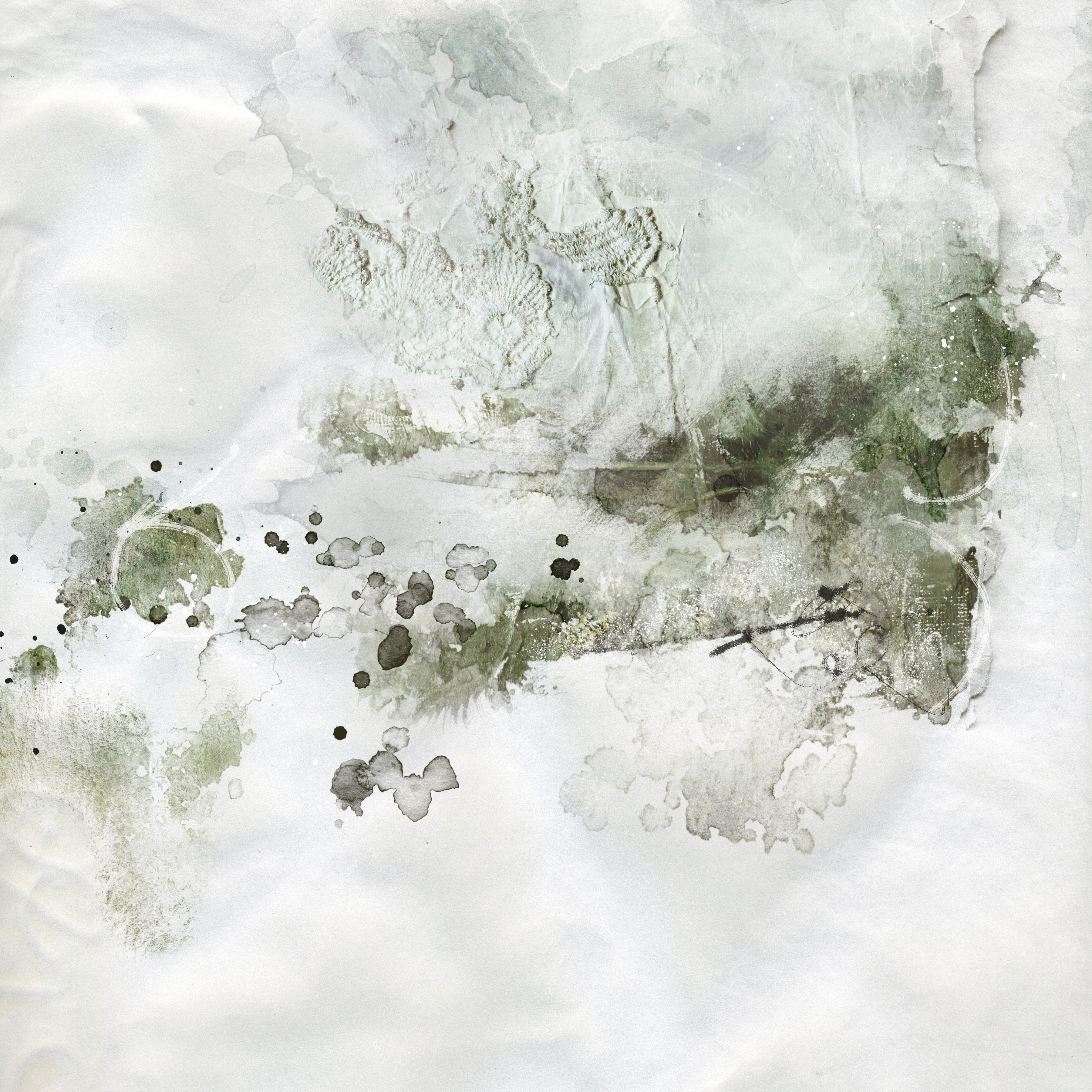
I often use an artsy paper and/or a template as a basis for creating unique looking pages for my photographs. For this page, I used artsy paper 1 from ArtPlay Palette Moira as a starting point for the page design with my fern photo. I simply added the brushes, overlays and transfers I wanted to use to a solid paper. Artsy papers are excellent patterns for good design.
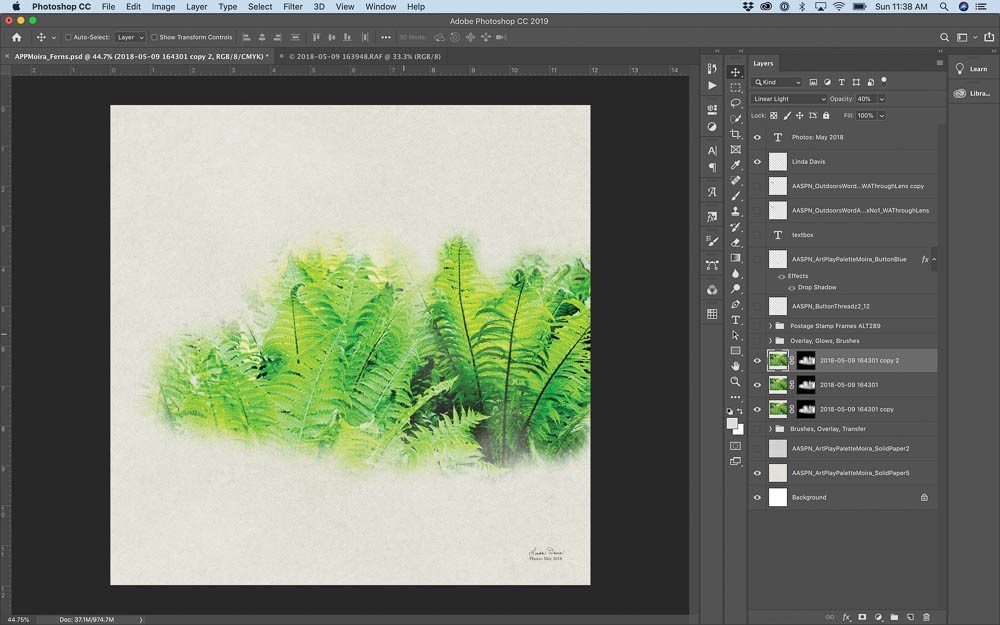
 Mask Photo
- Place photo on Solid Paper #5 from ArtPlay Palette Moira.
- Add Inverted Layer Mask to original copy by pressing option and clicking on the mask icon at the bottom of the Layers Panel.
- Select an AnnaBlendz Artsy Brush and stamp with white as the foreground color on the black mask to reveal the photo.
- Duplicate the photo and mask layers twice and adjust the Blending Mode of each photo layer.
Note: On my page the bottom photo layer is on Normal Blending Mode at 40% opacity. The second layer is on Color Burn at 100% opacity. The top layer is on Linear Light at 40% opacity.
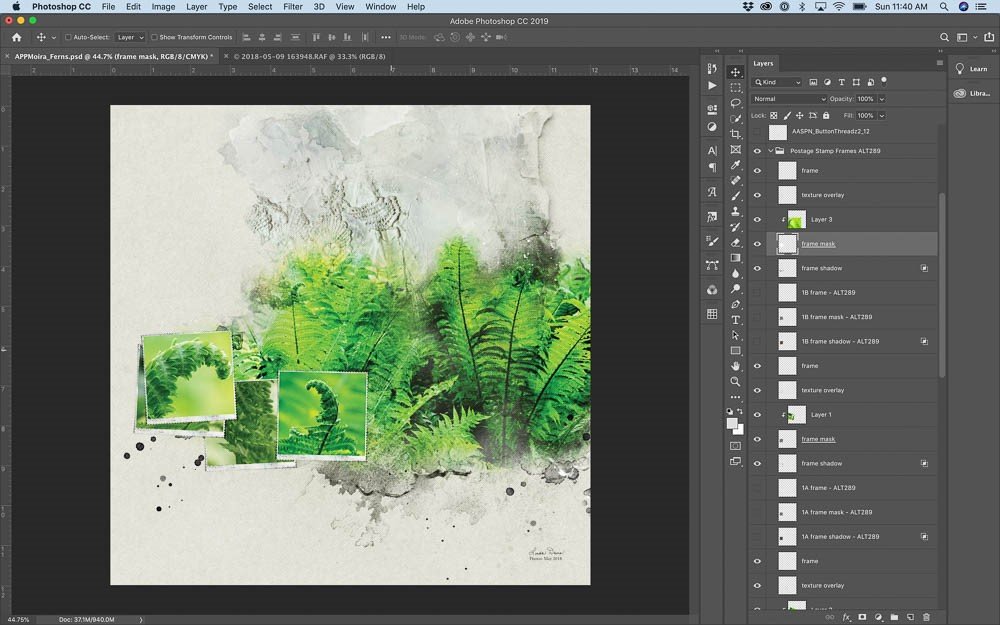
Build Background
Below the masked photo layers, add two copies of a brush, a transfer and an overlay.
- Just above Solid Paper #5, stamp Brush #1 on a new blank layer on the left side.
- On the right side, add another new blank layer and stamp Brush #1 angling it differently.
- Place Transfer #1 above the brush layers and align it with the top edge of the paper.
- Above the transfer, place Splatter Overlay #1 along the bottom right edge of the fern photo.
Note: Brushes, overlays and transfers are included in ArtPlay Palette Moira.
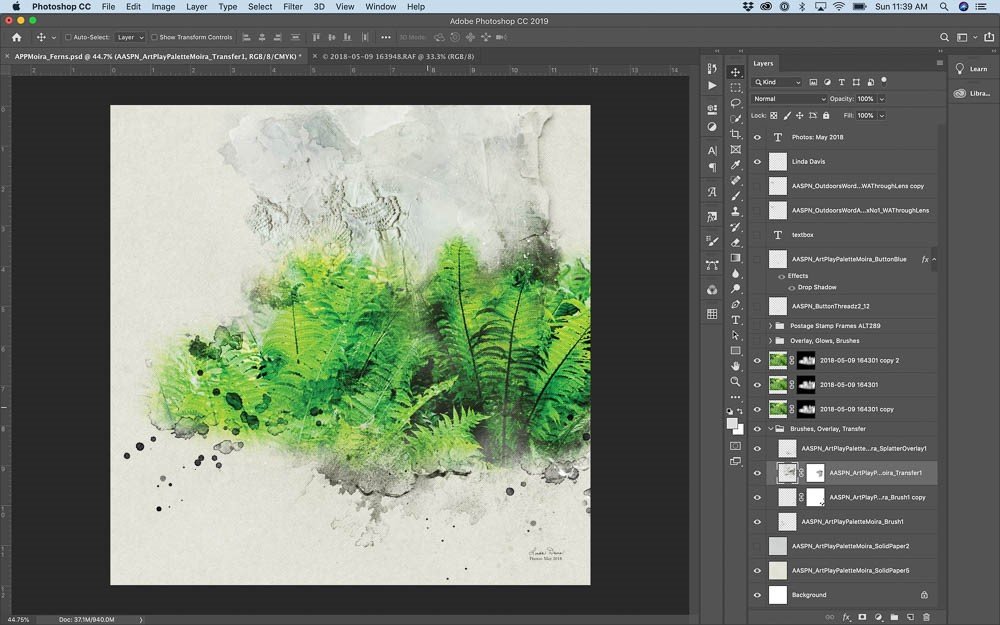
Add Small Frames
Drag the group of small frames from Artsy Layered Template No. 289 above the blended photo layers, then use that arrangement as a guide for placing the frames from Postage Frames No. 2.
- Open the .psd file of Postage Frame #6 from Postage Frames No. 2 and drag on to layout.
- Duplicate the .psd file four times.
- Reduce the file size so that it just large enough to cover the template frames. There will be a difference in the width.
- Slant and adjust positioning of the frames, masks and Drop Shadows to follow the positioning of the template frames.
- Clip detail fern photos to the masks.
Note: My photos were all adjusted in Lightroom before exporting to Photoshop.
Define Edges and Add Depth
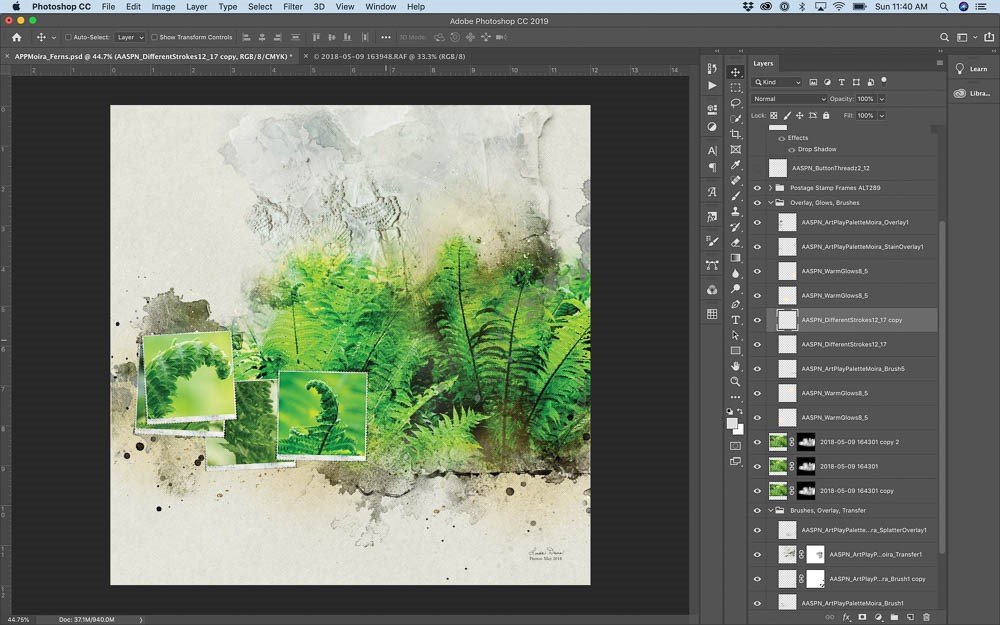
Notice the unfinished gap at the bottom of the ferns on the right. Create a defined edge using Brushes and overlays help close gaps and finish photo edges. Glows add depth and light to a page.
- Stamp Brush #6 from ArtPlay Palette Moira on a new blank layer in black above the blended photo layers.
- Above that layer, stamp Different Stroke #17 from Different Strokes No. 12 on a new blank layer. Duplicate the stroke to darken appearance. Blending Mode is Normal at 100%.
- On the right edge, place Stain Overlay #1. On the left just below the frames, place Overlay #1. Both pieces are part of ArtPlay Palette Moira.
- Add FotoGlow #5 from WarmGlows No. 8 and change the Blending Mode to Linear Burn at 100%. Duplicate the glow and place to balance the light.
Embellishment
Adding details creates interest and a finished look to a page.
- Drag the textbox from Artsy Layered Template No. 289 on to the page, adjust the text and resize the text box as desired.
- Place the Blue Button from ArtPlay Palette Moira and thread from ButtonThreadz No. 2 on a frame edge.
- Stamp the title using the Brush from Outdoors WordART Mix No. 1 or drag the .png file into position. Enlarge the title to fill the space on the left above the frame.
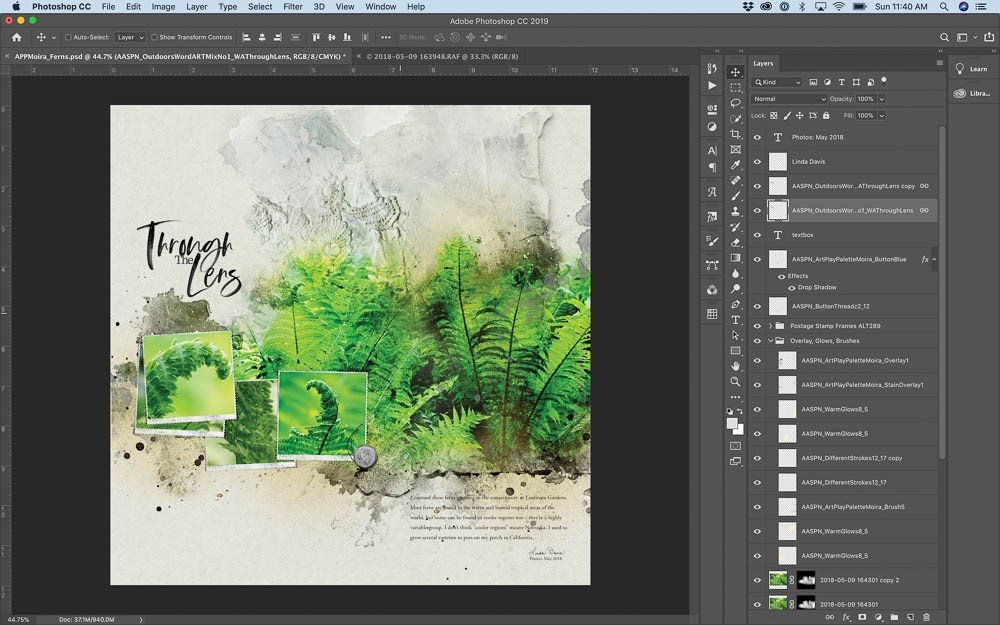
Next time that you sit down to create a page, spend a little time analyzing the way Anna Aspnes designs her artsy papers and then experiment by manipulating the brushes, transfers and overlays from an Artplay Palette in order to create something unique. Let me know how it goes.
Post your digital artistry and artsy digital scrapbooking pages in The Gallery, and if you liked this Guide Your Layout Design with Artsy Papers Tutorial, please consider sharing it using the social media buttons below.