
Today, Creative team member, Linda Davis shares her Photo Enhancement Techniques.
As I was creating this page, two factors influenced my thinking.
- I am a photo-centric scrapbooker, meaning that I generally focus first on selecting the photos I want to use on a page. Often, that means working with less than perfect photos. The photo that I used on this page had a stormy sky and view of the pier, but the horizon line was right in the middle rather than on the thirds in terms of composition. Essentially I used artsy paper 5 and transfer 5 to improve my photo’s composition and enhance it’s stormy sky.
- Up until last fall when the operating system on my Mac was updated, I used a little program that allowed me to preview .abr brush files. Instead of viewing the .abr file in my outdated program, I opened the .abr brush file from ArtPlay Palette Milieu in Photoshop and stamped each brush on a blank layer just to see what they looked like before deciding to use two brushes from the ArtPlay Palette as well as brush 2 from AnnaBlendz Artsy No. 3 on the layer masks attached to my photo copies. .abr files are far more flexible to use than the .png brush copies, especially on layer masks.
Photo Enhancement Techniques
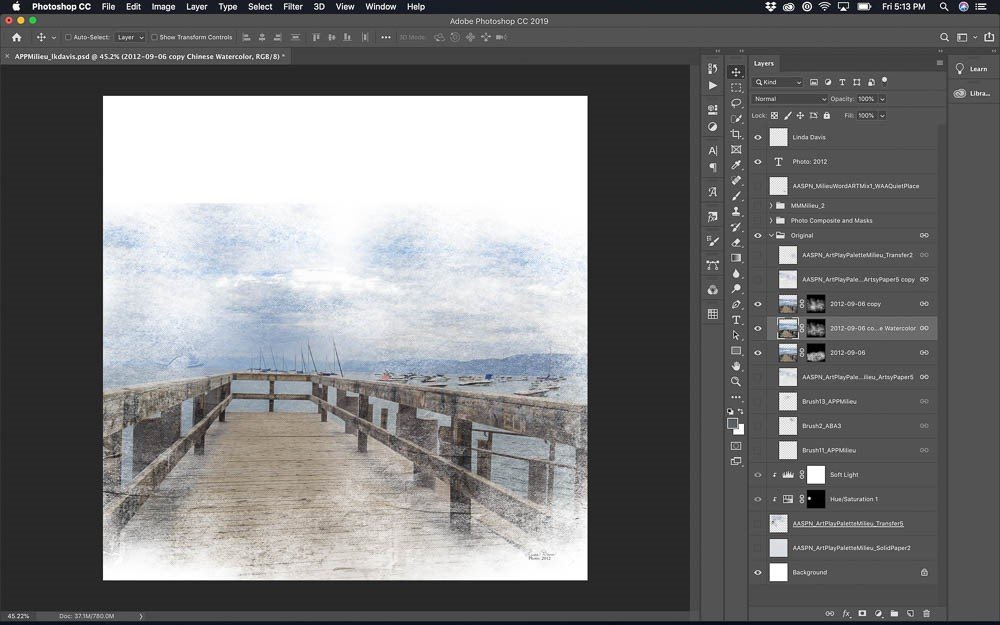
Masking Original Photo
- Duplicate the original photo three times.
- Apply a watercolor effect to the second copy using a filter in Photoshop or a plug-in like Topaz Studio.
- Change the Blending Mode of the top copy to Soft Light blend mode at 100%.
- Attach an Inverted Layer Mask to each photo.
- Use AnnaBlendz Artsy Brushes as well as brush 11 and 13 from ArtPlay Palette Milieu to bring back in the photo.
Place Artsy Paper and Transfer
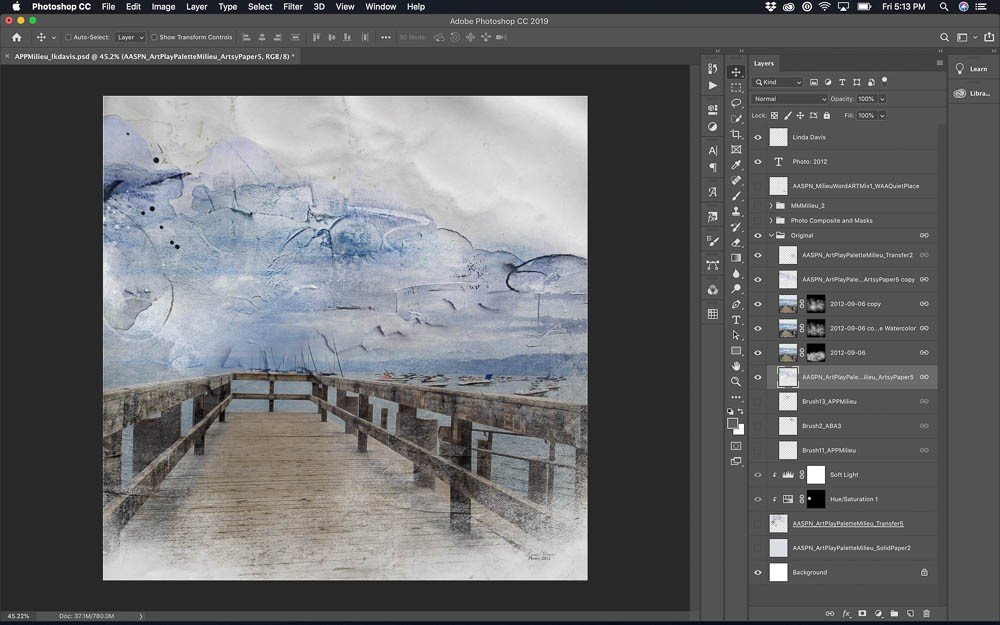
- Place Artsy Paper #5 from ArtPlay Palette Milieu below the photo layers.
- Above the photo layers, place another copy of paper #5 and change the Blending Mode to Linear Burn at 75% opacity.
- Above the boats on the right, place transfer #2 from ArtPlay Palette Milieu.
- Create a composite of the photo layers and Artsy Paper #5 by pressing CMD/CTRL + OPT/ALT + SHIFT + E.
Note: After creating the composite I grouped the original photo layers and turned off the group.
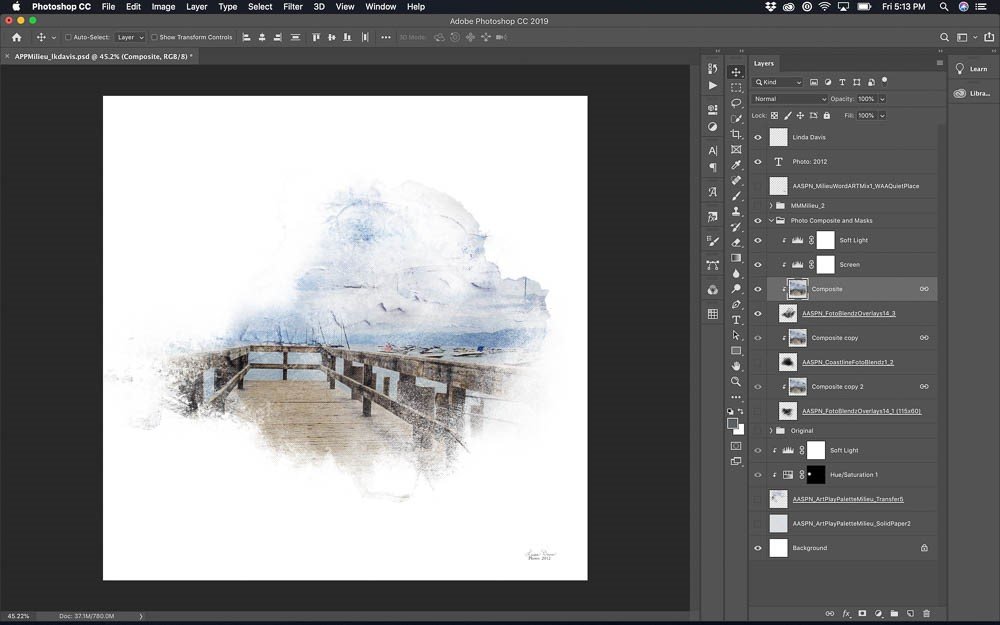
Clip Photo Layer to FotoBlendz Mask
- Reduce the size of the composite to about 90% and clip it to mask #3 from FotoBlendz Overlays No. 14.
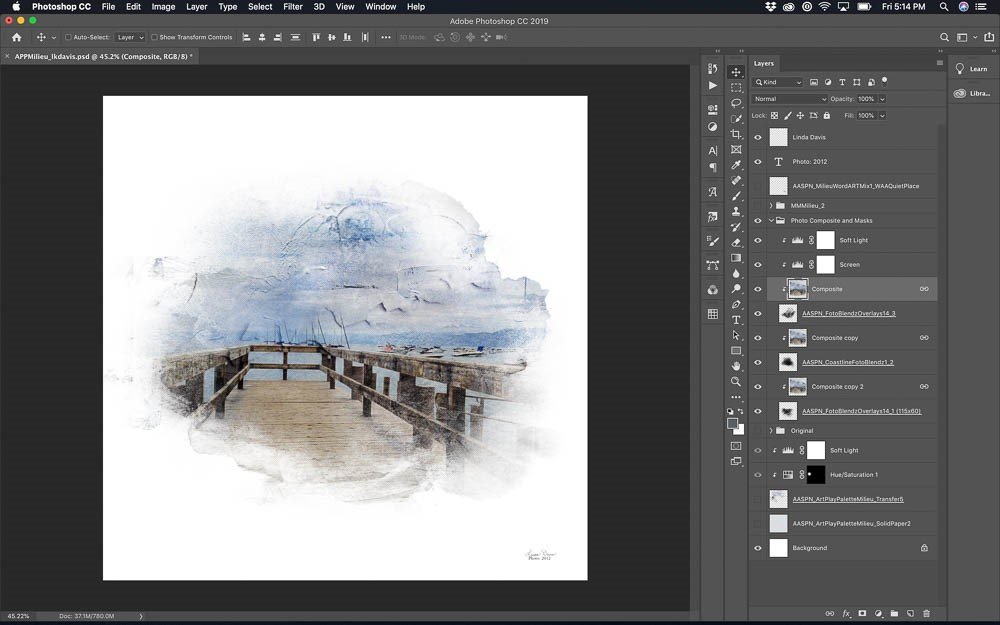
Clip Photo Copies to FotoBlendz Masks
- Duplicate the composite and clipped it to mask #2 from Coastline FotoBlendz No. 1.
- Reduce the size of mask #1 from FotoBlendz Overlays No. 14 vertically to 60% and horizontally to 115%.
- Duplicate the composite one more time and clip it to the resized mask #1.
Note: Above the composite copies clipped to masks, I added two Adjustment Layers: one on Screen Blending Mode at 30% and another on Soft Light at 100%.
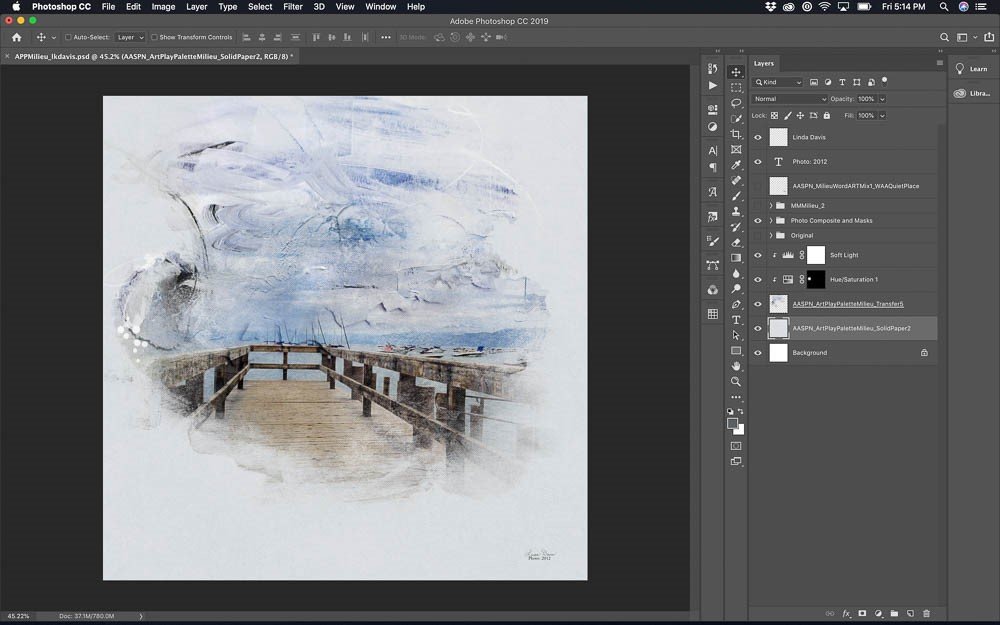
Place Transfer
- Place Solid Paper #2 from ArtPlay Palette Milieu below the composite layers.
- Above Solid Paper #2, place transfer #5 from ArtPlay Palette Milieu adding an adjustment layer on Soft Light Blending Mode at 100%.
- Adjust the color of the rounded area on the left with a Hue and Saturation Adjustment Layer.
- Invert the mask on the Adjustment Layer.
- With the Foreground Color set on white, use a soft round brush to reveal just the area needing a color change.
Add Elements and WordART
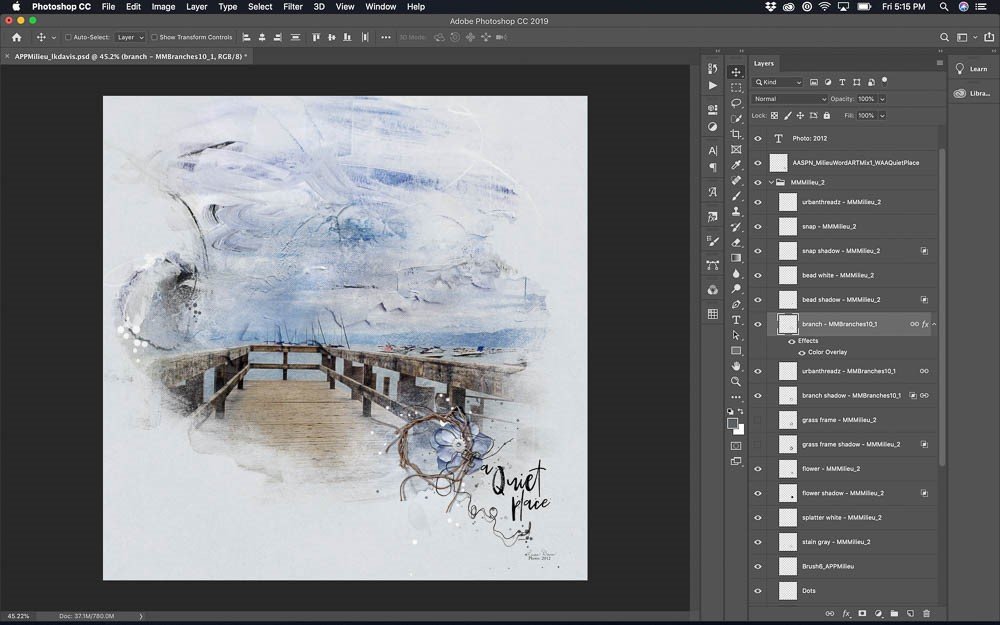
- To embellish this page, place the layers of file #2 from MultiMedia Milieu No. 1.
- Turn off the grass frame and its shadow.
- Instead, replace it with the branch from MultiMedia Branches No. 10 and its shadow as well as the thread.
- Adjust the color and size of the branch as needed.
- Add WordART from WordART Mix Milieu No. 1 and brush #6 from ArtPlay Palette Milieu as well as some splatter brushes stamped on new blank layers to finish the page.
Post your digital artistry and artsy digital scrapbooking pages in The Gallery, and if you liked this Photo Enhancement Techniques Tutorial, please consider sharing it using the social media buttons below.
I really liked the suggestion to stamp each brush from a kit on a separate layer to see what it looks like. Many times I just ignore the brushes from a kit and never use them. This suggestion will give me an idea what the brush actually looks like. Thank you so much.
Yes! Also this allows you to view them in different colors, change their rotation or size. Linda is full of hidden gems.
Love the process of opening the abr files on a new layer. Thanks for this insightful tutorial. Just wondering if there is a certain area in PS where you can adjust the percentage up or down of products or composites. Thanks!
Can you provide further clarification on your question?
Love the stormy sky results…proportional and dramatic! I’m a photo-centric scrapbooker as well so it’s helpful to have some tools when using less that ideal photos. Thanks for sharing your tips and process, Linda!
Thanks Linda. I appreciate all your tutorials. This one is another gem. I tried adding the page under and over on a page I’m completing now and it morphed but that’s the idea I guess. It did add texture to my image which I liked. I’ll have a play with the brushes next time round. Great idea. Thanks for explaining the process. xx
So happy to hear this.