
Viv Halliwell, shares her techniques for Digital Scrapbook Photo Processing with Smartphone Apps.
Digital Scrapbook Photo Processing with Smartphone Apps
Elevate Your So-So Photos
You can can use apps on-the-go to edit your photos.
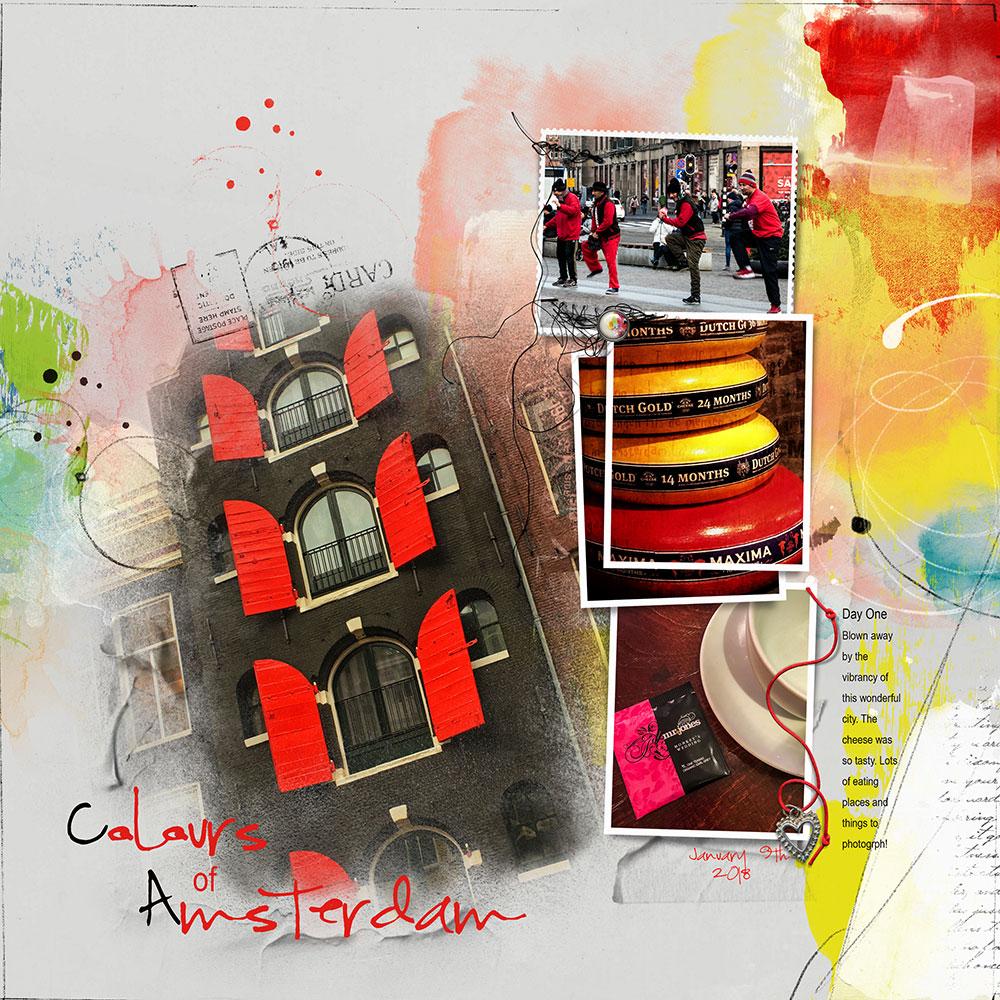
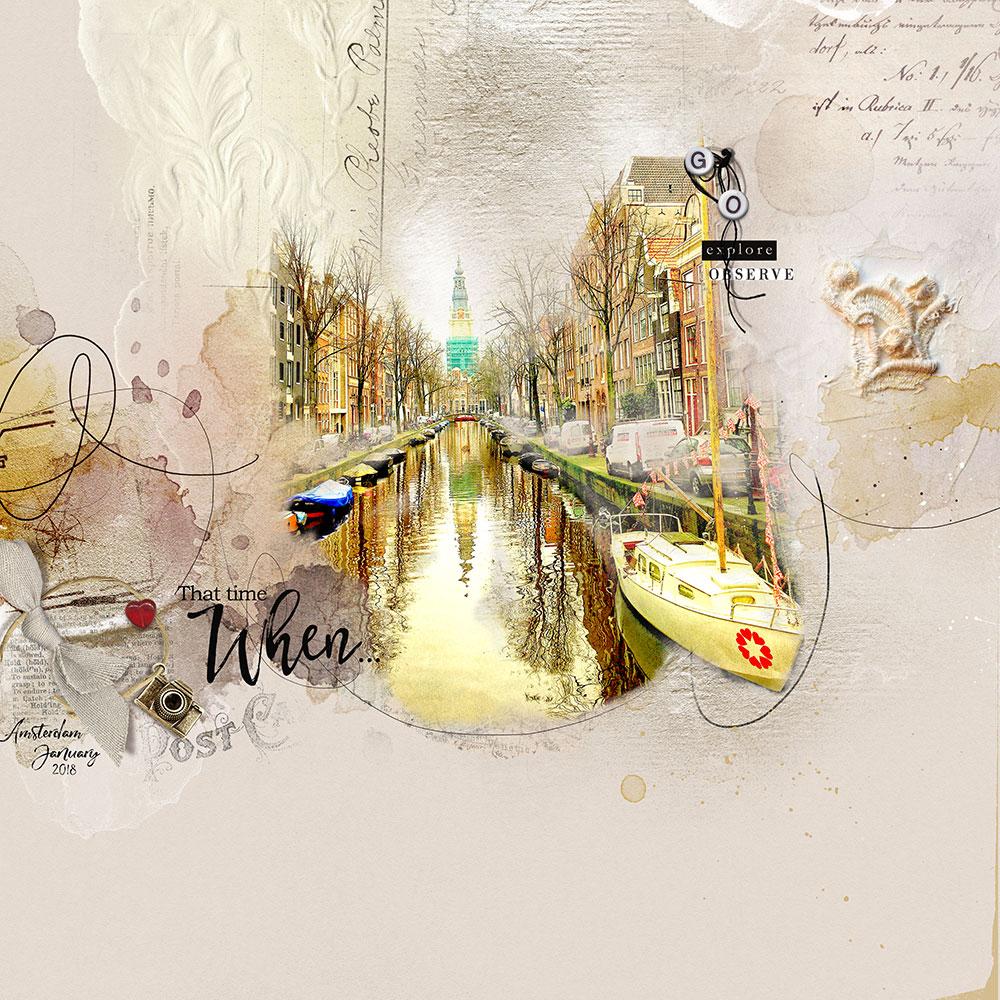
Recently mys daughter and I took a trip to Amsterdam in the Netherlands.
The days were overcast and dark – This is where a phone camera excels.
Keep in Mind
The iPhone camera can shoot large-size’ images.
- So remember that cropping is always an option.
- And photo quality problems, such as noise or unwanted objects, can always be adjusted or modified using artsy techniques in Photoshop and Digital Scrapbook Supplies by Anna Aspnes Designs.
Let Me Introduce You
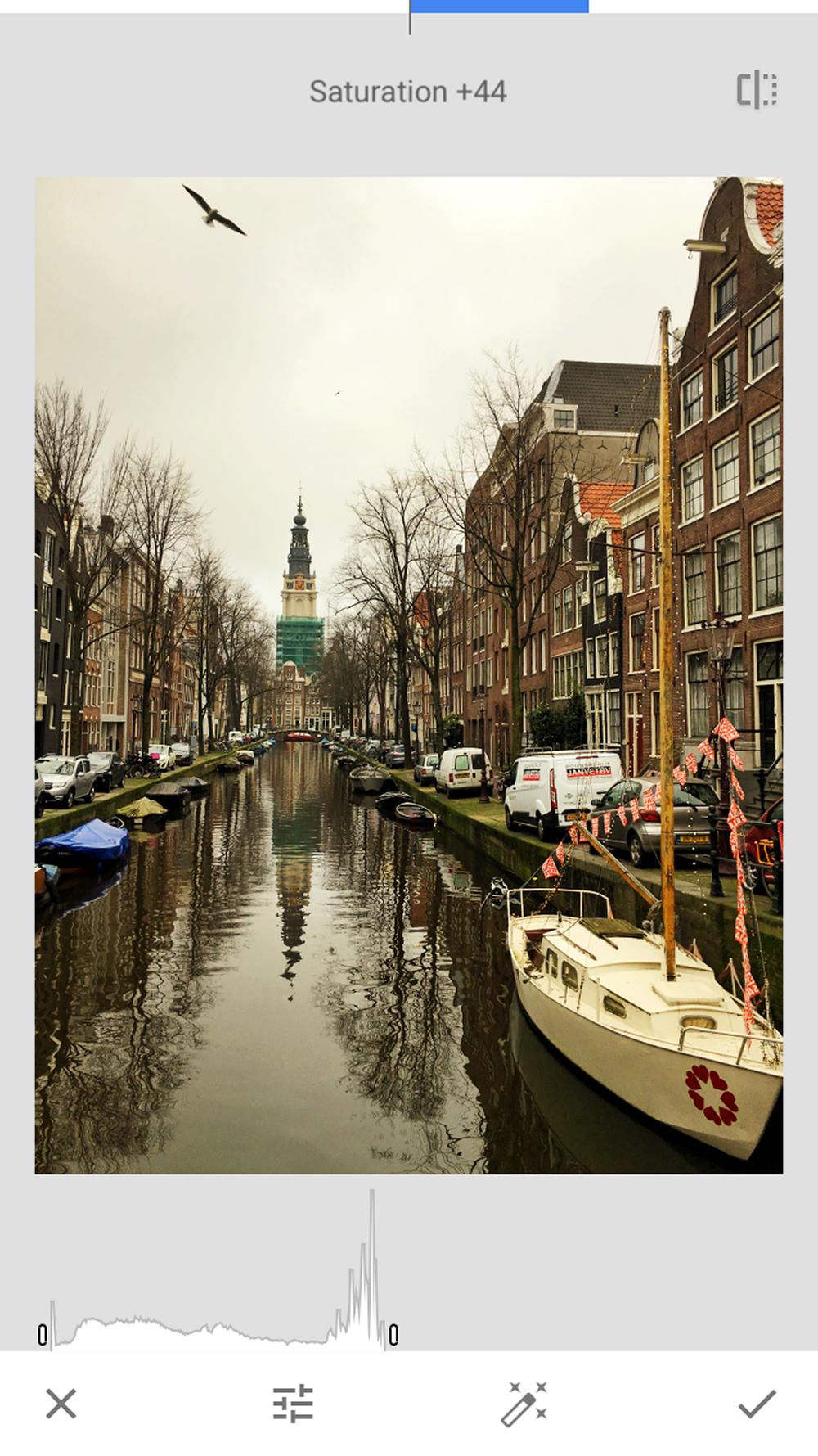
My go to app for basic adjustments is Snapseed.
- This FREE app, available for IOS and Android, provides a lot freedom in artsy photo processing.
It is intuitive to use, has a minimalist approach, and plays well with other apps.
You can find a great tutorial here.
Editing Your Photo
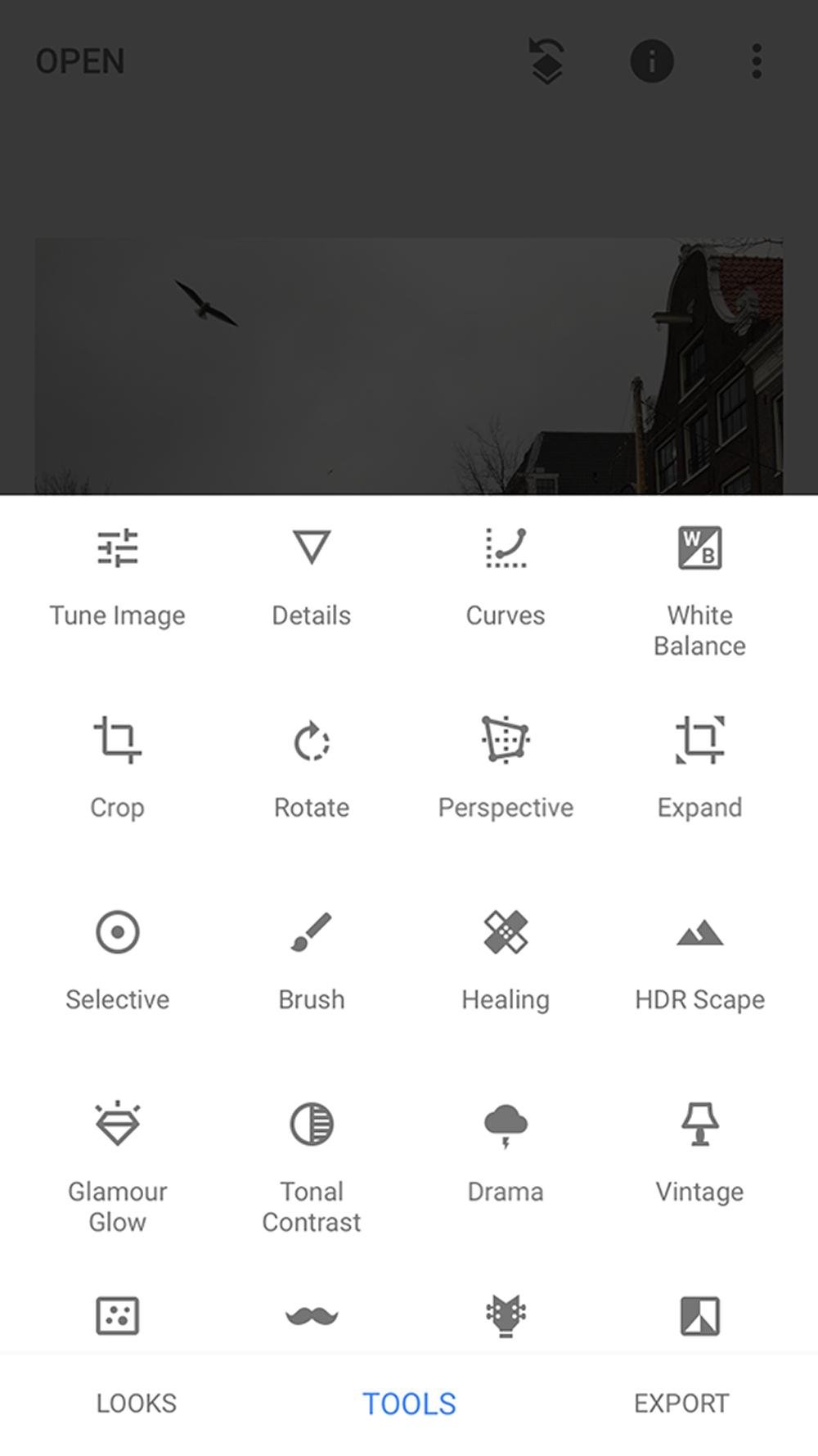
See below all the tools available to enhance your images.
- Experiment with each of the tools to learn what you like, achieve desired results, or enjoy a happy accident.
Add More Apps
You can use multiple apps to edit your photos.
- It’s a matter of personal preference which apps you decided to use.
Some of my favorites:
- Brushstroke
- Image Blender
- Distressed fx
- Stackables are
- Artomaton
Everyone’s editing process is different.
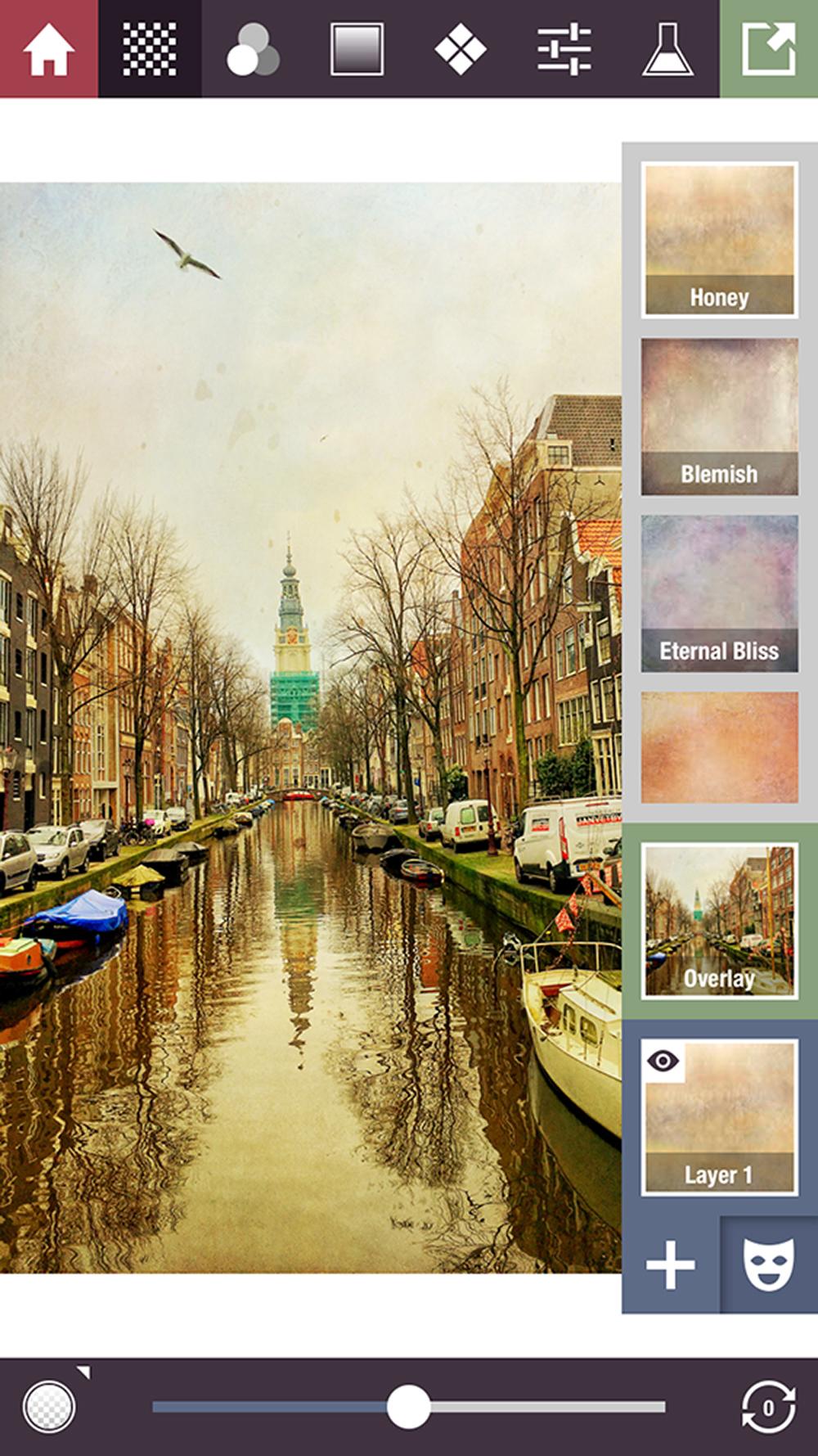
- After Snapseed, I usually use Stackables (FREE with in store purchases, available IOS and Android) – So much fun to play with!
- It offers a recognizable Layer system, similar to Photoshop, and the ability to use Blending Modes.
See this tutorial here.
From App to Photoshop
When you have finished editing you can import your edited image into Photoshop.
- Note that some photos will require more editing than others depending on the type and circumstance of the photo.
I decided decided to end the editing process of this image having used just 2 apps, but you can use as many as you like.
The photo was transferred to Photoshop on my Mac and then placed on and Artsy Paper from an ArtPlay Palette.
- An Inverted Mask was applied to the photo to blend the image.
- Embellishments clusters and UrbanThreadz add dimension.
- Splatters and ArtStrokes support the image and provide visual interest.
Summary
As you can see so much fun can be had with these apps.
- Play and experimentation is the way to learn the ins and outs of these gems.
Post your questions about Digital Scrapbook Photo Processing with Smartphone Apps.
I ADORE phone apps. So many wonderful ones (I use most of the ones you mentioned plus several others). They are so helpful with creativity, and save so much Photoshop Time! Thanks for sharing.
The results are so gorgeous Viv! Thanks for sharing your process, and APPs.
This post is an invite to try these apps! Personally, I hadn’t any idea that I could play with such apps… Thank you!