
Miki is shares her technique for How To Use Ephemera in your Digital Scrapbooking
How To Use Ephemera in your Digital Scrapbooking
Do you have a box filled with letters, newspaper articles and old photos from my mother?
You can include all these little bits of your heritage in your digital artistry by incorporating Ephemera in your Digital Scrapbooking
This ephemera can often provide additional information about an event and serve to quickly and easily expand on the story.
Note that newspaper clippings are unsafe to use in traditional photo albums due to their high acidic content.
Digitizing Ephemera in Artsy Digital Scrapbooking is a great way to incorporate them into your memory keeping without damaging your photos.
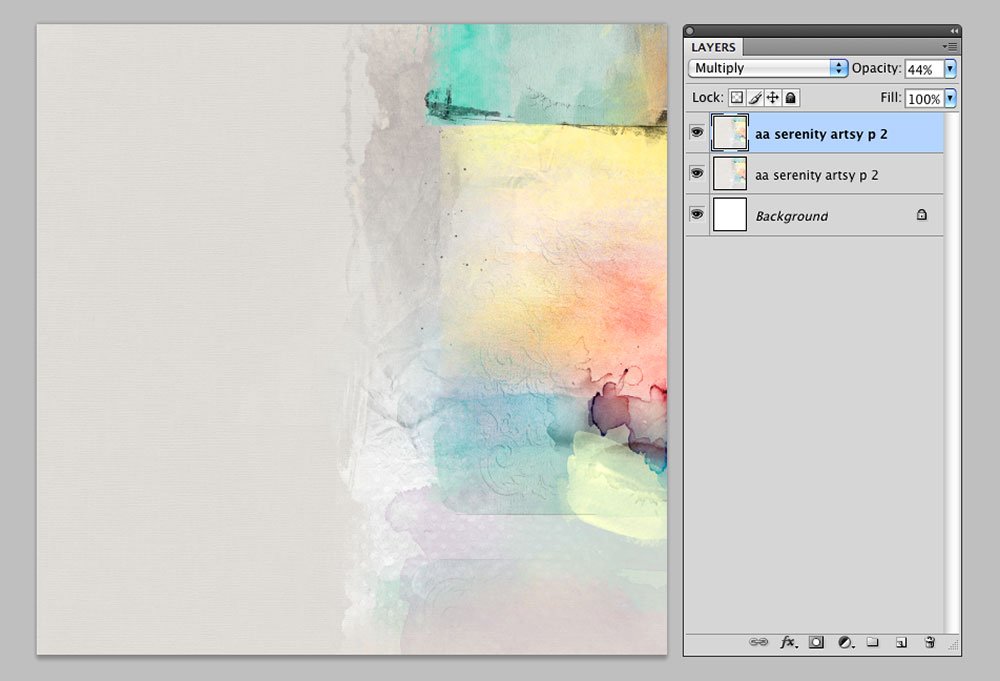
1. Create A Foundation
Create a New Layout.
- Go to File > New, and specify a Width and Height of 12 x 12 layout with a Resolution of 300 PPI.
- Open (File> Open) and move the digital paper of your choice onto the layout using the Move Tool from the Tools Panel.
Artsy paper 2 from Artplay Palette Serenity was flipped horizontally so that the gray area moved location from right to left (Edit > Transform > Flip Horizontal).
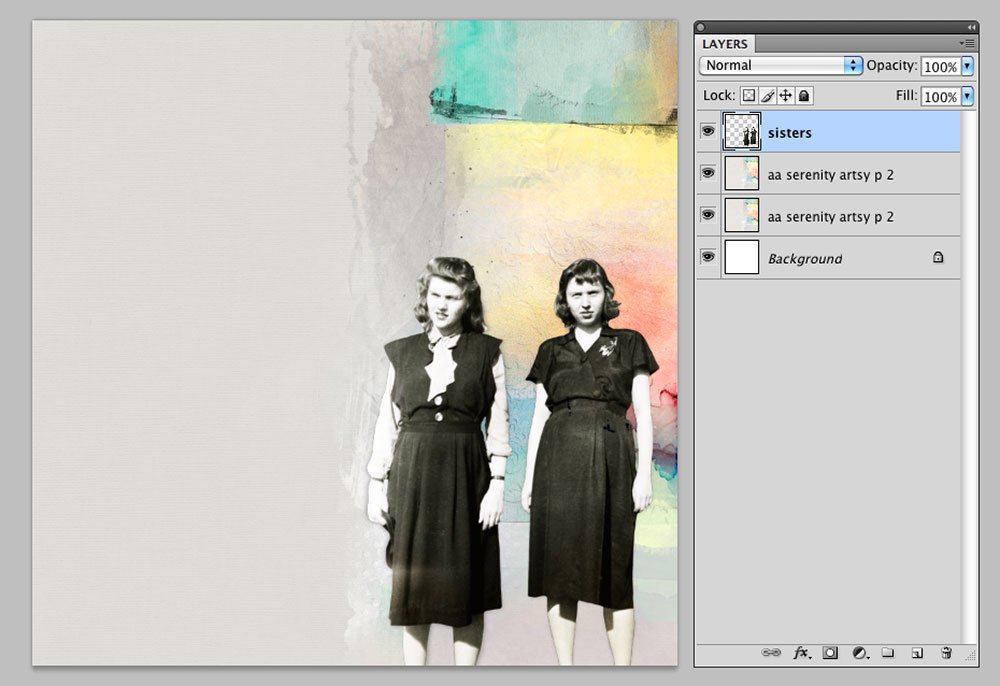
2. Extract the Image
Remove the background from the focal point in the image and create an extraction.
- When extracting my photos I like to Zoom In by 300% and use the Pen Tool from the Tools Panel.
- Using the Pen Tool provides more control than the Magic Wand, Quick Selection, or Magnetic Lasso Tools, even though it does take more time.
Duplicate your photo and create an outline around the focal point by connecting anchor points.
You may have to zoom out once in a while to see the image, depending on the background and colors of your photo.
- After all anchor points have be connected to create a Closed Path, select the Paths Tool from the Tools Panel and choose ‘Load Path as a Selection’.
Your image will now have dancing ants around it.
Delete the unwanted background.
- Press CMD/CTRL + X to remove the area designated by the marching ants.
Note that Photoshop Elements does NOT have a Pen Tool.
- You can use the Quick Selection (W), Magic Wand (W) or Magnetic Lasso (L) Tools instead.
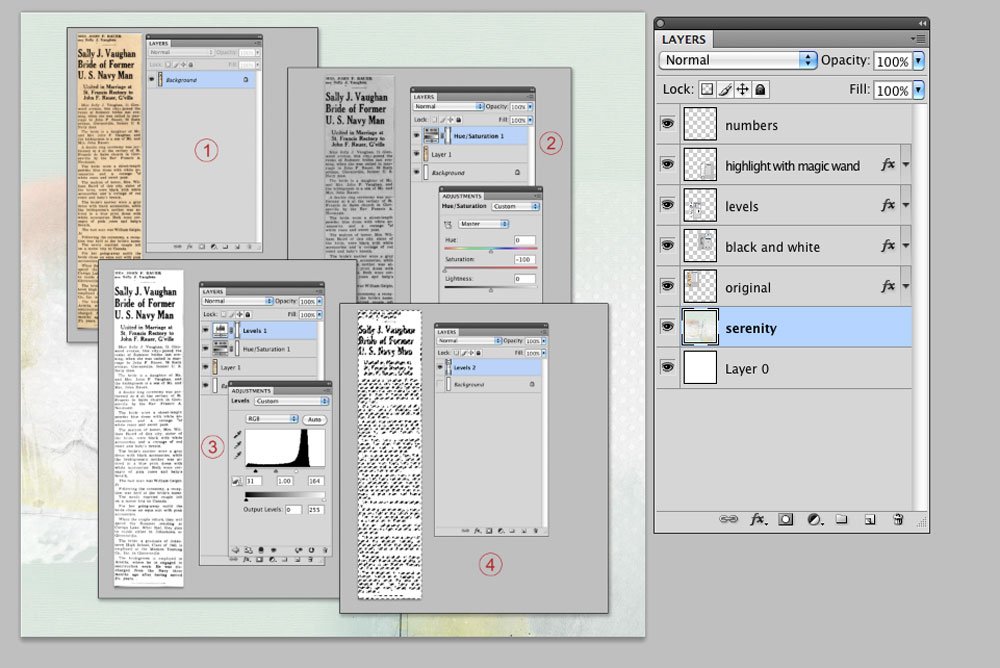
3. Make Digital Ephemera
Scan the materials that you want to use want to use in your artsy digital scrapbooking page.
- Scan at a high resolution (300-600 DPI) for better clarity.
- If you don’t have a scanner, take a picture of the material with your camera or phone camera and import it to Photoshop.
Edit the digital file to improve color and contrast.
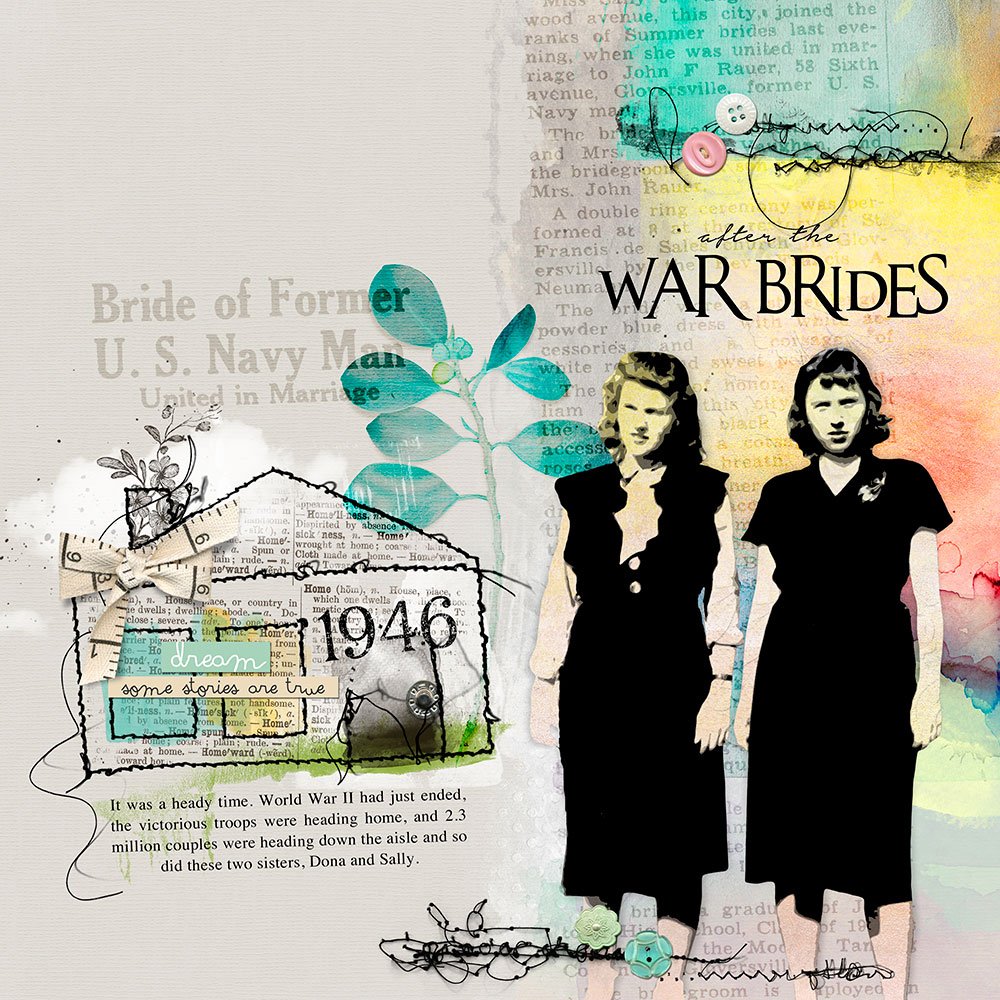
The article that I used was from year 1946 and very discolored.
- Use the Hue/Saturation Adjustment Tool to convert the image to Black/White, by sliding the Saturation lever all the way to the left.
- Increase the Contrast of the image by adjusting the Levels.
I moved the Input Levers closer to the center point and then merged the layers.
Remove the background.
- Unlock the background layer by going to Layer > New > Layer from Background.
This allows you to make changes to the layer.
- Use the Magic Wand tool to highlight the white area of the image and press ‘DELETE‘ on your keyboard.
This will yield just the print with a transparent background.
Note.
- You can also make a brush from the image.
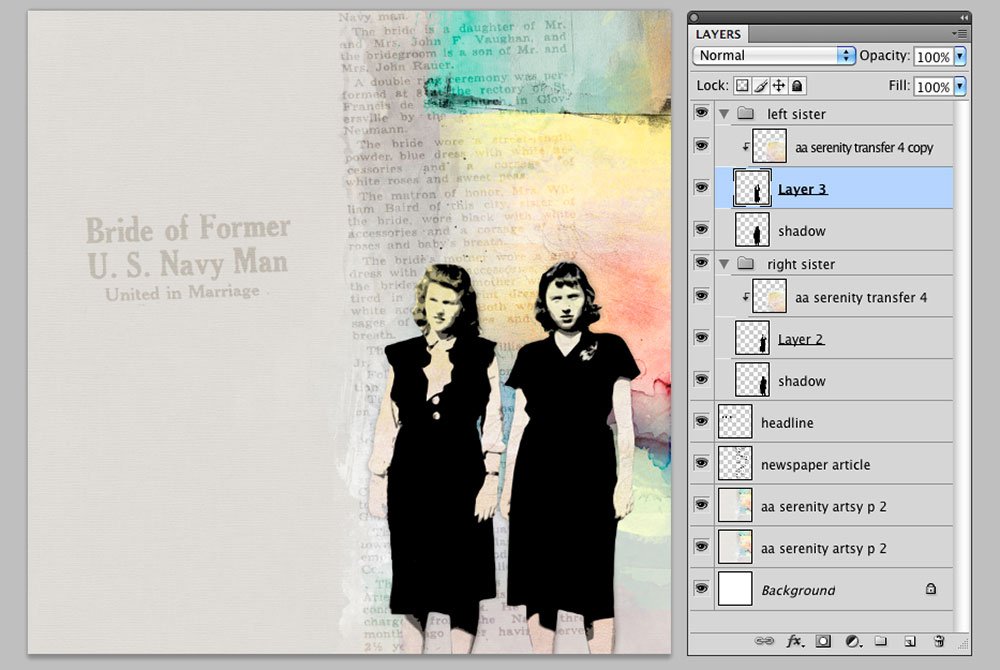
5. Embellish
Add the ephemera to your artsy digital scrapbooking page.
- Layer the digitized files behind the extracted images.
- Change the Blending Mode to Soft Light to yield a faded look.
Also try incorporating bold colors to contrast with the black/white image and create ‘Tension’ in your artsy digital design.
- Finish the page by adding WordArt, Textures, Stitching, Artsy Transfers, MultiMedia Elements and Brushes from the [aalogo] store.
Post your questions about How To Use Ephemera in your Digital Scrapbooking in the comments.